
 2
 1
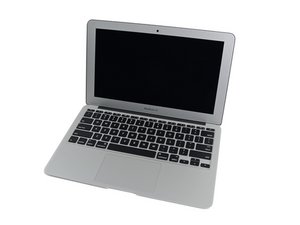
MacBook air won't startup unless power button held on for long time.
I was working on my MacBook air . Suddenly the screen went to sleep mode. When I tried to put it back by pressing the power button the keyboard lit but the screen did not. So I forced shutdown by holding the power button but then I could not start it normally until I had to long press the power button and kept it pressed till the apple logo comes on the screen. If I leave the power key before The apple logo appears it does not turn on . Now after turning on it takes !&&*.lot of time to boot(around 5 mins) after booting the system is too slow.
Tried SMC AND NVRAM RESET . NO HELP . PLEASE SUGGEST SOME REMEDY.
Update (09/08/2017)

posted
Это хороший вопрос?
Счет
4

 2,6к


6 Комментариев
same problem here, anyone can help to fix it?!:/
из quinzey Поделиться
hey, if u did something and it helped I really need it please
из Mr steal your Girl Поделиться
Hello,i have exactly same problem,how did you fix this problem?please help
из ishant agrawal Поделиться
is this fixed? Its 2020 and I still have the macbook air early 2014 model and I have the same problem. I’ve been trying to solve this problem for almost a month now. please help me I need to fix my laptop badly because it is the only thing that I use in online class this pandemic season.
из gigi go Поделиться
I have similar problem with my MacBook. For this problem I hav kept my MacBook Air 2015 fo the past two years now. I have to long press the power button to turn it on and when on, it becomes very slow.
из Mohammed Sannoh Поделиться
Показать ещё 1 комментарий