Перейти к основному содержанию

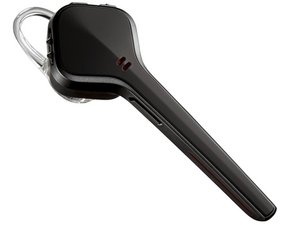
The Voyager Edge is a Bluetooth headset from Plantronics, released in February 2014.

Why when I answer my Bluetooth the call goes to speaker phone

When i get a phone call, I answer with my voyager edge, but the call goes to my phones speaker and not thru my bluetooth

Ответ на этот вопрос У меня та же проблема

Это хороший вопрос?

Счет 1
Добавить комментарий

Ответов (4)

Наиболее полезный ответ

You can install the Plantronics app "PLT Hub". That shows whether the headset has recognised that it's in your ear or not. If not, the call goes to the phone's speaker.

Sometimes it helps to place the headset on a non-metallic surface with the earpod point up while charging. This should re-calibrate the sensors.

HTH

Был ли этот ответ полезен?

Счет 1
Добавить комментарий

Check the properties of the Bluetooth connection on your phone

Settings, Bluetooth, Connected Device settings.

There should be several check boxes related to functions that the connection can be used for. (Media audio, Phone audio, etc.)

Был ли этот ответ полезен?

Счет 0
Добавить комментарий

I turned off the sensor and that did the trick for me.

Был ли этот ответ полезен?

Счет 0
Добавить комментарий

Hi! If your Plantronics Voyager Edge microphone isn’t working properly, try these steps:

  1. Check the Bluetooth connection:
    Make sure your headset is fully paired and connected to your phone. Try disconnecting and reconnecting it.
  2. Clean the microphone area:
    Dust or dirt can block the mic. Use a soft brush or a small pin carefully to clean the small hole near the microphone.
  3. Reset the headset:
    Press and hold the call button + volume down button together for about 5–6 seconds until the LED flashes. Then reconnect your headset.
  4. Check permissions:
    On your phone’s Bluetooth settings, make sure the headset has permission to use the microphone.
  5. Try another device:
    Connect your headset to another phone or computer to check if the problem is from the headset or your device.

If the microphone still doesn’t work after that, the internal mic component might be damaged and may need professional repair or replacement.

Hope this helps!

Был ли этот ответ полезен?

Счет 0
Добавить комментарий

Добавьте свой ответ

Hugh Wilburn буду вечно благодарен.
Статистика просмотров:

За последние 24 час(ов): 0

За последние 7 дней: 3

За последние 30 дней: 16

За всё время: 2,620