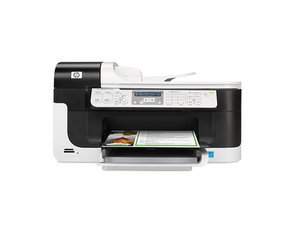

Printer displays '0x61011bed' error upon startup; will not resolve.
Cleaned and reset print cartridges and printhead; checked physical gear issues for carriage; checked for paper jams. No other obvious answers present themselves.
Это хороший вопрос?
Cleaned and reset print cartridges and printhead; checked physical gear issues for carriage; checked for paper jams. No other obvious answers present themselves.
Это хороший вопрос?
try these steps
While you respond to that, here's what you need to do:
In some cases, removing the ink cartridges and resetting the printer can clear the error message.
Был ли этот ответ полезен?
Yes, I can move the carriage freely. I've already done a hard reset, and I've also followed the HP reset guide. Problem still persists.
exactly the same thing is happening for me
HP Office jet 7500A
after a lot of trying and going in to reset the network settings I got it to print the 'wireless network test results' from the printer control screen and then after that the process above worked, but I had to force the ink cartridge carrier to the left to remove the cartridges.
I was having the same problems with my HP 6600 last year. Tried everything and even considered replacing the entire print head. Ultimately the solution was to replace the HP with a Brother J5330DW.
Был ли этот ответ полезен?
I got past the cartridge access issue with a you tube video
I watched to solve the Paper Jam issue that isn't a paper jam
Lil white cog inside printer stops turning with age/use
TURN THE POWER OFF, to access it (watch the whole video first)
Fixed - Paper Jam via video above
Fixed - Out of ink message now I have black and yellow stalled,
Error 61011Beb, trying to reset the print head
Был ли этот ответ полезен?
When I open the ink cartridge lid , the ink cartridges do not move to an accessible position.
Был ли этот ответ полезен?
The printer tells me that the black cartridge is low, but I cannot access the cartridge because it does not automatically move to the opening when the access lid is opened.
I have the very same problem. The ink cartridges unit with printhead stay to the right. Did You find a solution?
press start not starting.
Был ли этот ответ полезен?
way p.c. 6500 not starting.
how to fix.
За последние 24 часов: 1
За последние 7 дней: 9
За последние 30 дней: 75
За всё время: 14,931
5 Комментариев
NOTHING works! I have an HP Officejet 6600 H711g. I’ve done the re-sets, etc, on various help pages, including the ones on HP forums. Done those multiple times. Updated all my HP and Windows software. The print carriage does not always move for me, though it moved once, and I was able to replace an empty color cartridge. I’ve also uninstalled/reinstalled software - at least twice. Ready to chuck this printer and buy a different brand,
из sulisathena
the toner cartridges do not stop in the middle of the toner bar when the cover is opened to enable me to remove them. i unplugged as suggested and replugged but toner cartridges do not stop in the middle to be removed. HELP!!!
из krackerj@att.net
i cannot get the cartridges to stop in the center. they are locked into place at the right side of the printer. cannot retrieve them
из krackerj@att.net
i have an Officejet 6700 Premium and it has always worked so well. Now, i cannot retrieve the cartridges to even clean or change them. HELP!
из krackerj@att.net
is anybody out there? has anyone read my comments?
из krackerj@att.net