Visio 22 inch Has no Power and no Clear Damage NEED HELP
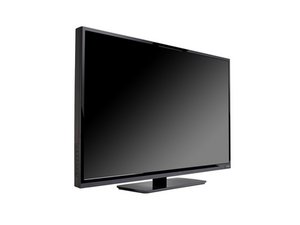
TV model attached it not the model I have
I came home to play some video games and tv had absolutely no power going to it. Really need help because being young don’t have money buy another right now. Video Attached
Update (08/02/2020)
here a vid of me testing random components not knowing what Im doing hope it helps. Thanks Again @jostewcrew
Прокрутите эту тему, чтобы найти подходящее место для этого комментария. Затем нажмите "Прикрепить комментарий к этому сообщению", чтобы переместить его.
Clay Moncure … no pwer is typically a sign of a bad power supply. Your particular model is an all in one power supply/ main board combo.
To troubleshoot:
1) on the bottom of your tv, there will be a vizio logo that can be lit up to indicate standby, or a small dot led, or a infrared sensor box that will light up showing standby voltage. check for this sign of life first. if there is no signs of life (standby light indicator) , move to step 2.
If there is an indicator light, turn off all the lights to make a dark room. Take a flashlight and put it close to the screen at an angle and press the menu button on the onboard controls and look for any sign of a picture. If there is a picture, it would be safe to say that one or more of your leds are burnt out. will want to replace.
2) the fuse can sometimes blow on the board under different circumstances, check this for continuity. The fuse will be located right near where the ac wall plugs into the circuit board. (will need a multimeter for this step and any other step hereafter) If there is continuity, move to step 3.
if there isnt continuity, replace fuse. (When a fuse blows, typically is caused by an underlying issue elsewhere in the circuitry. Will know if this is the case by the fuse blowing again after power up)
3) youll want to start testing voltages on the board. (There is typically a legend of voltages listed on the board itself) youll want to upload a good, clear, as close up as you can picture that shows the entire board in the frame so we can see what you do.
try these and report back with questions and or updates with what you tried and the results.
Прокрутите эту тему, чтобы найти подходящее место для этого комментария. Затем нажмите "Прикрепить комментарий к этому сообщению", чтобы переместить его.
6 Комментариев:
Thank you ill look into this and get back to you.
So far with tool I had I tested the two little black tubes which I think are my compacitors they had 120v and still work. So I do not know if that's important or not thank you
@Clay Moncure ... the capacitors hold voltage like a battery would do. this is good to know because it means that your ac voltage is coming into the set and making its way past the fuse (which is good).
with this info, i would guess that there should be the indicator light at the vizio logo. if so, proceed with the flashlight test.
if not, youll want to start testing voltages on the board. youll want to upload a good, clear, as close up as you can picture that shows the entire board in the frame so we can see what you do.

 1

 4
 3
