Перейти к основному содержанию

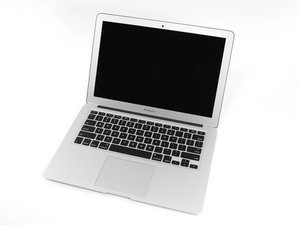
In June 2017 Apple updated its 13" MacBook Air with a newer Broadwell Intel Core i5 processor, resulting in slightly increased performance and battery life.

What do I need to fix liquid damaged keys?

My gf has a 2017 A1466 MacBook Air. She spilled matcha on the enter key and now it's combined with other keys.

Immediately after (2 days ago) the enter, backslash, and mute buttons would all be pressed at once. Earlier today we power cycled and it switched to just the enter and backslash.

Is there a way to fix the keys being combined without having to purchase a new keyboard, and if not what should I purchase?

Ответ на этот вопрос У меня та же проблема

Это хороший вопрос?

Счет 0
1 Комментарий

This question was migrated from https://meta.ifixit.com/Answers.

из

Добавить комментарий

1 ответ

Наиболее полезный ответ

The time spent removing each key, inspecting and cleaning & then trying to clip them back (Especially the top row keys) without breaking them is a 50/50. You also have to disassemble the laptop to get to the underside of the keyboard to try to clean it up, then reassemble to test to see if any improvement was achieved isn't worth the time & hassle, replacing the keyboard is the quickest and best solution. It is a bit of a task but not impossible with a bit of patience & care. MacBook Air 13" Early 2017 Keyboard Replacement Some videos are on YouTube on cleaning Keys but note that keyboard versions do vary but the process is quite similar.

Был ли этот ответ полезен?

Счет 1
Добавить комментарий

Добавьте свой ответ

Collin Peterson буду вечно благодарен.
Статистика просмотров:

За последние 24 часов: 0

За последние 7 дней: 0

За последние 30 дней: 3

За всё время: 49