Этот перевод был сделан машиной и пока не проверен человеком. Говорите на этом языке? Просмотрите его.

Замена ЖК-экрана Olympus E-PL1

Последнее обновление 13 авг 2026 г.
Просмотров: 12 тыс.
Просмотр статистики:
- За последние 24 часа:
- 5
- За последние 7 дней:
- 48
- За последние 30 дней:
- 203
- За все время:
- 12 151
Комментарии: 8
3 комментариев к шагам, 5 комментариев к инструкции.
Перейти к комментариям инструкцииЗавершено: 7 8
7 пользователей отметили эту инстркукцию как "завершенное". Вы будете следующим?
8 пользователей отметили эту инструкцию как "завершенное". В том числе и Вы — отличная работа!
Избранные: 0 1
Никто не добавил эту инструкцию в избранное (и не подписался на нее). Будете ли Вы первым?
1 человек поставил лайк на эту инструкцию (и подписался на нее) — и это Вы!
Неправильные инструменты
Помогите улучшить эту инструкцию — пусть в кадре и в тексте будут правильные инструменты.
Введение
Перейти к шагу 1 ↓В этом руководстве показано, как заменить ЖК-экран на задней панели.
Выберете то, что Вам нужно
Инструменты
-
-
Spudger4.9
-


-
-
-
Нажмите на серый язычок, при необходимости используя пластиковую лопатку (spudger), и аккумулятор выйдет из гнезда.
 Спросите у FixBot
-
-
-
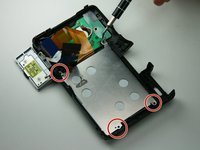
Всего необходимо открутить шесть винтов с помощью крестовой отвертки #000 Phillips.
-
Как показано на первом рисунке: один винт Phillips длиной 4,9 мм расположен с левой стороны камеры.
-
Как показано на втором рисунке: в нижней части камеры находятся три винта Phillips длиной 3,4 мм; они расположены на более темном участке корпуса.
-
Как показано на третьем рисунке: с правой стороны находятся два винта Phillips длиной 5,3 мм, один из которых скрыт под крышкой USB-разъема.
-
-
-
-
-
-
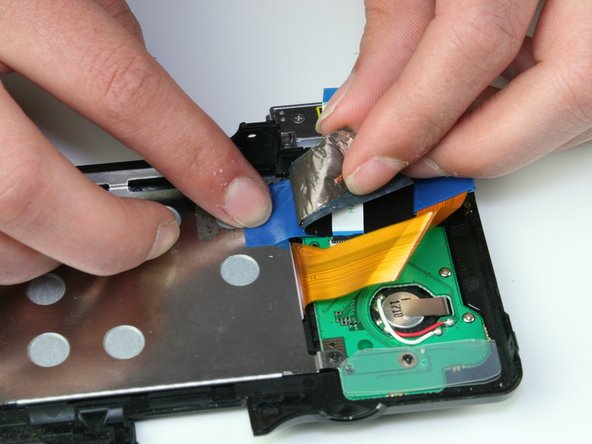
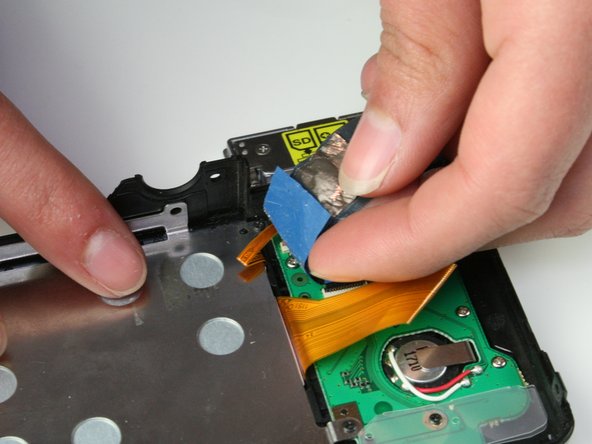
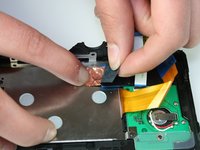
Как показано на первом изображении: отклейте черную полоску.
-
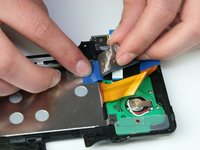
Как показано на втором изображении: отклейте медную полоску.
-
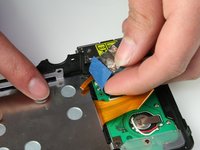
Как показано на третьем изображении: отклейте синюю ленту.
-
-
-
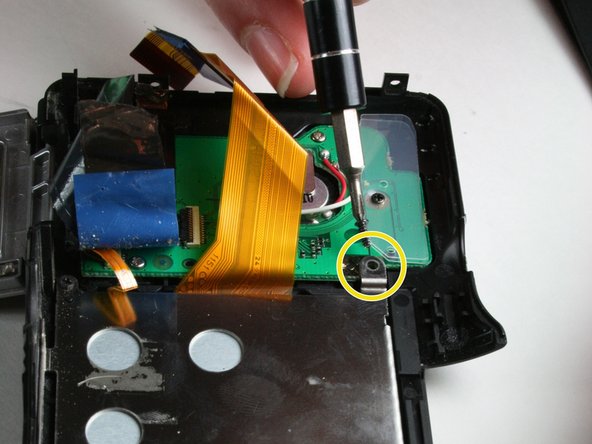
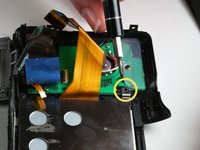
Необходимо выкрутить четыре винта с помощью отвертки Phillips #000.
-
Выкрутите три винта длиной 3,4 мм на серебристой панели.
-
Теперь выкрутите винт длиной 4,3 мм, расположенный на зеленой плате.
-
-
Инструмент, используемый на этом этапе:Tweezers$4.99
-
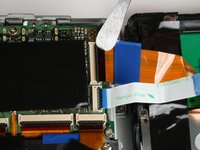
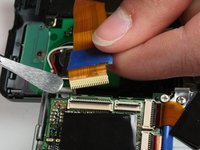
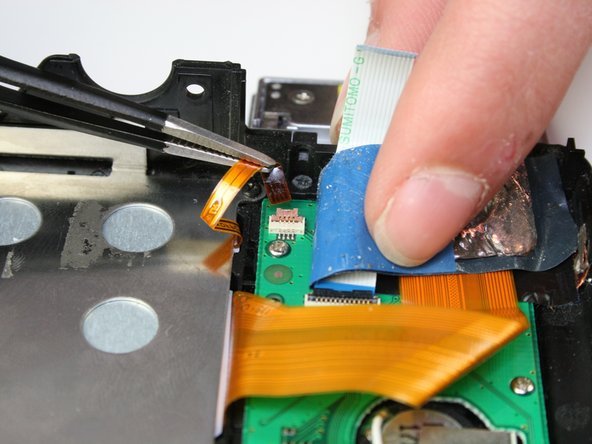
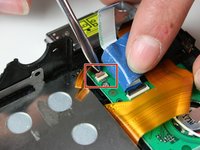
Используйте пластиковую лопатку (spudger), чтобы поднять коричневый фиксатор.
-
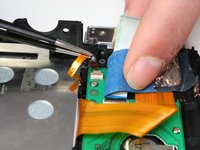
С помощью пинцета извлеките шлейф из-под коричневого фиксатора.
-
-








Для сборки устройства выполните эти действия в обратном порядке.
Отменить: Я не выполнил это руководство.
7 человек успешно провели ремонт по этому руководству.

Команду

Colorado Springs, Team 9-1, Panko Spring 2015 Участник Colorado Springs, Team 9-1, Panko Spring 2015
UCCS-PANKO-S15S9G1
3 членов
Автор 72 руководств
5 Комментарии к руководству
Could you direct me as to where to find a new replacement screen? I bought one from eBay, but for some reason it does not have the small brown ribbon cable removed in step 9. I can't find one that does?
Same thing happened to me. Avoid purchasing DHcamera replacements, either the small ribbon is missing or the large ribbon is too short. In addition, the model missing the small ribbon is the glass only, and does not have the metal housing.
BTW, your instructs are perfect!!! Good work. Now, if I only knew where to find the right part.
Hello,
is it possible to remove the backlight from the broken lcd and then mount it over the new lcd screen?? If so, how? Thanks...
I have the same problem. Bought a LCD screen in Ebay and sent from China. The backlight is missing.
It seems like complete assembly screen is very hard to find. Searched in Google but nothing. The problem with my camera's screen is that borders and corners had been becoming dark progressively, perhaps to backlight problem.
Perfect instructions/guide! Only bit that may be missing is highlighted by the questions above - most replacement screens that you can buy online come without the silver metal casing and backlight.
The additional step therefore is to gently pull the top of the silver frame apart - perhaps a thin chisel screwdriver or blade will help ease it out. Then gently prise the old LCD screen from the white coloured backlight. I used a blade to start the seperation. Then I just laid the new screen on and pushed the silver flame back together
