Этот перевод был сделан машиной и пока не проверен человеком. Говорите на этом языке? Просмотрите его.

Замена аккумулятора Bose SoundDock Portable v2

Evan Low и
Последнее обновление 13 авг 2026 г.
Просмотров: 29 тыс.
Просмотр статистики:
- За последние 24 часа:
- 9
- За последние 7 дней:
- 40
- За последние 30 дней:
- 177
- За все время:
- 28 658
Комментарии: 8
8 комментариев к инструкции.
Перейти к комментариям инструкцииЗавершено: 4 5
4 пользователей отметили эту инстркукцию как "завершенное". Вы будете следующим?
5 пользователей отметили эту инструкцию как "завершенное". В том числе и Вы — отличная работа!
Избранные: 0 1
Никто не добавил эту инструкцию в избранное (и не подписался на нее). Будете ли Вы первым?
1 человек поставил лайк на эту инструкцию (и подписался на нее) — и это Вы!
Лучше введение
Улучши это руководство, заполнив или отредактировав его.
Выберете то, что Вам нужно

-
-
-
Нажмите на прорезь на ручке аккумулятора ногтем или монетой и поверните её против часовой стрелки, чтобы разблокировать аккумулятор.
 Спросите у FixBot
-
-
-
-
На новом аккумуляторе убедитесь, что паз на ручке находится в горизонтальном положении.
-
Вставьте аккумулятор в многоконтактный разъем.
-
-
-
Нажмите на шлицевую ручку и поверните её по часовой стрелке, пока прорезь не встанет вертикально. Это зафиксирует аккумулятор на месте.
-
-


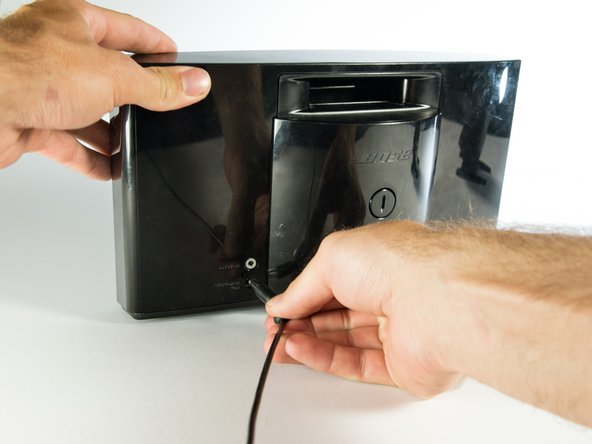
Для сборки устройства выполните эти инструкции в обратном порядке.
Отменить: Я не выполнил это руководство.
4 человек успешно провели ремонт по этому руководству.

Команду

Cal Poly, Team 4-1, Maness Spring 2015 Участник Cal Poly, Team 4-1, Maness Spring 2015
CPSU-MANESS-S15S4G1
4 членов
Автор 60 руководств
8 Комментарии к руководству
I think it would be cool to show a Teardown of the Bose SoundDock Portable v2 Battery.
I agree. These batteries seem prone to failure and I’d like to replace the cells or whatever it is that is the failure point.
Thanks for your easy and concise help.
Battery is repairable.
There are 4 screws under plastic plugs under sticker. They are one way heads :( use force or a drill.
Locking thingy removal - push the cross pin through - pliers or vise grips to grab and pull out completely. Keep an eye on where spring went.
There may be a bit of glue or tape holding cover too.
4 x 18650 Li-ion cells in 2 banks at each side of the charging board which is held down by 5 screws. Some adhesive was used to hold the cells to the back.
Use meter to check. Mine had one cell at 0V so that was the culprit.
Remove any bad cells by cutting the glue about the temp sensors to carefully get them out of the way. Then cut the cell tags - careful not to short anything as there is charge about. I found it faster to cut tags but you could unglue all cells and lift the board and do that way. My replacement cell came from a Dell laptop pack. Glue the new battery in place (I used automotive trim tape as it was handy) and solder the new cell. Reglue temp sensors.
Reassemble with some new screws.
Hi. How do you push the cross pin through? I can’t
