Этот перевод был сделан машиной и пока не проверен человеком. Говорите на этом языке? Просмотрите его.

Замена внутренней карты microSD в Ricoh Theta S

Последнее обновление 19 авг 2026 г.
Просмотров: 5,3 тыс.
Просмотр статистики:
- За последние 24 часа:
- 1
- За последние 7 дней:
- 15
- За последние 30 дней:
- 91
- За все время:
- 5 309
Комментарии: 10
2 комментариев к шагам, 8 комментариев к инструкции.
Перейти к комментариям инструкцииЗавершено: 1 2
1 пользователь отметил эту инструкцию как "завершенное". Вы будете следующим?
2 пользователей отметили эту инструкцию как "завершенное". В том числе и Вы — отличная работа!
Избранные: 0 1
Никто не добавил эту инструкцию в избранное (и не подписался на нее). Будете ли Вы первым?
1 человек поставил лайк на эту инструкцию (и подписался на нее) — и это Вы!
Неправильные инструменты
Помогите улучшить эту инструкцию — пусть в кадре и в тексте будут правильные инструменты.
Введение
Перейти к шагу 1 ↓В этом руководстве описаны действия, необходимые для замены внутренней карты памяти microSD в Ricoh Theta S. Помните, что любая разборка оригинального продукта или замена компонентов может привести к аннулированию гарантии производителя.
Выберете то, что Вам нужно


-
-
-
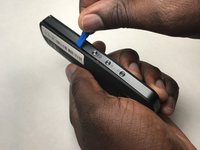
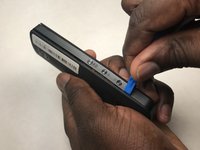
Подденьте лопаткой (spudger) маленький пластиковый квадратик, расположенный в нижней части устройства.
-
Сдвиньте лопатку, чтобы снять пластиковую крышку.
 Спросите у FixBot
-
-
-
Открутите четыре винта длиной 3 мм, расположенные в нижней части устройства. Для этого вам потребуется отвертка Phillips 00.
-
-
-
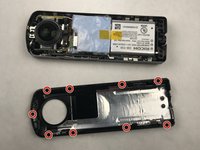
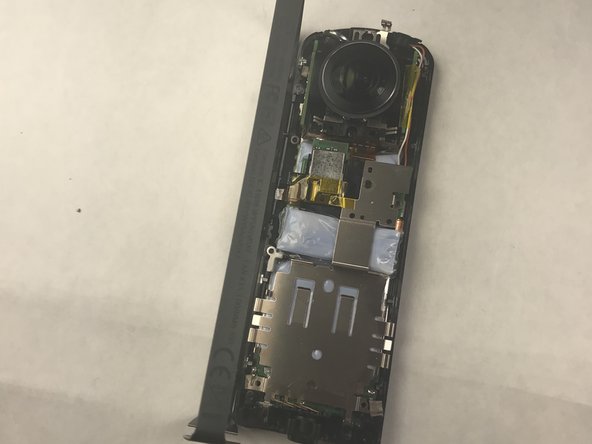
Вставьте пластиковый инструмент для открывания между панелями, как показано на рисунке.
-
Надавите, чтобы отщелкнуть 9 пружинных зажимов, расположенных по периметру устройства.
-
Снимите панель с устройства.
-
-
-
-
-
-
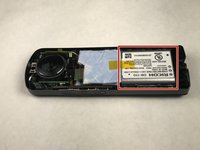
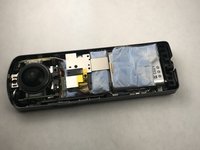
Аккумулятор расположен в нижней части устройства.
-
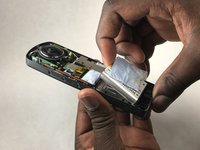
Переверните пластиковую деталь с термопастой так, чтобы она лежала поверх аккумулятора.
-
-
-
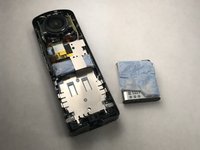
Извлеките аккумулятор из устройства, начиная с края, расположенного ближе к камере.
-
-
-
-
-
Открутите два винта Phillips длиной 2 мм.
-
Открутите черный винт Phillips длиной 2 мм.
-
Открутите винт Phillips длиной 1,5 мм.
-
-
-
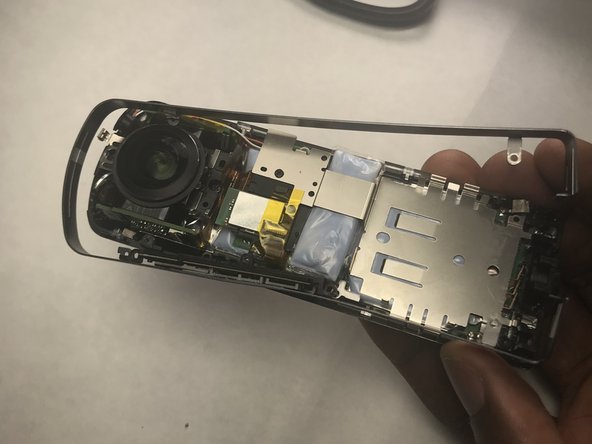
Приподнимите пластик с термопастой, чтобы открыть доступ к термоленте, закрывающей материнскую плату.
-
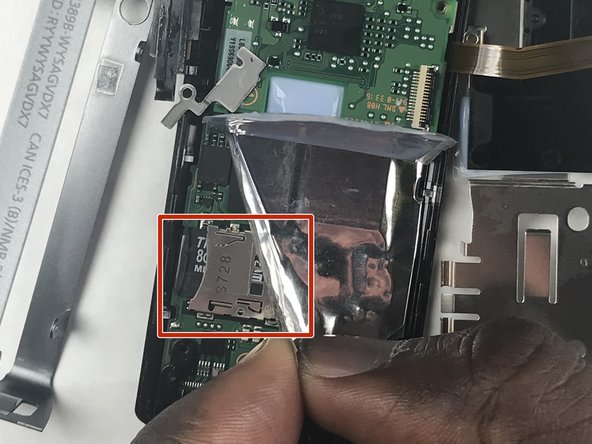
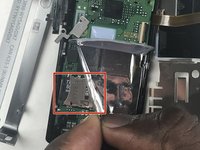
Отогните нижний левый угол термоленты, чтобы увидеть слот microSD, расположенный на материнской плате.
-
-
-
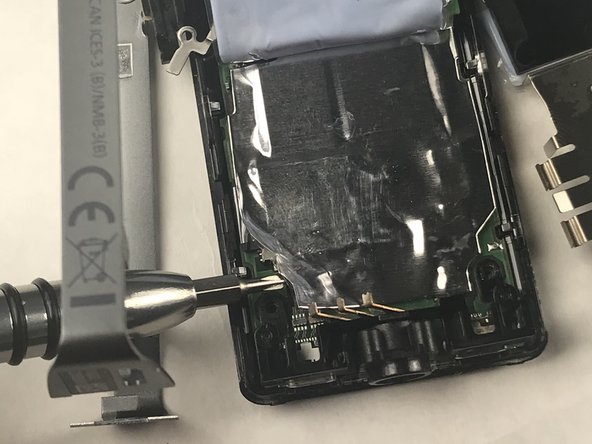
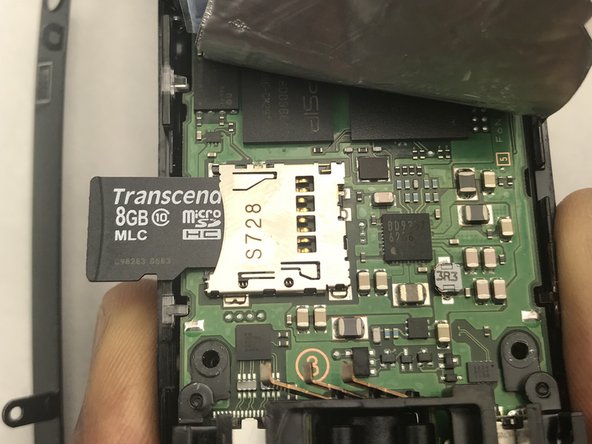
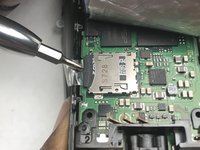
Надавите на карту microSD сбоку, чтобы она утопилась в слот.
-
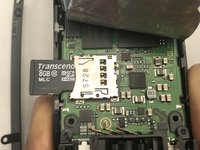
Как только услышите щелчок, уберите отвертку, чтобы карта microSD вышла из слота.
-
-








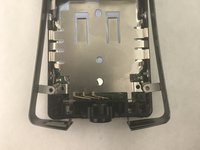
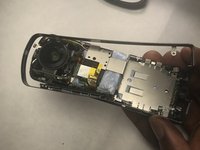
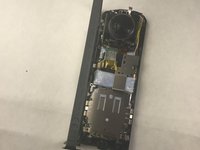


Для сборки устройства выполните эти инструкции в обратном порядке.
Отменить: Я не выполнил это руководство.
Еще один человек закончил это руководство.

Команду

IUPUI, Team S3-G1, Harley Fall 2017 Участник IUPUI, Team S3-G1, Harley Fall 2017
IUPUI-HARLEY-F17S3G1
3 членов
Автор 48 руководств
8 Комментарии к руководству
I was able to complete this however there is a clear plastic guard running around the bottom half of the Theta S, and the only way to get the SD Card above that guard was to remove a few additional screws. Fortunately was not that complex and reassembly was still successful. Good luck!
Maximum size of SD Card? 128GB?
I’ve not heard of anyone getting anything over 32gb to work, but I don’t think that’s definitive, as, even with 32GB cards, some would work and some wouldn’t. I think I might order a 64gb and try it out…
I successfully replaced my microSD card with a transcend 32gb card, and it’s working. Only thing is, I ended up with 2 tiny braided wire sleeves that fell out during the process, and I have no idea where they are supposed to be. Also, before the repair, I had, an error come up at random and stop interval shooting (while there was still space available and power):
_cameraError":[“FORMAT_CARD”]
Now, after the repair, the error is:
_cameraError":["FORMAT_INTERNAL_MEM"]
And it’s constant, but, aside from causing the red lamp to blink always, and also beeping when I turn it on, it doesn’t seem to affect the function of the camera.
One point to improve the tutorial would be in step 8, in the 3rd picture, there’s a metallic, odd shaped piece sitting at an angle in the picture. This piece fell out when I was working to replace the microSD card, and I had to search other tutorials to figure out where it had to go.
Correction, it was a Sandisk Ultra
