Введение
The lower case contains the main motherboard of the ACN Iris WG4K. It is an important component because it protects the inside of the device. If it becomes badly damaged, this guide will help you replace it.
Выберете то, что вам нужно
-
-
Press upwards with your index finger on the 4P4C connector as shown in the image.
-
Pull the connector gently out of its socket.
-
-
-
Flip the main body of the video phone so that the bottom is facing up.
-
Use the Phillips #0 Screwdriver to remove the four Phillips head screws (6 mm) highlighted by the red circles.
-
-
-
-
Lift the back case upwards to expose the inside components.
-
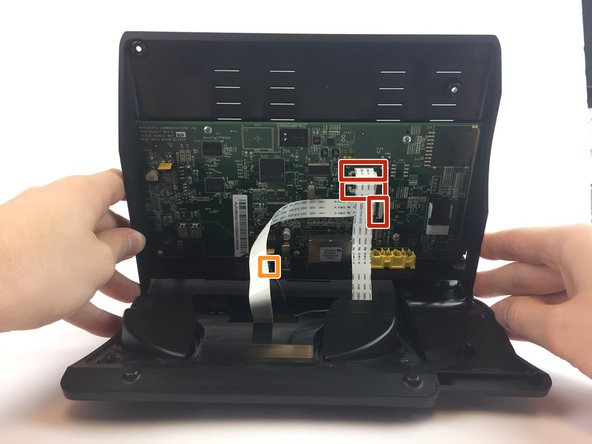
Red rectangles indicate the three ribbon cables.
-
The orange square indicates the blade connector.
-
-
-
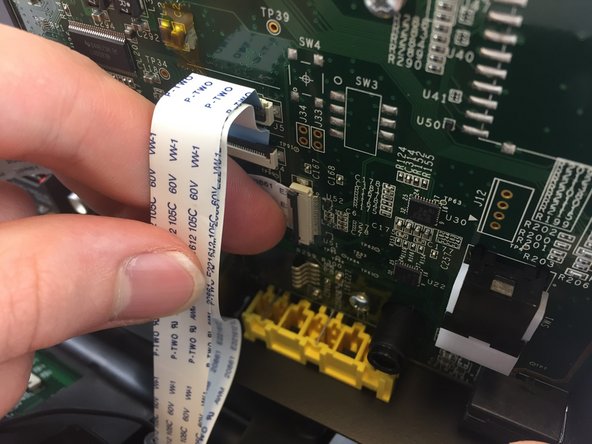
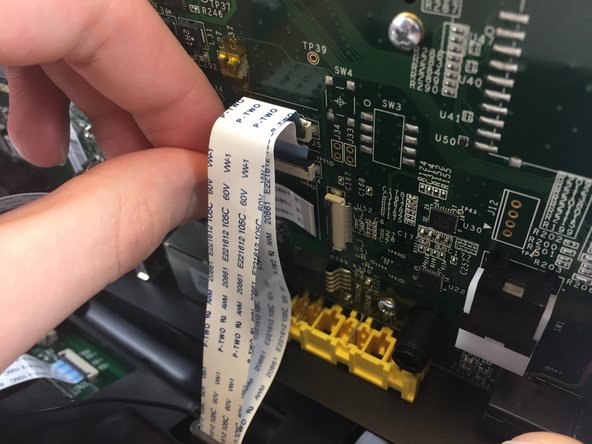
Disconnect the three ribbon cables from their insulation-displacement connectors by flipping up the black plastic clip.
-
Gently pull the ribbon cables out of their insulation-displacement connectors.
-
-
-
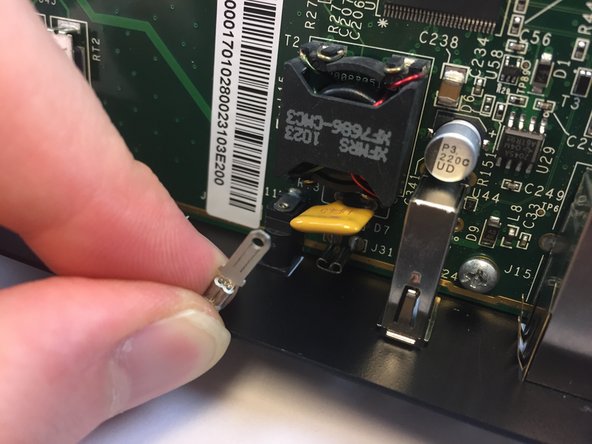
Disconnect the blade connector from the blade receptacle by gripping the exposed area of the blade connector.
-
Gently pull the blade connector out of the blade receptacle.
-





To reassemble your device, follow these instructions in reverse order.
To reassemble your device, follow these instructions in reverse order.
Отменить: Я не выполнил это руководство.
Еще один человек закончил это руководство.



Команда

USF Tampa, Team 20-4, Remmell Spring 2017 Участник USF Tampa, Team 20-4, Remmell Spring 2017
USFT-REMMELL-S17S20G4
4 членов
Автор 20 руководств
