Введение
Use this guide to install a new Graphics card into your personal computer.
In this Guide we successfully installed an Nvidia GeForce GTX 1660 SUPER on a ASUSTeK B360-KYLIN Motherboard using only a crosshead screwdriver.
Be careful to set up your system in a static free environment so as to mitigate the likelihood of being electrocuted.
Before using this guide make sure you have deleted all old driver files on your system so as to prepare your system for a fresh driver install.
Выберете то, что вам нужно
-
-
Remove the two screws holding the cover to the rest of the computer case.
-
-
-
-
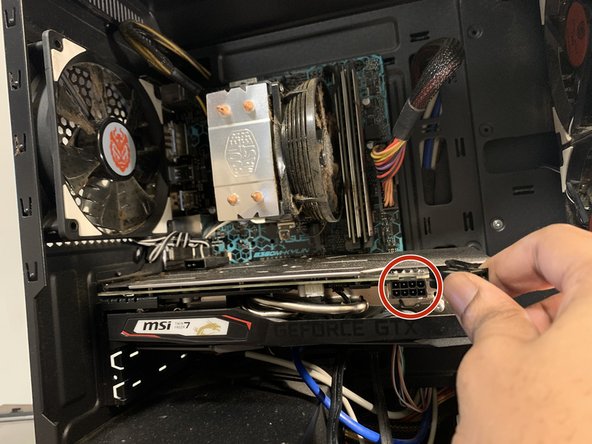
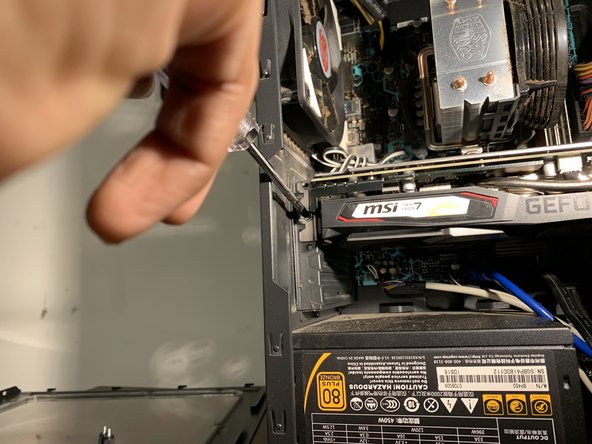
Using a Phillips #1 screwdriver, remove the screw holding the graphics card to the case.
-






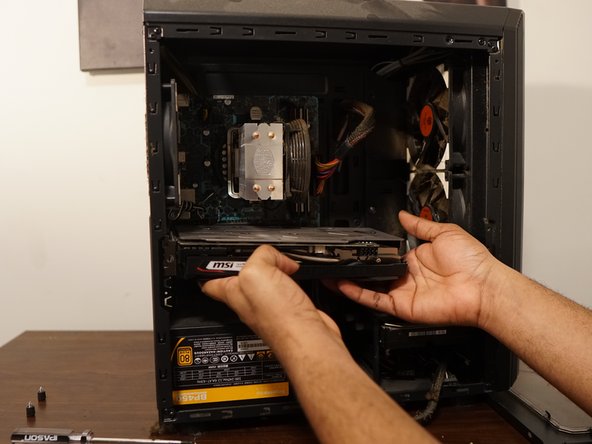


To reassemble your device, follow these instructions in reverse order.
Отменить: Я не выполнил это руководство.
10 человек успешно провели ремонт по этому руководству.


Команда

York University, Team S1-G5, Melo-Thaiss Winter 2021 Участник York University, Team S1-G5, Melo-Thaiss Winter 2021
YORK-MELO-THAISS-W21S1G5
1 член
Автор 3 руководств
