Введение
If your Amazon Echo Dot 3rd Generation is experiencing hardware issues, but the app is still functioning, your motherboard may need to be replaced. Follow this guide to do so.
The motherboard, or main board, of the Echo Dot is the control center from which your device takes all its commands. If your main board is not functioning properly, it will need to be replaced.
Before replacing the main board, check your device for other causes of disruption. For example, if you find that Alexa is not responding to you, but the lights are functioning, you may be experiencing a speaker issue.
Before attempting, make sure the Echo Dot is turned off and unplugged from the external power source.
Выберете то, что вам нужно
-
-
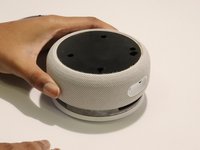
Turn the Echo Dot over so the barcode is facing up, giving you access to the bottom of the device.
-
-
-
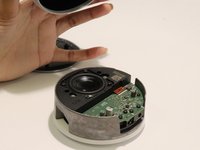
Use a spudger to gently lift the adhesive covering between the casing and the device.
-
-
-
-
Use a T6 Torx screwdriver to remove the four 7.2 mm screws located around the corners of the device.
-
-
-
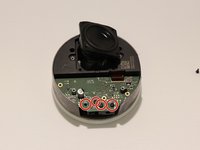
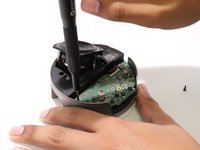
Remove the four 6.2 mm screws from the motherboard using a T6 Torx screwdriver.
-
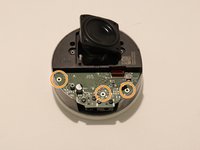
Remove the three 9.4 mm screws from the motherboard using a T6 Torx screwdriver.
-
-
Инструмент, используемый на этом этапе:Tweezers$4.99
-
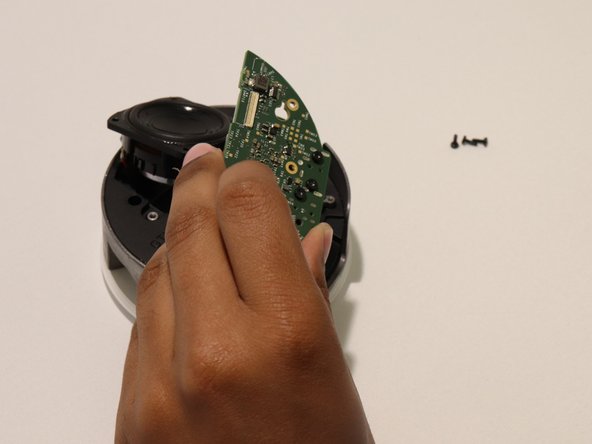
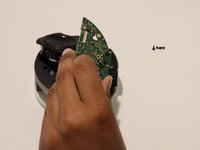
Remove the connecting head linking the motherboard to the device using a pair of tweezers.
-
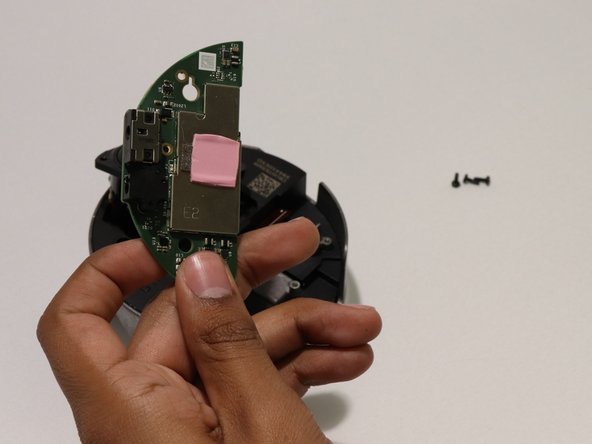
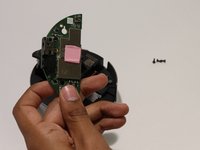
Remove the old motherboard and replace it with the new one.
-






To reassemble your device, follow these instructions in reverse order.
Отменить: Я не выполнил это руководство.
2 человек успешно провели ремонт по этому руководству.


Команда

University of Memphis, Team 3-2, Lane Fall 2022 Участник University of Memphis, Team 3-2, Lane Fall 2022
UM-LANE-F22S3G2
4 членов
Автор 5 руководств
3 Комментарии к руководству
Where do we get the parts you bi chh
Amazon does not sell any parts for the Echo devices. Your best and probably only alternative is to buy a used Echo from eBay and use this guide to repair it.
Can you get or buy replament mother boards for the ehco 5 ?
