
Archos 5 Screen Replacement

Последнее обновление 24 дек 2015 г.
Просмотров: 2,9 тыс.
Просмотр статистики:
- За последние 24 часа:
- 4
- За последние 7 дней:
- 22
- За последние 30 дней:
- 78
- За все время:
- 2 870
Комментарии: 0
Никто не оставлял комментариев к этой инструкции. Будете ли Вы первым?
Перейти к комментариям инструкцииЗавершено: 1 2
1 пользователь отметил эту инструкцию как "завершенное". Вы будете следующим?
2 пользователей отметили эту инструкцию как "завершенное". В том числе и Вы — отличная работа!
Избранные: 0 1
Никто не добавил эту инструкцию в избранное (и не подписался на нее). Будете ли Вы первым?
1 человек поставил лайк на эту инструкцию (и подписался на нее) — и это Вы!
Неправильные инструменты
Помогите улучшить эту инструкцию — пусть в кадре и в тексте будут правильные инструменты.
Введение
Перейти к шагу 1 ↓This guide will help you replace the screen on your Archos 5 tablet. Although this repair may take some time, don't be discouraged. You can do this yourself!
Выберете то, что Вам нужно


-
-
-
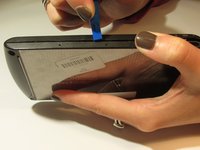
Use the plastic opening tool to take off 3 black sticky pads that cover the screws.
-
Use the screwdriver(PH000) to remove the screws located under the pads.
-
-
-
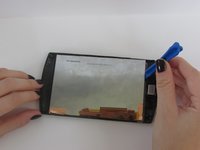
Carefully pry open all 4 sides of the Archos 5 using the plastic opening tool.
-
Once all sides of the device are pried open, gently open the device .
-
-
-
-
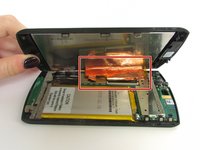
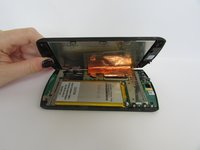
Once you have opened your device, fold the screen away from the battery.
-
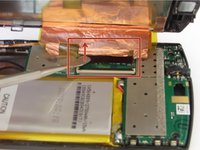
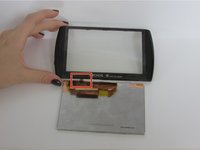
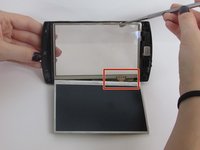
Unplug the touch pad from the motherboard. Do this by applying pressure on the thin black piece(attached at the bottom of the metallic foil) Press the plastic spudger against the thin black piece and release it.
-
-
-
Using the plastic opening tool, lift the touch pad away from the cracked screen
-
-
-
Lift the cracked screen off of your Archos 5 using the regular plastic spudger.
-
-
-
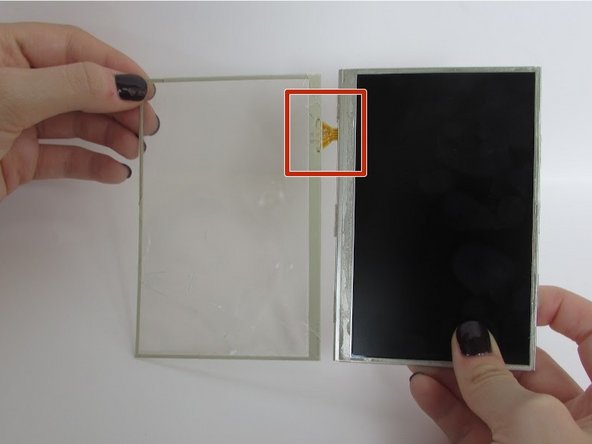
Peel the plastic screen away from your shattered glass screen, and replace with your new glass screen.
-

 Спросите у FixBot







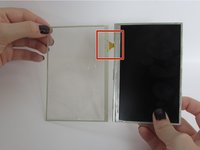

To reassemble your device, follow these instructions in reverse order.
Отменить: Я не выполнил это руководство.
Еще один человек закончил это руководство.
Команду

University of Alabama, Team 1-5, Sydow campbell Fall 2015 Участник University of Alabama, Team 1-5, Sydow campbell Fall 2015
UA-SYDOW CAMPBELL-F15S1G5
4 членов
Автор 36 руководств
