
Archos 97 Carbon Display Screen Replacement

Последнее обновление 7 мая 2024 г.
Просмотров: 2,4 тыс.
Просмотр статистики:
- За последние 24 часа:
- 2
- За последние 7 дней:
- 16
- За последние 30 дней:
- 70
- За все время:
- 2 406
Комментарии: 1
1 комментарий к инструкции.
Перейти к комментариям инструкцииЗавершено: 2 3
2 пользователей отметили эту инстркукцию как "завершенное". Вы будете следующим?
3 пользователей отметили эту инструкцию как "завершенное". В том числе и Вы — отличная работа!
Избранные: 1 2
1 человек поставил лайк на эту инструкцию (и подписался на нее). Вы будете следующим?
2 эта инструкция понравилось многим пользователям (и они подписались на нее), в том числе и Вам!
Введение
Перейти к шагу 1 ↓If the display screen on an Archos 97 Carbon tablet is damaged, this guide can aid in replacing the damaged display.
If you are looking to simply reassemble an already removed display screen, you may proceed to Step 5 - Step 1, backward.
Before beginning to remove or replace the damaged display, make sure that the device is completely powered off and that it is not connected to any charging ports or headphone ports. We recommend replacing the display in a well-lit environment to ensure that you can see the repairs you are making on the device.
Выберете то, что Вам нужно
Инструменты


-
-
-
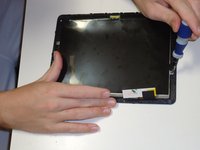
Lay your tablet upwards facing you.
-
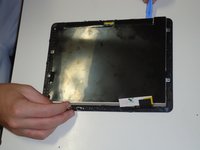
Using the opening tool, begin by prying the tablet starting in the top left corner. This can be found near the volume and power buttons.
-
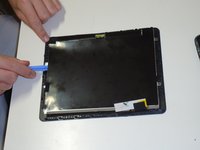
Begin to work your way around the tablet in a clockwise motion to separate the screen from the cover.
 Спросите у FixBot
-
-
-
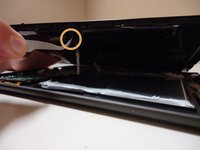
Once you have opened the screen, you will see two cables that connect the screen and the interior of the tablet.
-
Remove the white tab located on the right side of the interior by removing the tape and plug that connects it to the tab.
-
-
-
Инструмент, используемый на этом этапе:Tweezers$4.99
-
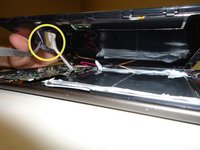
Using the tweezers, remove the black tape that is connecting the cable and screen. This will allow the gold connector to come loose.
-
-
-
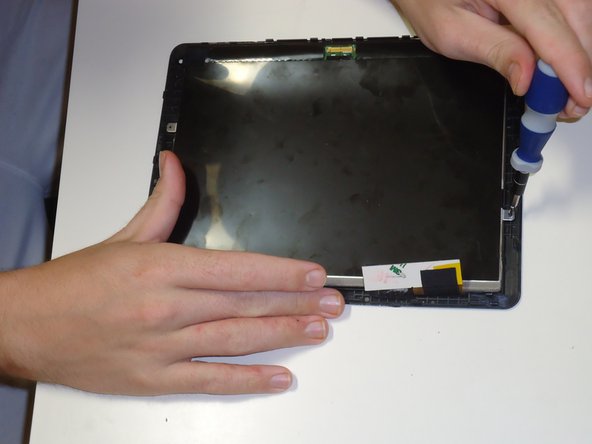
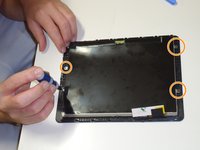
Remove the screws on the backside of the screen using a screwdriver.
-
-
-
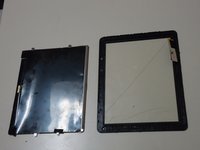
Gently pry the screen from the black frame that surrounds it using the opening tool.
-
Work in a clockwise motion until the screen is detached from the frame.
-
-





To reassemble your device, follow these instructions in reverse order.
Отменить: Я не выполнил это руководство.
2 человек успешно провели ремонт по этому руководству.

Команду

Sam Houston State, Team 13-5, Blackburne Winter 2015 Участник Sam Houston State, Team 13-5, Blackburne Winter 2015
SHSU-BLACKBURNE-W15S13G5
3 членов
Автор 48 руководств
1 Комментарий к руководству
Hi,
Is this similar to replacing the touch screen on the Archos 101B model?.
