Перейти к основному содержанию

Arturia Microbrute Opening Procedure

Выберете то, что вам нужно

  1. Arturia Microbrute Opening Procedure, Arturia Microbrute Opening Procedure: шаг 1, изображение 1 из 2 Arturia Microbrute Opening Procedure, Arturia Microbrute Opening Procedure: шаг 1, изображение 2 из 2
    • Switch off the Microbrute and make sure to disconnect any cables.

    • Don’t forget the mini patch bay on the top right.

  2. Arturia Microbrute Opening Procedure: шаг 2, изображение 1 из 1
    • Flip the Microbrute over and put it on a soft surface to not damage the knobs and faders.

    • Use a screwdriver to remove the twelve Philips screws on the bottom plate.

  3. Arturia Microbrute Opening Procedure: шаг 3, изображение 1 из 3 Arturia Microbrute Opening Procedure: шаг 3, изображение 2 из 3 Arturia Microbrute Opening Procedure: шаг 3, изображение 3 из 3
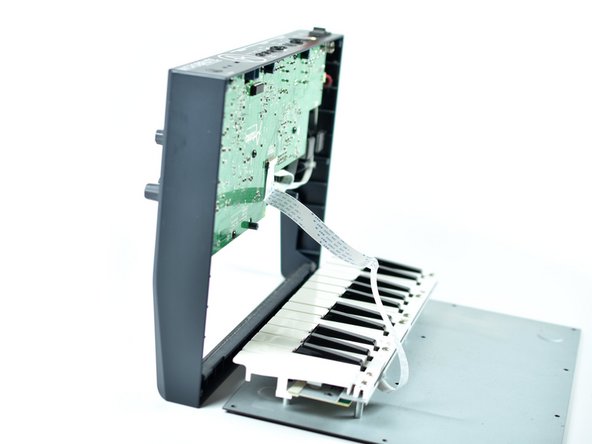
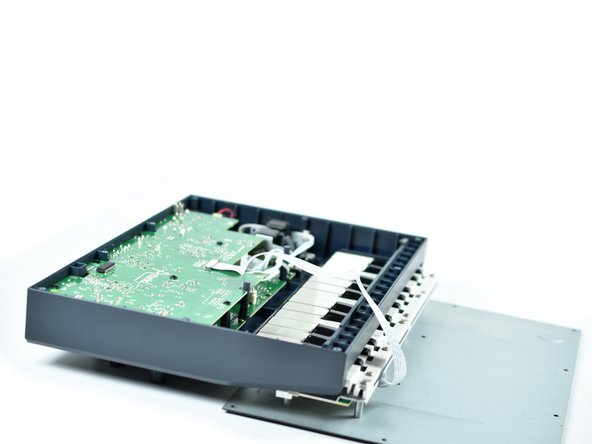
    • Put the Microbrute on its front edge and carefully tilt open the bottom plate including the keyboard.

    • Be aware of the ribbon cable connecting the keyboard to the PCB.

    • The cable should give you enough slack to put the top section over the keyboard section for better handling.

  4. Arturia Microbrute Opening Procedure: шаг 4, изображение 1 из 1
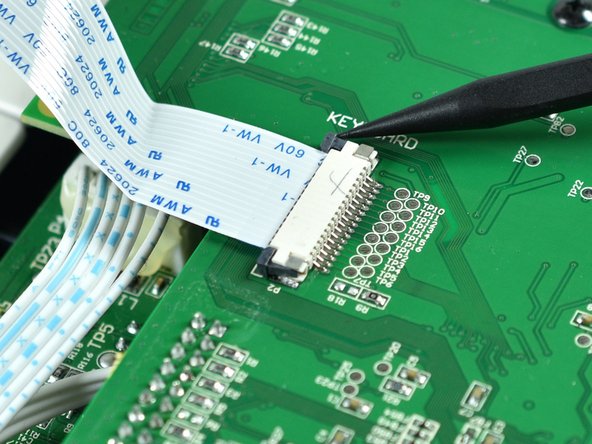
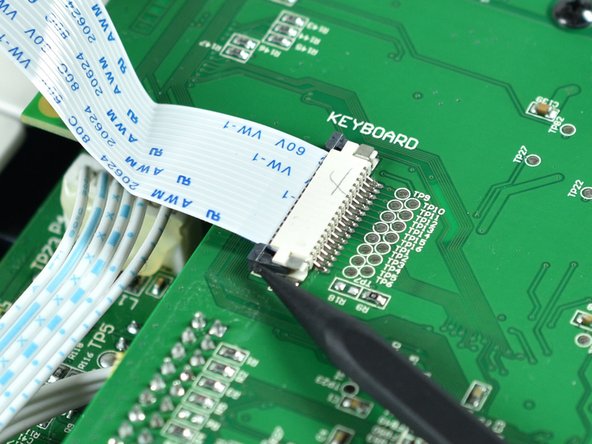
    • Next, focus on the connector of the keyboard.

  5. Arturia Microbrute Opening Procedure: шаг 5, изображение 1 из 3 Arturia Microbrute Opening Procedure: шаг 5, изображение 2 из 3 Arturia Microbrute Opening Procedure: шаг 5, изображение 3 из 3
    • Use a spudger to unlock the connector by pushing both left and right locking tabs tabs towards the cable.

  6. Arturia Microbrute Opening Procedure: шаг 6, изображение 1 из 2 Arturia Microbrute Opening Procedure: шаг 6, изображение 2 из 2
    • Grab the ribbon cable with your fingers and pull it out of the connector.

  7. Arturia Microbrute Opening Procedure: шаг 7, изображение 1 из 1
    • Now the Microbrute is open and the bottom plate with the keyboard is separated from the rest of the device.

Заключение

To reassemble your device, follow these instructions in reverse order.

Tobias Isakeit

Участник с: 03/31/14

129 301 Репутация

Автор 189 руководств

Команда

Tobias Isakeit - Repairability Engineer Участник Tobias Isakeit - Repairability Engineer

Business

1 член

Автор 1 145 руководств

0 Комментарии к руководству

Добавить комментарий

Статистика просмотров:

За последние 24 часов: 2

За последние 7 дней: 4

За последние 30 дней: 15

За всё время: 300