Перейти к основному содержанию
Присоединяйся к сообществу ремонтников - Создай аккаунт

Asus VivoTab Note 8 Battery Replacement

Просмотров: 1,8 тыс.

Просмотр статистики:

За последние 24 часа:
2
За последние 7 дней:
17
За последние 30 дней:
82
За все время:
1 792
Комментарии: 0

Никто не оставлял комментариев к этой инструкции. Будете ли Вы первым?

Перейти к комментариям инструкции
Завершено: 2

2 пользователей отметили эту инстркукцию как "завершенное". Вы будете следующим?

Избранные: 0

Никто не добавил эту инструкцию в избранное (и не подписался на нее). Будете ли Вы первым?

Необходимое время: 2 - 5 минут
Сложность: Умеренно
Asus VivoTab Note 8 Battery Replacement

When removing the battery, it may get damaged. The battery is rechargeable however may need replacement if it is broken.

Выберете то, что Вам нужно

Инструменты

    1. Asus VivoTab Note 8 Battery Replacement, Back Panel: шаг 1, изображение 1 из 1
      • Remove the pen and memory card if you have them; they may get in the way when you are opening the device.

      • Pry open the edges of the cover using the plastic opening tool. The memory card slot is very useful for getting started.

      Спросите у FixBot

      Добавить комментарий

    2. Asus VivoTab Note 8 Battery Replacement: шаг 2, изображение 1 из 2 Asus VivoTab Note 8 Battery Replacement: шаг 2, изображение 2 из 2
      • Move the opening tool along the edges of the tablet and push up wherever you can. You may need to open up all of the sides to take the panel off.

      • Pull apart the sides of the casing by hand.

      Спросите у FixBot

      Добавить комментарий

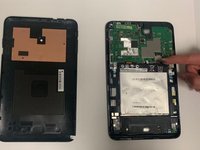
    3. Asus VivoTab Note 8 Battery Replacement: шаг 3, изображение 1 из 1
      • After pulling the panel off, put it to the side.

      Спросите у FixBot

      Добавить комментарий

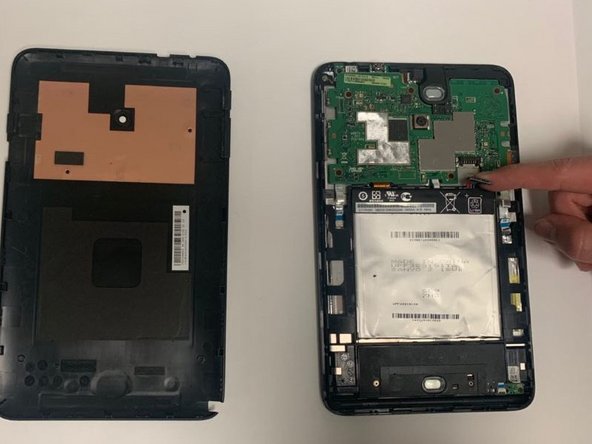
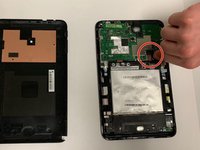
    1. Asus VivoTab Note 8 Battery Replacement, Battery: шаг 4, изображение 1 из 2 Asus VivoTab Note 8 Battery Replacement, Battery: шаг 4, изображение 2 из 2
      • Disconnect the battery from the motherboard by pulling the side of the black plastic up.

      Спросите у FixBot

      Добавить комментарий

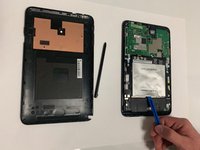
    2. Asus VivoTab Note 8 Battery Replacement: шаг 5, изображение 1 из 2 Asus VivoTab Note 8 Battery Replacement: шаг 5, изображение 2 из 2
      • Use a plastic opening tool to pry up the battery.

      • Be careful not to tear the battery; it is very hard to pull up the battery so go slowly.

      • After the tape is loose take the battery out.

      Спросите у FixBot

      Добавить комментарий

Заключение

To reassemble your device, follow these instructions in reverse order. You will need adhesive to keep the battery stuck if the tape stops working.

Отменить: Я не выполнил это руководство.

2 человек успешно провели ремонт по этому руководству.

Ryan Spencer

Участник с: 09/21/18

756 Репутация

Автор 6 руководств

0 Комментарии к руководству

Добавить комментарий

Статистика просмотров:

За последние 24 часов: 2

За последние 7 дней: 17

За последние 30 дней: 82

За все время: 1,792