
Basic cleaning for the A1048 Keyboard

Последнее обновление 13 янв 2020 г.
Просмотров: 9,8 тыс.
Просмотр статистики:
- За последние 24 часа:
- 12
- За последние 7 дней:
- 71
- За последние 30 дней:
- 219
- За все время:
- 9 824
Комментарии: 3
3 комментариев к инструкции.
Перейти к комментариям инструкцииЗавершено: 5 6
5 пользователей отметили эту инстркукцию как "завершенное". Вы будете следующим?
6 пользователей отметили эту инструкцию как "завершенное". В том числе и Вы — отличная работа!
Избранные: 1 2
1 человек поставил лайк на эту инструкцию (и подписался на нее). Вы будете следующим?
2 эта инструкция понравилось многим пользователям (и они подписались на нее), в том числе и Вам!
Руководство, предоставленное сообществом
Это руководство было создано членом нашего сообщества. Сотрудники iFixit не имеют к нему отношения.
Введение
Перейти к шагу 1 ↓This guide will take you through a simple cleaning method used for all keyboards but is especially useful on these white keyboards as they can yellow over time and collect dust making them ugly and unsanitary to type with.
-
-
-
Start with your dirty keyboard, most likely found from a 2003-2007 white iMac.
 Спросите у FixBot
-
-
-
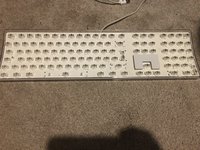
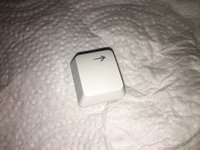
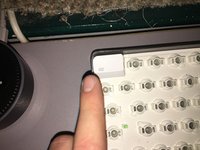
Pull off keycaps
-
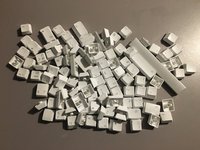
Repeat until there is none left
-
-
-
-
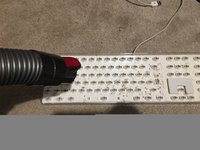
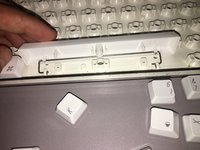
Use a vacuum cleaner and q-tip to remove dust/debris hidden underneath the keyboard.
-
-
-
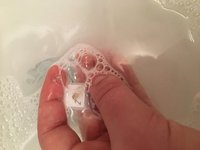
Individually clean each key until they reach their former white glory.
-
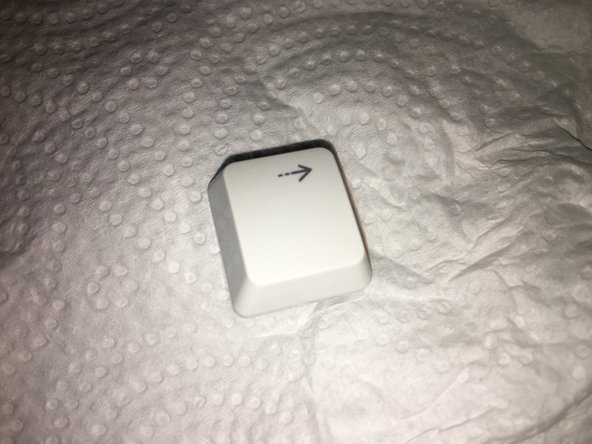
Dry each keycap ready for installation.
-
-
-
Insert each key by pressing down onto its hole on the keyboard.
-
-
-
If you followed the steps correctly, you will have a clean keyboard ready for its Mac!
-
-







To reassemble your device, follow these instructions in reverse order.
Отменить: Я не выполнил это руководство.
5 человек успешно провели ремонт по этому руководству.

3 Комментарии к руководству
If you read some advice recommending to use silicon oil to soft keys, NEVER DO IT!!! Ok, it softs the key, but it is extremely dangerous, because oil can generate malfunctioning if reaches conductive board. If you do it anyway, try to apply it with a brush instead of directly and NEVER inside de hole where the membrane is. Always OUTSIDE sides.
Instead of that, I recommend a small brush and in the bottom part of keys, apply dry wax (yes, the same than surfers use for their boards!) If you apply properly, keys will be quiet and smooth like first day.
does the official keyboard work with new macs?
Yes, it works on my MacBook Air M2, but I haven't test the USB port on keyboard yet.
