Введение
The motor belt in a vacuum is a crucial component that drives the brush roll, enabling it to lift dirt and debris from carpets. Over time, the belt may stretch, wear out, or break due to regular use. This repair guide provides step-by-step instructions for replacing the belt on a Bissell upright vacuum, as well as guidance on how to disassemble for motor inspection.
Выберете то, что вам нужно
-
-
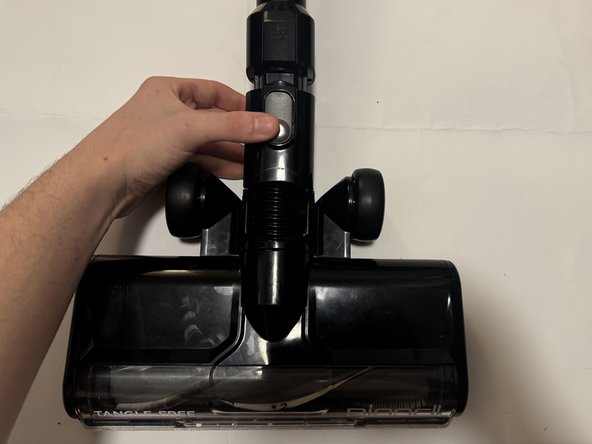
Detach the head assembly of the vacuum by pressing down on the grey latch and pulling downward, releasing it from the main vacuum unit.
-
-
-
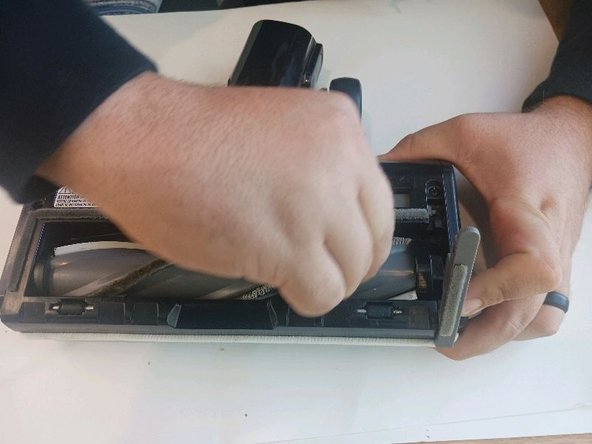
Turn the head unit upside down and slide the grey switch to the unlocked padlock icon. This will release the grey lever, allowing you to lift and remove the brush roll.
-
-
-
Using a Phillips head screwdriver, remove the six black screws located on the underside of the head unit by the wheels (2), in the middle (2), and one on each side of the unit.
-
-
-
Remove the two end caps located on the left and right sides of the head unit.
-
-
-
-
Remove the belt by gently "walking" it off the pulley. To do this, move the belt towards the driven pulley while pulling it towards yourself. Repeat this motion until the belt is fully off the pulley.
-
-
-
Remove the two silver screws connecting the plastic cover to the head unit.
-
-
-
Remove the two screws that are within the belt housing.
-
-
-
Remove the last two screws holding the clear plastic cover to the housing.
-
-
-
Separate the black plastic belt housing from the clear brush cover and pull.
-
-
-
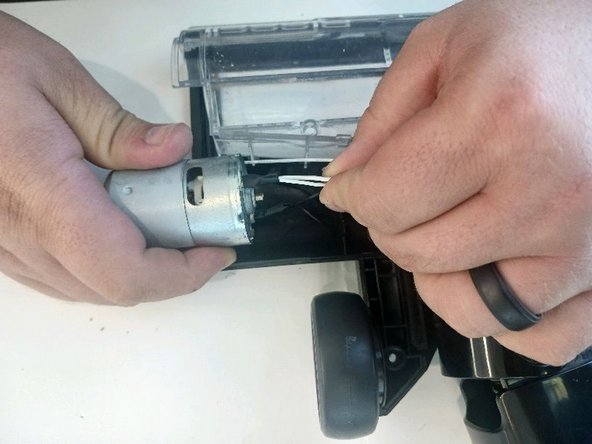
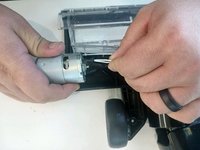
Inspect the motor and wire connections for signs of damage on or in the motor. This includes frayed wires, loose connections, burn marks or smells, or excessive wear.
-





To reassemble your device, follow these instructions in reverse order.
Отменить: Я не выполнил это руководство.
3 человек успешно провели ремонт по этому руководству.



Команда

UofM Engr Comm Team 5 Участник UofM Engr Comm Team 5
Local Repair Groups
3 членов
Автор 1 руководств
