Введение
The purpose of this guide is to inform you on how to change the ink in a printer, specifically a Canon PIXMA TS3300. The cartridge compartment is located at the from of the printer under the large Canon logo. The controls for the printer itself, the power button and lights, are located on top of the printer. In order to change the ink, you will need Canon fine cartridges. 245 is for black ink and 246 is for colored ink.
Выберете то, что вам нужно
-
-
Press the power button in the top left corner to turn on the printer.
-
-
-
Lift the cartridge compartment located in the front of the printer to gain access on the inside of the printer.
-
Allow for the cartridge holder to move into view.
-
-
-
-
Insert the cartridge at an angle to the cartridge holder.
-
Push upward on the cartridge until a clicking sound is heard.
-


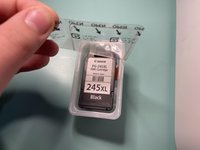


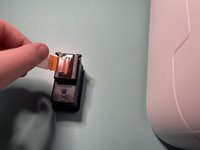


Allow for the cartridge holder to reposition and you are ready to print!
Отменить: Я не выполнил это руководство.
7 человек успешно провели ремонт по этому руководству.


Команда

Grand Valley State University, Team S3-G2, DeVasto Winter 2021 Участник Grand Valley State University, Team S3-G2, DeVasto Winter 2021
GVSU-DEVASTO-W21S3G2
2 членов
Автор 4 руководств
3 Комментарии к руководству
My Pixma TS3300 printer is giving an error message E14 since I replaced the empty cartridges with new 245XL and 246XL cartridges. These should be compatible but aren't working. Please help!
Alles geht soweit gut, nur wenn ich die gescannten Dokumente wieder ausdrucken möchte tut es nicht sonder geht in den Speicher, von da Versuche ich wiederum auszudrucken, es springt immer in gespeichert zurück.
