Перейти к основному содержанию
Присоединяйся к сообществу ремонтников - Создай аккаунт

Ceiling Fan Pull Chain Switch Replacement

Выберете то, что вам нужно

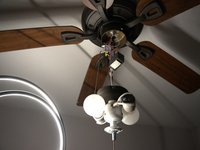
    1. Ceiling Fan Pull Chain Switch Replacement, Pull Chain Switch: шаг 1, изображение 1 из 2 Ceiling Fan Pull Chain Switch Replacement, Pull Chain Switch: шаг 1, изображение 2 из 2
      • Caution: Turn off the power from the circuit breaker and turn off any light switches that provide power to the ceiling fan.

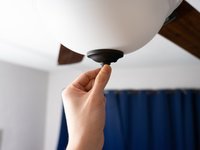
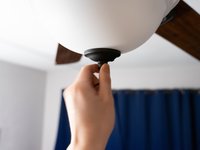
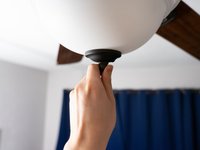
      • Remove the white cover by unscrewing the nut on the bottom from where the chain is hanging.

      Спросите у FixBot

      Добавить комментарий

    2. Ceiling Fan Pull Chain Switch Replacement: шаг 2, изображение 1 из 3 Ceiling Fan Pull Chain Switch Replacement: шаг 2, изображение 2 из 3 Ceiling Fan Pull Chain Switch Replacement: шаг 2, изображение 3 из 3
      • Caution: Let the bulbs cool off before you remove them.

      • Remove the bulbs from their sockets.

      Спросите у FixBot

      Добавить комментарий

    3. Ceiling Fan Pull Chain Switch Replacement: шаг 3, изображение 1 из 2 Ceiling Fan Pull Chain Switch Replacement: шаг 3, изображение 2 из 2
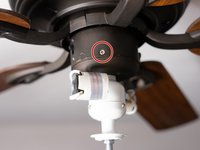
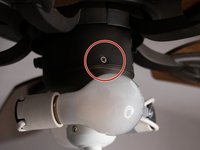
      • Remove the screws around the base.

      • Remove the fan housing.

      Спросите у FixBot

      Добавить комментарий

    4. Ceiling Fan Pull Chain Switch Replacement: шаг 4, изображение 1 из 1
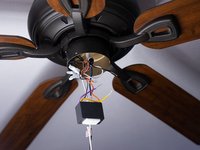
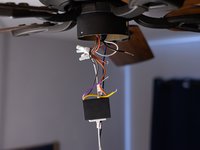
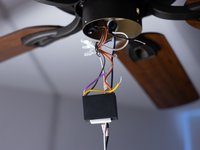
      • Pull the switch out of the fan housing, leaving the wires attached.

      Спросите у FixBot

      Добавить комментарий

    5. Ceiling Fan Pull Chain Switch Replacement: шаг 5, изображение 1 из 3 Ceiling Fan Pull Chain Switch Replacement: шаг 5, изображение 2 из 3 Ceiling Fan Pull Chain Switch Replacement: шаг 5, изображение 3 из 3
      • Cut the colored wires from the switch using a pair of wire cutters.

      • On some switch models, the wires can be detached by pulling.

      Спросите у FixBot

      Добавить комментарий

    6. Ceiling Fan Pull Chain Switch Replacement: шаг 6, изображение 1 из 3 Ceiling Fan Pull Chain Switch Replacement: шаг 6, изображение 2 из 3 Ceiling Fan Pull Chain Switch Replacement: шаг 6, изображение 3 из 3
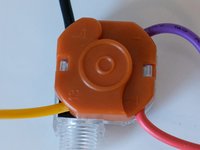
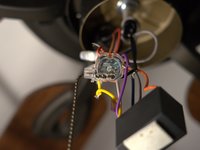
      • Note the wire colors and the terminal they attach to on the old switch.

      • 1 - Red
      • 2 - Purple

      • 3 - Yellow

      • L - Black

      Спросите у FixBot

      Добавить комментарий

    7. Ceiling Fan Pull Chain Switch Replacement: шаг 7, изображение 1 из 1
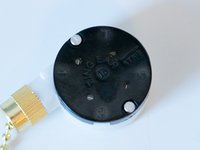
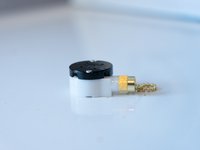
      • Attach the colored wires to the new switch's respective terminals.

      Спросите у FixBot

      Добавить комментарий

    8. Ceiling Fan Pull Chain Switch Replacement: шаг 8, изображение 1 из 2 Ceiling Fan Pull Chain Switch Replacement: шаг 8, изображение 2 из 2
      • Put back the switch in the hole in the fan housing from the inside.

      • Tighten up the screws on the outside.

      Спросите у FixBot

      Добавить комментарий

    9. Ceiling Fan Pull Chain Switch Replacement: шаг 9, изображение 1 из 3 Ceiling Fan Pull Chain Switch Replacement: шаг 9, изображение 2 из 3 Ceiling Fan Pull Chain Switch Replacement: шаг 9, изображение 3 из 3
      • Put back the white cover and then tighten up the nut at the bottom of the cover from where the chain is hanging.

      Спросите у FixBot

      Добавить комментарий

    10. Ceiling Fan Pull Chain Switch Replacement: шаг 10, изображение 1 из 2 Ceiling Fan Pull Chain Switch Replacement: шаг 10, изображение 2 из 2
      • Turn the power back on and test the switch to find if it is working or not.

      Спросите у FixBot

      Добавить комментарий

Финишная прямая

Отменить: Я не выполнил это руководство.

4 человек успешно провели ремонт по этому руководству.

Berkeli Alashov

Участник с: 02/25/21

262 Репутация

1 руководство автора

Команда

University of North Texas, Team S1-G19, Raign Spring 2021 Участник University of North Texas, Team S1-G19, Raign Spring 2021

UNT-RAIGN-S21S1G19

2 членов

Автор 4 руководств

1 Комментарий к руководству

I'd recommend adding wire caps to the wires and also black tape.

Richard D - Ответить Поделиться

Добавить комментарий

Статистика просмотров:

За последние 24 часов: 27

За последние 7 дней: 177

За последние 30 дней: 686

За всё время: 19,100