Перейти к основному содержанию
Присоединяйся к сообществу ремонтников - Создай аккаунт

Dell E193FPc Interface Buttons Replacement

Просмотров: 2,9 тыс.

Просмотр статистики:

За последние 24 часа:
2
За последние 7 дней:
15
За последние 30 дней:
98
За все время:
2 860
Комментарии: 1

1 комментарий к инструкции.

Перейти к комментариям инструкции
Завершено: 1

1 пользователь отметил эту инструкцию как "завершенное". Вы будете следующим?

Избранные: 6

6 эта инструкция понравилась многим пользователям (и они подписались на нее). Вы будете следующим?

Необходимое время: 10 минут
Сложность: Легко
Dell E193FPc Interface Buttons Replacement

Replace the interface buttons if they have fallen out or are worn out from usage.

Выберете то, что Вам нужно

Инструменты

    1. Dell E193FPc Interface Buttons Replacement, Stand: шаг 1, изображение 1 из 1
      • Lay the monitor screen-down so the back screws are exposed.

      • Remove the four 11.9 mm Phillips #2 screws securing the stand to the back of the monitor.

      Спросите у FixBot

      Добавить комментарий

    2. Dell E193FPc Interface Buttons Replacement: шаг 2, изображение 1 из 1
      • Gently lift and pull away the stand at a slight angle away from the monitor.

      Спросите у FixBot

      Добавить комментарий

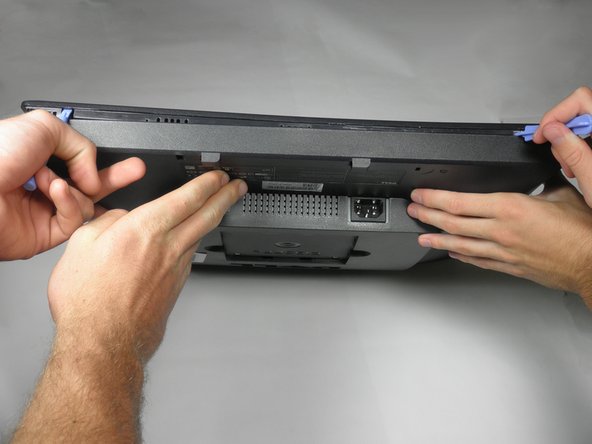
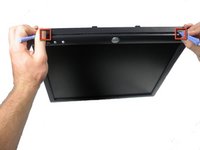
    1. Dell E193FPc Interface Buttons Replacement, Display Bezel: шаг 3, изображение 1 из 2 Dell E193FPc Interface Buttons Replacement, Display Bezel: шаг 3, изображение 2 из 2
      • Locate the two holes on the bottom of the monitor.

      • Insert a plastic opening tool or spudger into the holes and gently pry the plastic apart along the groove.

      • This task is much easier if two people pry simultaneously at each hole.

      • Continue prying along the entire edge of the monitor.

      Спросите у FixBot

      Добавить комментарий

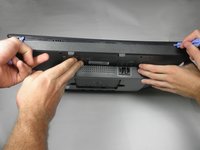
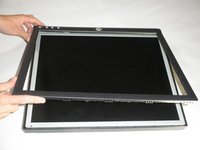
    2. Dell E193FPc Interface Buttons Replacement: шаг 4, изображение 1 из 2 Dell E193FPc Interface Buttons Replacement: шаг 4, изображение 2 из 2
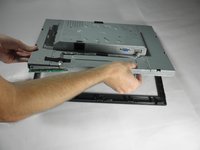
      • When finished prying, the plastic will partially fall away from the rest of the monitor.

      • Do not try to fully remove the front frame yet. The frame is still attached to the buttons.

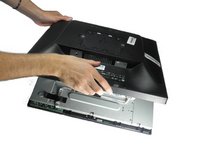
      • While holding the frames together, carefully flip the monitor over so it faces screen down.

      • Gently lift and remove remove the rear case from the monitor.

      Спросите у FixBot

      Добавить комментарий

    3. Dell E193FPc Interface Buttons Replacement: шаг 5, изображение 1 из 3 Dell E193FPc Interface Buttons Replacement: шаг 5, изображение 2 из 3 Dell E193FPc Interface Buttons Replacement: шаг 5, изображение 3 из 3
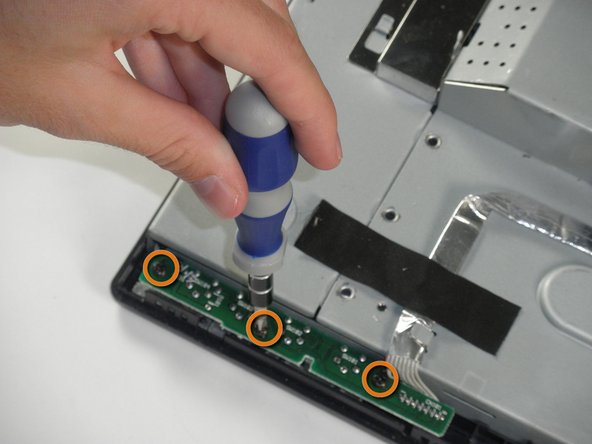
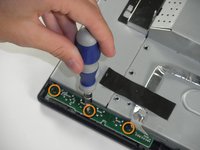
      • Locate the green interface button board.

      • Remove the three 9.71 mm Phillips #2 screws holding the interface button board to the display bezel.

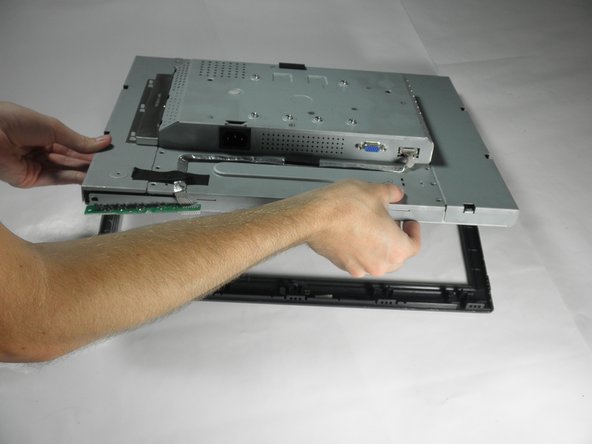
      • Lift the monitor interior away from the front cover.

      Спросите у FixBot

      Добавить комментарий

    1. Dell E193FPc Interface Buttons Replacement, Interface Buttons: шаг 6, изображение 1 из 1
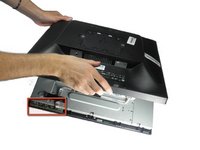
      • Behind the front panel of the plastic cover lies the button strip.

      • Remove the buttons by gently pulling up on the strip.

      • You may have to pry the plastic strip up with a prying tool or spudger to remove it.

      Спросите у FixBot

      Добавить комментарий

Заключение

To reassemble your device, follow these instructions in reverse order.

Отменить: Я не выполнил это руководство.

Еще один человек закончил это руководство.

Charley Grove

Участник с: 10/10/11

101 Репутация

1 руководство автора

Команду

Cal Poly, Team 5-36, Amido Fall 2011 Участник Cal Poly, Team 5-36, Amido Fall 2011

CPSU-AMIDO-F11S5G36

4 членов

Автор 72 руководств

1 Комментарий к руководству

and then…?! you cant buy replacement buttons!! so now what?!

Sarah Barnes - Ответить Поделиться

Добавить комментарий

Статистика просмотров:

За последние 24 часов: 2

За последние 7 дней: 15

За последние 30 дней: 98

За все время: 2,860