Перейти к основному содержанию

Fujifilm FinePix XP50 LCD Screen Replacement

Выберете то, что вам нужно

  1. Fujifilm FinePix XP50 LCD Screen Replacement, Battery: шаг 1, изображение 1 из 1
    • Power off the camera.

    • Leaving the camera on while removing presents the risk of electrical shock or permanent data loss.

  2. Fujifilm FinePix XP50 LCD Screen Replacement: шаг 2, изображение 1 из 2 Fujifilm FinePix XP50 LCD Screen Replacement: шаг 2, изображение 2 из 2
    • Push down on the center button and turn the dial on the side counterclockwise to open the battery compartment.

  3. Fujifilm FinePix XP50 LCD Screen Replacement: шаг 3, изображение 1 из 1
    • Pull the orange tab towards the hinge to release the battery.

  4. Fujifilm FinePix XP50 LCD Screen Replacement, Button: шаг 4, изображение 1 из 2 Fujifilm FinePix XP50 LCD Screen Replacement, Button: шаг 4, изображение 2 из 2
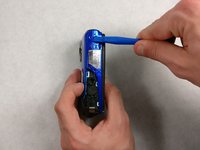
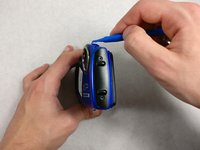
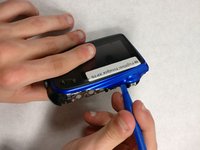
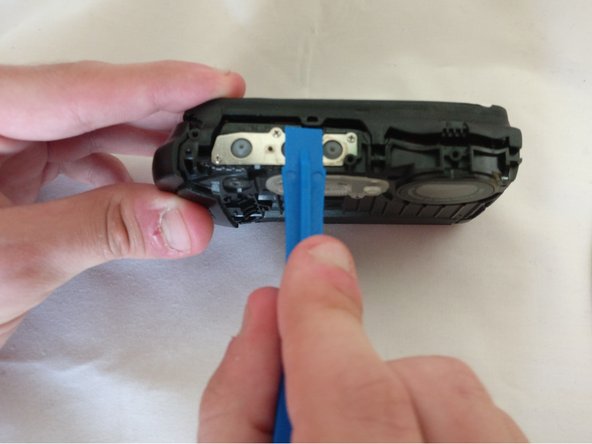
    • Pry the black button plate off using a plastic opening tool.

    • Buttons can fall out easily.

    • It's easiest to start from the side exposed by an open battery compartment.

    • When putting this plate back on, orientate the buttons as shown to properly fit back into the plate.

  5. Fujifilm FinePix XP50 LCD Screen Replacement: шаг 5, изображение 1 из 1
    • Pull the three buttons out.

  6. Fujifilm FinePix XP50 LCD Screen Replacement, Front and Back Panel: шаг 6, изображение 1 из 1
    • Remove one Phillips screw with a Phillips head 0 screwdriver

    • Remove one hex head screw with a hex 1.3 screwdriver bit.

  7. Fujifilm FinePix XP50 LCD Screen Replacement: шаг 7, изображение 1 из 1
    • Unscrew two 4.0mm long hex head screws with a hex 1.3 screwdriver bit.

  8. Fujifilm FinePix XP50 LCD Screen Replacement: шаг 8, изображение 1 из 1
    • Unscrew five 4.0mm screws with a Phillips head 0 screwdriver

  9. Fujifilm FinePix XP50 LCD Screen Replacement: шаг 9, изображение 1 из 1
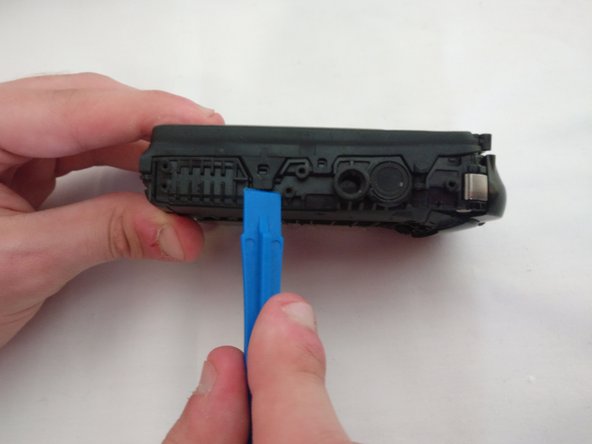
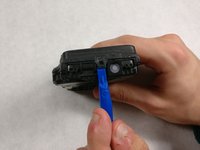
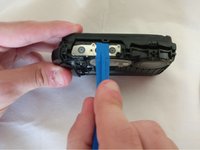
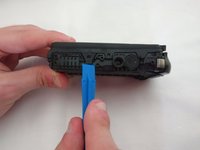
    • Pry the black bottom plate off using a plastic opening tool.

    • It is easier to start on the side of the open battery compartment.

  10. Fujifilm FinePix XP50 LCD Screen Replacement: шаг 10, изображение 1 из 2 Fujifilm FinePix XP50 LCD Screen Replacement: шаг 10, изображение 2 из 2
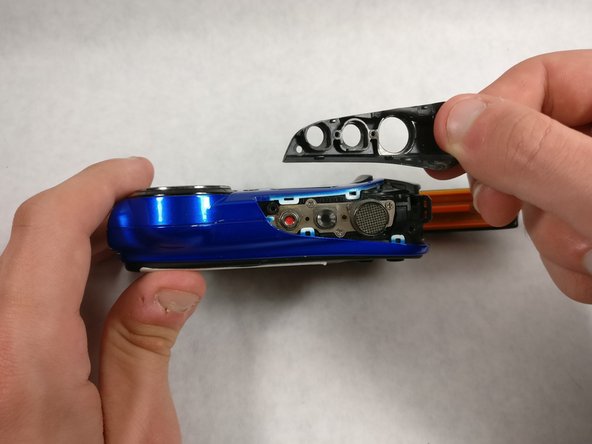
    • Pry the front plate off using a plastic opening tool.

    • It's recommended to start at the ridge on the top or bottom side.

  11. Fujifilm FinePix XP50 LCD Screen Replacement: шаг 11, изображение 1 из 1
    • Lift off the front plate.

  12. Fujifilm FinePix XP50 LCD Screen Replacement: шаг 12, изображение 1 из 3 Fujifilm FinePix XP50 LCD Screen Replacement: шаг 12, изображение 2 из 3 Fujifilm FinePix XP50 LCD Screen Replacement: шаг 12, изображение 3 из 3
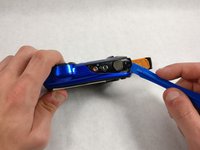
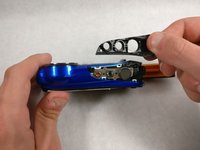
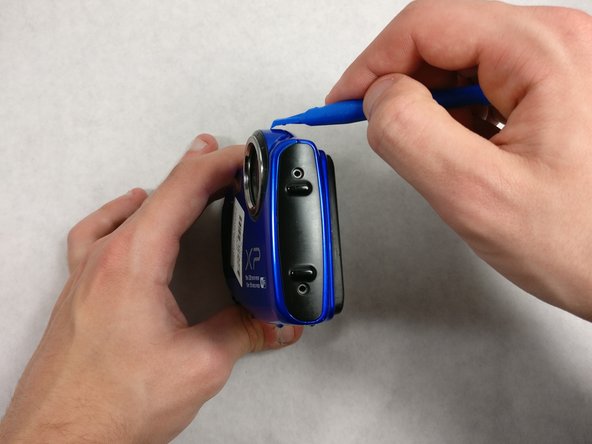
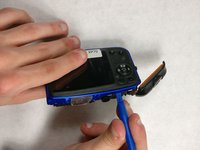
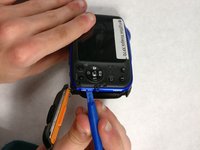
    • Pry the back plate off with a plastic opening tool

  13. Fujifilm FinePix XP50 LCD Screen Replacement, Back Panel: шаг 13, изображение 1 из 1
    • Pry the two latches off using a spudger.

    • It takes some force to pry the latches off, so be careful to not break them.

  14. Fujifilm FinePix XP50 LCD Screen Replacement: шаг 14, изображение 1 из 3 Fujifilm FinePix XP50 LCD Screen Replacement: шаг 14, изображение 2 из 3 Fujifilm FinePix XP50 LCD Screen Replacement: шаг 14, изображение 3 из 3
    • Pry the remaining latches with a plastic opening tool.

    • It's best to start on the opposite side. Then pry off the top and end at the bottom.

    • It may take some force to remove this, but be careful to not break the latches off.

  15. Fujifilm FinePix XP50 LCD Screen Replacement: шаг 15, изображение 1 из 1
    • Pull the two halves apart.

    • Reattach the LCD ribbon cable into the slot before closing the halves when reassembling.

  16. Fujifilm FinePix XP50 LCD Screen Replacement: шаг 16, изображение 1 из 2 Fujifilm FinePix XP50 LCD Screen Replacement: шаг 16, изображение 2 из 2
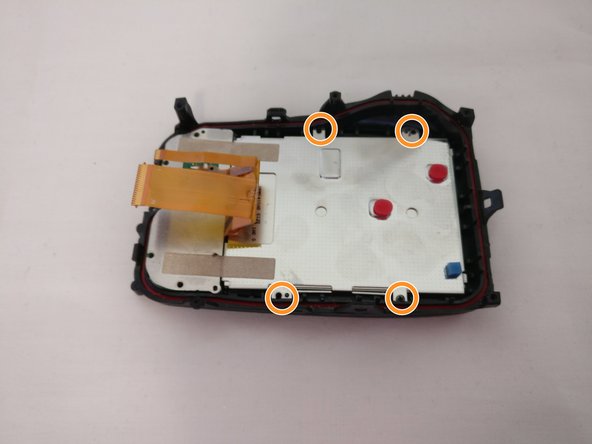
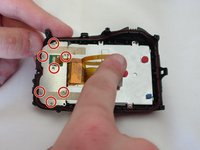
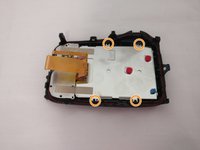
    • Unscrew seven 4.0 mm screws with a Phillips 00 screwdriver.

    • Unscrew four 3.0 mm screws with a Phillips 00 screwdriver..

  17. Fujifilm FinePix XP50 LCD Screen Replacement, LCD Screen: шаг 17, изображение 1 из 1
    • Use the plastic opening tool to gently lift the LCD screen up.

Заключение

To reassemble your device, follow these instructions in reverse order.

Cory Teixeira

Участник с: 03/24/17

101 Репутация

1 руководство автора

Команда

UMass Dartmouth, Team S7-G3, Julie Spring 2017 Участник UMass Dartmouth, Team S7-G3, Julie Spring 2017

UMASSD-JULIE-S17S7G3

4 членов

Автор 12 руководств

0 Комментарии к руководству

Добавить комментарий

Статистика просмотров:

За последние 24 часов: 0

За последние 7 дней: 3

За последние 30 дней: 8

За всё время: 515