Перейти к основному содержанию
Присоединяйся к сообществу ремонтников - Создай аккаунт

HTC One Max Rear Facing Camera Replacement

Выберете то, что вам нужно

    1. HTC One Max Rear Facing Camera Replacement, Back Case: шаг 1, изображение 1 из 1
      • Lift back cover while pressing highlighted release switch towards the center of the phone.

      Спросите у FixBot

      Добавить комментарий

    2. HTC One Max Rear Facing Camera Replacement: шаг 2, изображение 1 из 2 HTC One Max Rear Facing Camera Replacement: шаг 2, изображение 2 из 2
      • Remove the four white stickers in each corner that cover the Tri-Wing screws.

      • Remove the white sticker near the buttons that control the volume.

      • Remove the white sticker near the SIM card.

      • Remove the big white sticker with the bar-code in the center of the phone.

      Спросите у FixBot

      Добавить комментарий

    3. HTC One Max Rear Facing Camera Replacement: шаг 3, изображение 1 из 1
      • Remove the thirteen Tri-Wing Y00 screws (Upper & Lower screws are 5 mm length, middle screws are 3.8 mm length) from the back case.

      • Disconnect the cable near the volume buttons.

      Спросите у FixBot

      Добавить комментарий

    4. HTC One Max Rear Facing Camera Replacement: шаг 4, изображение 1 из 2 HTC One Max Rear Facing Camera Replacement: шаг 4, изображение 2 из 2
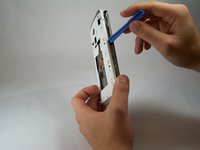
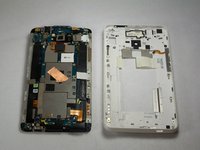
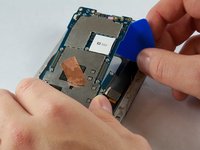
      • Use the small plastic opening tool to pry between the screen and the rear case.

      Спросите у FixBot

      Добавить комментарий

    1. HTC One Max Rear Facing Camera Replacement, Fingerprint Sensor: шаг 5, изображение 1 из 2 HTC One Max Rear Facing Camera Replacement, Fingerprint Sensor: шаг 5, изображение 2 из 2
      Инструмент, используемый на этом этапе:
      Tweezers
      $4.99
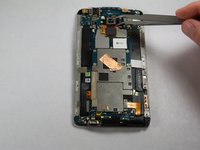
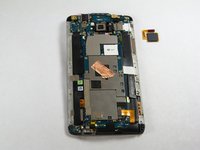
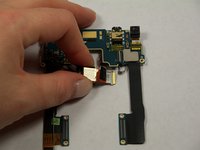
      • Use Tweezers to disconnect the ribbon cable connecting the fingerprint sensor to the motherboard.

      • When replacing the fingerprint sensor, make sure the ribbon cable snaps into the port on the motherboard.

      Спросите у FixBot

      Добавить комментарий

    1. HTC One Max Rear Facing Camera Replacement, Motherboard: шаг 6, изображение 1 из 2 HTC One Max Rear Facing Camera Replacement, Motherboard: шаг 6, изображение 2 из 2
      • Remove the two 2.2 mm Phillips #000 screws holding the battery cable.

      • Use a plastic tool to remove the ribbon cable.

      Спросите у FixBot

      Добавить комментарий

    2. HTC One Max Rear Facing Camera Replacement: шаг 7, изображение 1 из 2 HTC One Max Rear Facing Camera Replacement: шаг 7, изображение 2 из 2
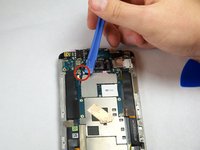
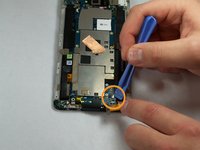
      • Use the plastic opening tool to disconnect the two antenna wires at the top of the phone.

      • Use the plastic opening tool to disconnect a third antenna wire at the bottom of the phone.

      Спросите у FixBot

      Добавить комментарий

    3. HTC One Max Rear Facing Camera Replacement: шаг 8, изображение 1 из 1
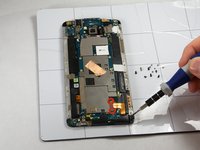
      • Remove the seven 3 mm Phillips #000 screws from the motherboard.

      Спросите у FixBot

      Добавить комментарий

    4. HTC One Max Rear Facing Camera Replacement: шаг 9, изображение 1 из 3 HTC One Max Rear Facing Camera Replacement: шаг 9, изображение 2 из 3 HTC One Max Rear Facing Camera Replacement: шаг 9, изображение 3 из 3
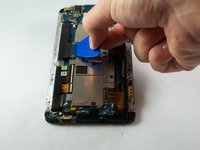
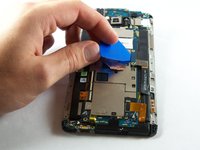
      • Use a plastic tool to pry up and disconnect the large ribbon cables on each side of the motherboard.

      • Use caution prying the ribbon cable on the right side because other ribbon cables run under it.

      Спросите у FixBot

      Добавить комментарий

    5. HTC One Max Rear Facing Camera Replacement: шаг 10, изображение 1 из 3 HTC One Max Rear Facing Camera Replacement: шаг 10, изображение 2 из 3 HTC One Max Rear Facing Camera Replacement: шаг 10, изображение 3 из 3
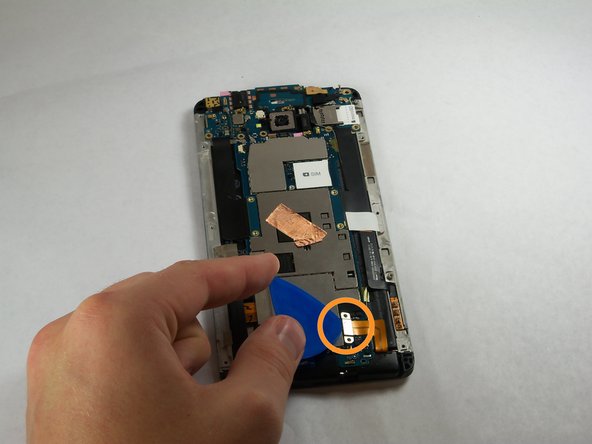
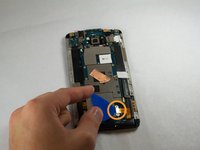
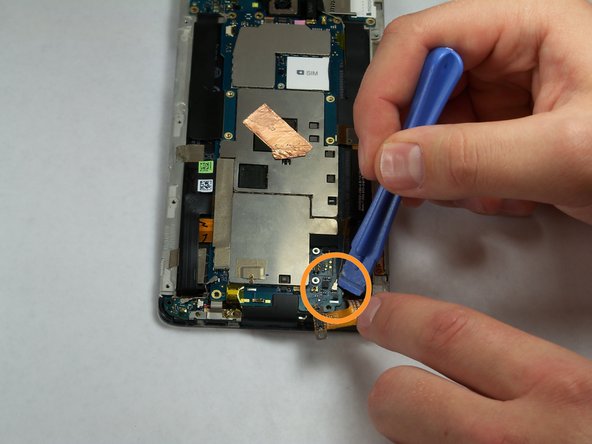
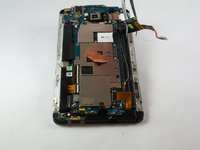
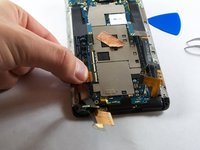
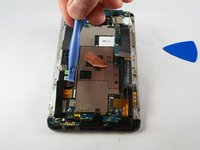
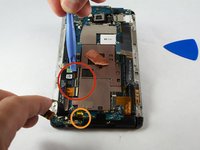
      • Remove the tape covering three flex cable gate connectors on the bottom left side of the phone.

      • Use small plastic opening tool to pry open the latch on each of these gate connectors to disconnect the three cables.

      • Use small plastic opening tool to pry open the latch on each of these gate connectors to disconnect the three cables.

      Спросите у FixBot

      Добавить комментарий

    6. HTC One Max Rear Facing Camera Replacement: шаг 11, изображение 1 из 2 HTC One Max Rear Facing Camera Replacement: шаг 11, изображение 2 из 2
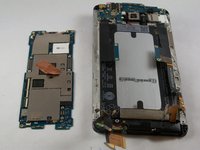
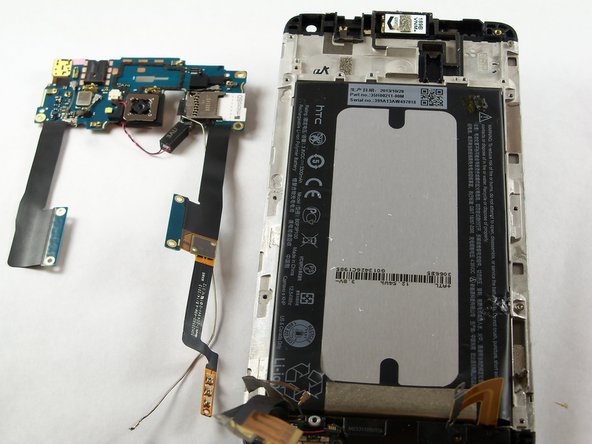
      • Use a plastic tool to lift and remove the motherboard.

      • Use a heat gun to loosen adhesive at bottom if needed.

      Спросите у FixBot

      Добавить комментарий

    1. HTC One Max Rear Facing Camera Replacement, IR Blaster: шаг 12, изображение 1 из 1
      • Remove the three 3 mm Phillips #000 screws from the secondary board at the top.

      Спросите у FixBot

      Добавить комментарий

    2. HTC One Max Rear Facing Camera Replacement: шаг 13, изображение 1 из 1
      • Pick up and set aside vibrator, do not disconnect.

      Спросите у FixBot

      Добавить комментарий

    3. HTC One Max Rear Facing Camera Replacement: шаг 14, изображение 1 из 1
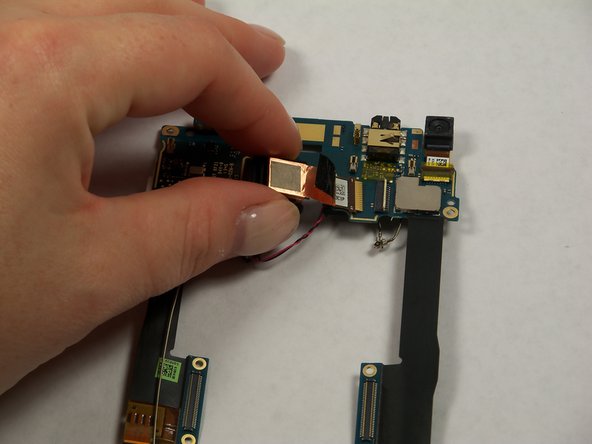
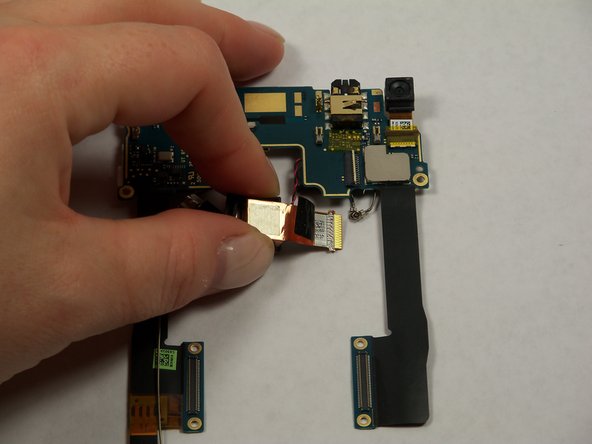
      • Pull out ribbon cable.

      • Peel back infrared sensor.

      Спросите у FixBot

      Добавить комментарий

    1. HTC One Max Rear Facing Camera Replacement, Rear Facing Camera: шаг 15, изображение 1 из 2 HTC One Max Rear Facing Camera Replacement, Rear Facing Camera: шаг 15, изображение 2 из 2
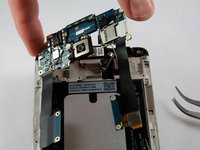
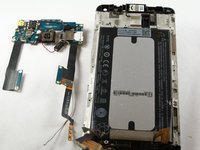
      • Lift the secondary motherboard with the camera attached.

      Спросите у FixBot

      Добавить комментарий

    2. HTC One Max Rear Facing Camera Replacement: шаг 16, изображение 1 из 3 HTC One Max Rear Facing Camera Replacement: шаг 16, изображение 2 из 3 HTC One Max Rear Facing Camera Replacement: шаг 16, изображение 3 из 3
      • Use a plastic opening tool to disconnect the camera ribbon cable.

      • Remove rear camera.

      Спросите у FixBot

      Добавить комментарий

Заключение

To reassemble your device, follow these instructions in reverse order.

Отменить: Я не выполнил это руководство.

8 человек успешно провели ремонт по этому руководству.

Andrew Keller

Участник с: 09/23/14

1 131 Репутация

Автор 5 руководств

Команда

USF Tampa, Team 11-3, Blackwell Fall 2014 Участник USF Tampa, Team 11-3, Blackwell Fall 2014

USFT-BLACKWELL-F14S11G3

4 членов

Автор 84 руководств

1 Комментарий к руководству

so..which one do i have to buy?

the Phillips #00 or the #000? the steps say one thing, the required tools section says another.

thanks in advance

alberto rivera - Ответить Поделиться
Добавить комментарий

Статистика просмотров:

За последние 24 часов: 4

За последние 7 дней: 20

За последние 30 дней: 56

За всё время: 8,613