Введение
This guide will aid replacement of electrochemical sensors in a Multi-Rae gas detector by Honeywell. Electrochemical sensors can be damaged by excessive exposure to gasses, expire overtime, and can become difficult to calibrate for other reasons. This guide is needed to assist Multi-Rae users in troubleshooting and replacing electrochemical sensors. This guide will focus on replacing the Hydrogen Sulfide sensor, but the replacement of other electrochemical sensor in this unit should be conducted in the exact same as described in this guide. Attention should be given to the use of a clean work surface free from dust or other environmental factors that could damage the interior components of the monitor during the replacement procedures. Do not open the detector when the unit is powered to the ON position.
Выберете то, что вам нужно
-
-
Confirm which sensor you are intending to replace. Make note of it.
-
Nitrile gloves should be worn for the entire procedure.
-
-
-
Place the monitor face down on a clean surface.
-
Use the Phillips #0 screwdriver to remove the single 3 mm Phillips screw on the belt clip.
-
-
-
Starting at the bottom of the case, pull the outer case away from the main body of the monitor.
-
Continue pulling out and away until the entire outer case has been removed.
-
-
-
-
With the Phillips #0 screwdriver, remove all four 3 mm screws from the rear pump/sensor cover.
-
-
-
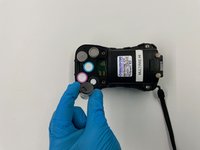
Carefully grip and twist the outer edge of the sensor to remove the sensor from its insertion point.
-
-
-
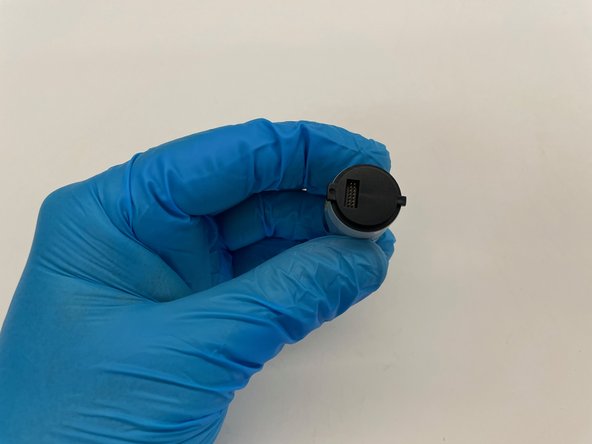
Grip the replacement sensor on the outer edge.
-
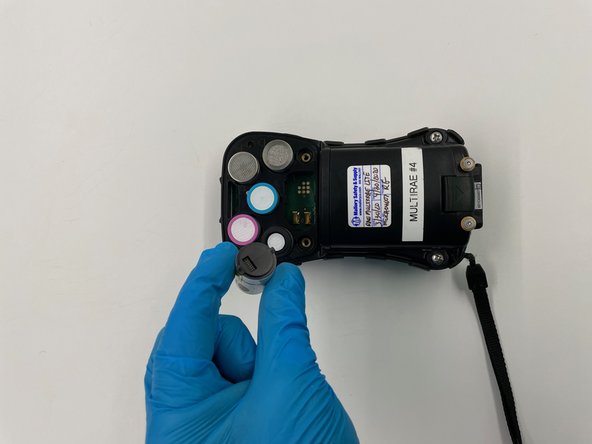
Insert the new sensor in a straight downward orientation.
-
-
-
Reassemble the unit in reverse order.
-
After reassembly, power the unit on to ensure that the monitor recognizes the new sensor.
-
Calibrate the sensor per the manufacturer's instructions.
-



To reassemble your device, follow these instructions in reverse order.
To reassemble your device, follow these instructions in reverse order.



Команду

Oregon Institute of Technology, Team S2-G2, Rauch Winter 2021 Участник Oregon Institute of Technology, Team S2-G2, Rauch Winter 2021
OIT-RAUCH-W21S2G2
1 член
Автор 3 руководств
