Перейти к основному содержанию

How to remove malware from an infected windows PC

Выберете то, что вам нужно

  1. How to remove malware from an infected windows PC, Install Anti-Malware software: шаг 1, изображение 1 из 2 How to remove malware from an infected windows PC, Install Anti-Malware software: шаг 1, изображение 2 из 2
    • On the PC you will be doing antivirus on, install the appropriate software. If the PC with malware does not turn on, install on a different one to do anti-virus.

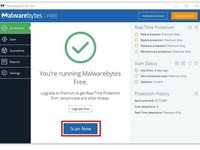
    • Malwarebytes is great anti-virus software. Go to the website and install it for free.

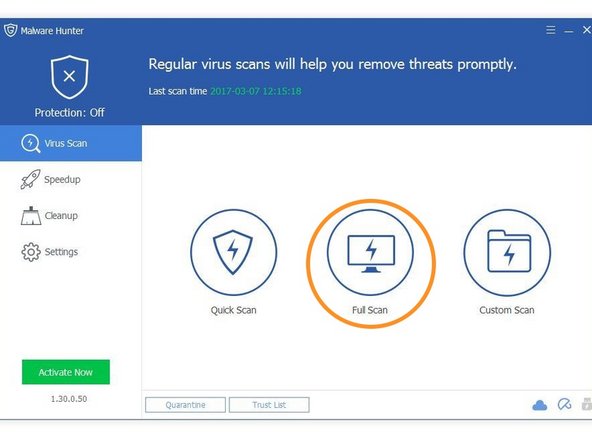
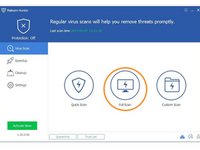
    • Glarysoft Malware hunter is also good. Their website is here.

    • Other free anti-malware works too, but these are my favorites.

  2. How to remove malware from an infected windows PC, Remove your SATA HDD/SDD from the PC: шаг 2, изображение 1 из 1
    • This step only applies to PCs that do not boot. If the PC with malware runs, then install the software directly onto it.

    • Because assembly of different laptops and PCs vary so much, you will have to figure out or find a guide to remove your drive.

  3. How to remove malware from an infected windows PC, Connect the drive: шаг 3, изображение 1 из 1
    • This step also only applies to PCs that don't boot.

    • If your non-infected PC is a desktop, you may unplug the optical drive and plug the connections into the HDD or SSD. If it is a laptop, you will need a SATA to USB adapter.

    • Shut down your desktop before unplugging the DVD drive and attaching the HDD.

  4. How to remove malware from an infected windows PC, Disinfect your PC: шаг 4, изображение 1 из 3 How to remove malware from an infected windows PC, Disinfect your PC: шаг 4, изображение 2 из 3 How to remove malware from an infected windows PC, Disinfect your PC: шаг 4, изображение 3 из 3
    • Once you've installed the necessary programs and (if applicable) connected you're infected drive to you PC, you are ready to be the doctor.

    • Run Malwarebytes.

    • Run Glarysoft Malware Hunter.

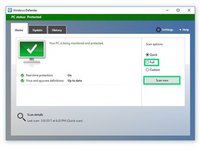
    • Windows defender comes preinstalled with Windows. Use that also.

  5. How to remove malware from an infected windows PC, Double checking another PCs drive.: шаг 5, изображение 1 из 1
    • This is the last step for checking another PCs drive

    • Go into file explorer, right click on the drive from the infected PC, and select each of the highlighted options.

  6. How to remove malware from an infected windows PC, Finito!: шаг 6, изображение 1 из 1
    • All done! follow these instructions in reverse to put everything back.

Финишная прямая

38 человек успешно провели ремонт по этому руководству.
George A.

Участник с: 12/07/16

22 407 Репутация

Автор 4 руководств

Команда

Community Protectors Участник Community Protectors

Community

19 членов

Автор 26 руководств

1 Комментарий к руководству

changed “boot” to “turn on” because it would make more sense to the people who read this article, as they could be the much less computer-savvy people

aaaaaaaaaaaaaaaaa - Ответить

Добавить комментарий

Статистика просмотров:

За последние 24 часов: 2

За последние 7 дней: 38

За последние 30 дней: 179

За всё время: 10,588