Перейти к основному содержанию
Присоединяйся к сообществу ремонтников - Создай аккаунт

HyperX Pulsefire Haste Battery Replacement

Выберете то, что вам нужно

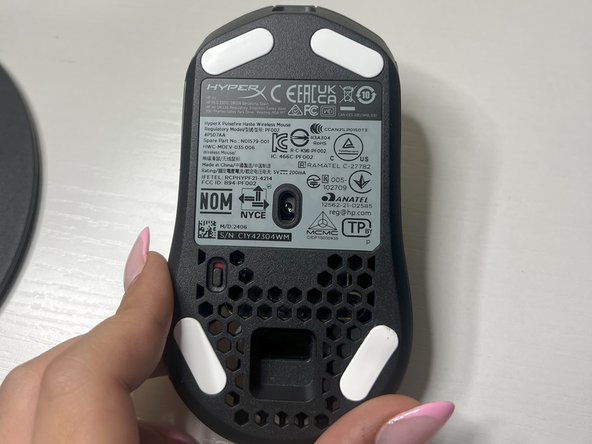
  1. HyperX Pulsefire Haste Battery Replacement, Battery: шаг 1, изображение 1 из 2 HyperX Pulsefire Haste Battery Replacement, Battery: шаг 1, изображение 2 из 2
    • Power off the mouse using the switch located underneath and rest on the underside.

    Спросите у FixBot
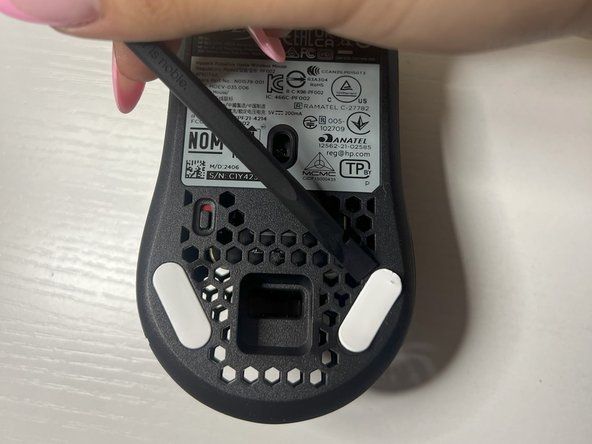
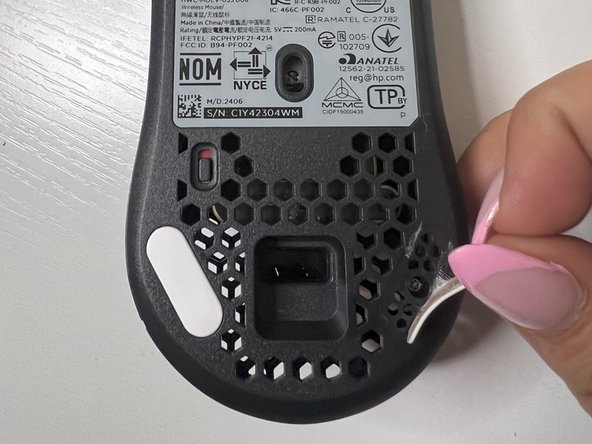
  2. HyperX Pulsefire Haste Battery Replacement: шаг 2, изображение 1 из 3 HyperX Pulsefire Haste Battery Replacement: шаг 2, изображение 2 из 3 HyperX Pulsefire Haste Battery Replacement: шаг 2, изображение 3 из 3
    • Using the plastic spudger, remove the white mouse sticker grips on both sides of lower portion of the bottom mouse to reveal the screw holes underneath.

    Спросите у FixBot
  3. HyperX Pulsefire Haste Battery Replacement: шаг 3, изображение 1 из 3 HyperX Pulsefire Haste Battery Replacement: шаг 3, изображение 2 из 3 HyperX Pulsefire Haste Battery Replacement: шаг 3, изображение 3 из 3
    • Remove both of the screws on the bottom of the mouse using a TR6 Torx screwdriver.

    Спросите у FixBot
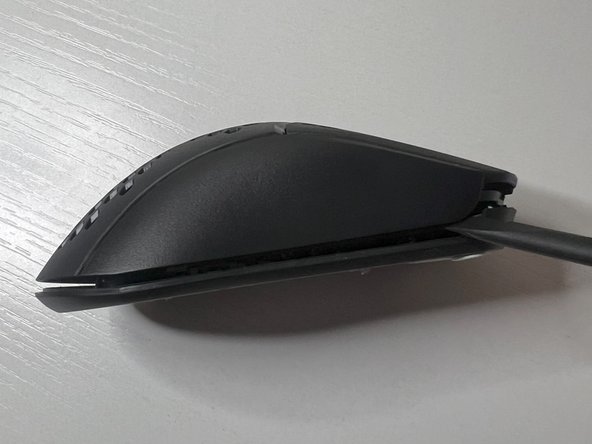
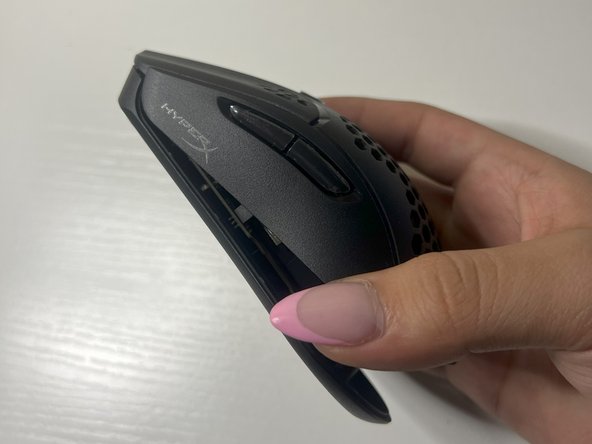
  4. HyperX Pulsefire Haste Battery Replacement: шаг 4, изображение 1 из 3 HyperX Pulsefire Haste Battery Replacement: шаг 4, изображение 2 из 3 HyperX Pulsefire Haste Battery Replacement: шаг 4, изображение 3 из 3
    • Use the plastic spudger to separate the mouse covering from the base on both sides of the mouse.

    • It is helpful to place the spudger in the front crevices underneath the mouse buttons and move in upward and downward motions until it loosens.

    Спросите у FixBot
  5. HyperX Pulsefire Haste Battery Replacement: шаг 5, изображение 1 из 1
    • Remove the three screws located on the battery casing at the top, left, and right sides using a TR6 Torx screwdriver.

    Спросите у FixBot
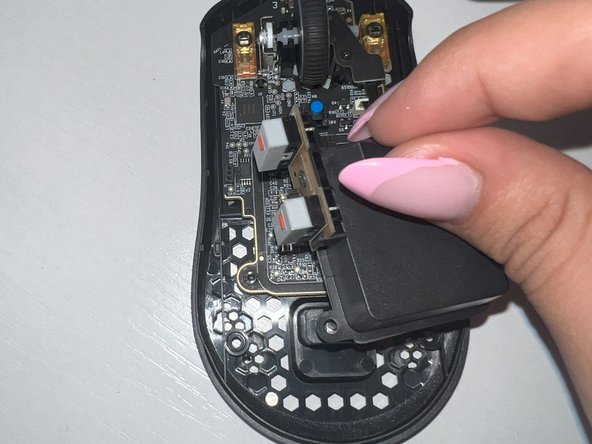
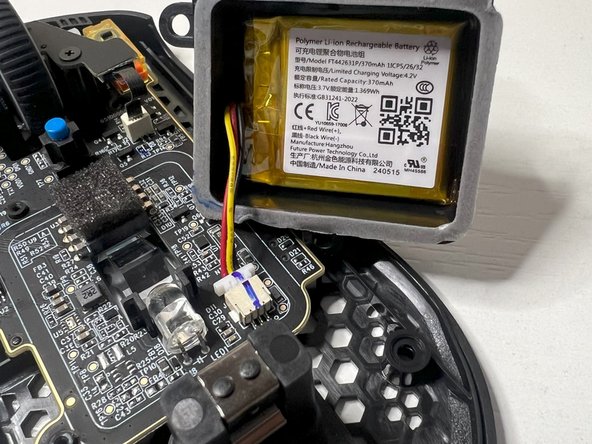
  6. HyperX Pulsefire Haste Battery Replacement: шаг 6, изображение 1 из 3 HyperX Pulsefire Haste Battery Replacement: шаг 6, изображение 2 из 3 HyperX Pulsefire Haste Battery Replacement: шаг 6, изображение 3 из 3
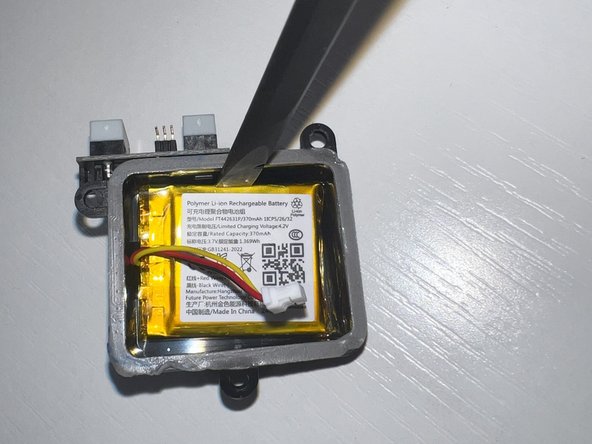
    • Use the plastic spudger to gently lift the battery cover with the battery inside, ensuring the wiring is still connected, setting it nearby.

    Спросите у FixBot
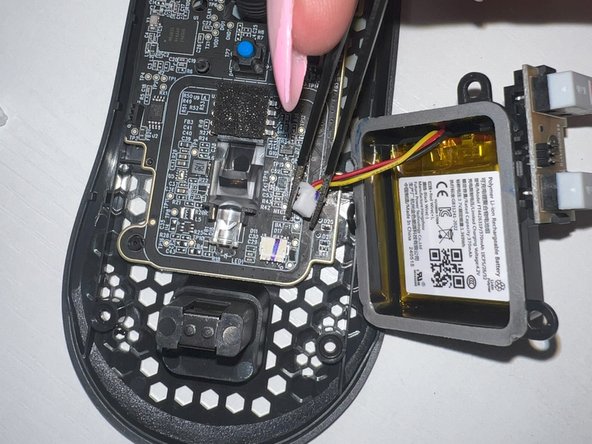
  7. HyperX Pulsefire Haste Battery Replacement: шаг 7, изображение 1 из 3 HyperX Pulsefire Haste Battery Replacement: шаг 7, изображение 2 из 3 HyperX Pulsefire Haste Battery Replacement: шаг 7, изображение 3 из 3
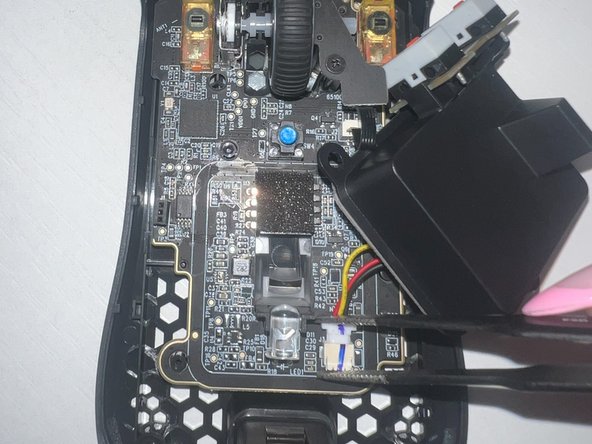
    • Use the tweezers to grab the white connector and remove the battery wiring from the mouse base.

    Спросите у FixBot
  8. HyperX Pulsefire Haste Battery Replacement: шаг 8, изображение 1 из 3 HyperX Pulsefire Haste Battery Replacement: шаг 8, изображение 2 из 3 HyperX Pulsefire Haste Battery Replacement: шаг 8, изображение 3 из 3
    • Place the new battery with the label facing upwards into the casing.

    • Ensure you set the old battery aside to be able to be properly disposed of, either by taking it to a recycling center or returning it to the retailer. Do not throw the battery in the trash.

    Спросите у FixBot
  9. HyperX Pulsefire Haste Battery Replacement: шаг 9, изображение 1 из 3 HyperX Pulsefire Haste Battery Replacement: шаг 9, изображение 2 из 3 HyperX Pulsefire Haste Battery Replacement: шаг 9, изображение 3 из 3
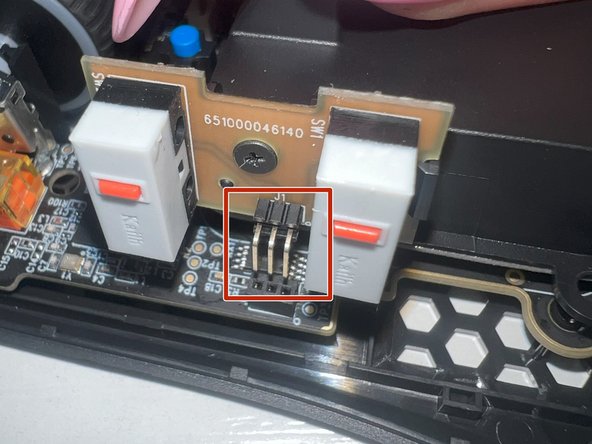
    • Using the tweezers, gently connect the wire back to its location, while ensuring the three pins are back in their original pinholes.

    Спросите у FixBot
  10. HyperX Pulsefire Haste Battery Replacement: шаг 10, изображение 1 из 1
    • Using the TR6 Torx screwdriver, screw back all three of the screws originally taken off of the battery casing.

    Спросите у FixBot
  11. HyperX Pulsefire Haste Battery Replacement: шаг 11, изображение 1 из 3 HyperX Pulsefire Haste Battery Replacement: шаг 11, изображение 2 из 3 HyperX Pulsefire Haste Battery Replacement: шаг 11, изображение 3 из 3
    • Place the mouse covering back on, ensuring the component is properly aligned with the screw holes underneath.

    Спросите у FixBot
  12. HyperX Pulsefire Haste Battery Replacement: шаг 12, изображение 1 из 2 HyperX Pulsefire Haste Battery Replacement: шаг 12, изображение 2 из 2
    • Screw both of the outer screws back on the lower bottom of the mouse using a TR6 Torx screwdriver.

    Спросите у FixBot
  13. HyperX Pulsefire Haste Battery Replacement: шаг 13, изображение 1 из 3 HyperX Pulsefire Haste Battery Replacement: шаг 13, изображение 2 из 3 HyperX Pulsefire Haste Battery Replacement: шаг 13, изображение 3 из 3
    • Place the mouse sticker grips that you previously took off back on to cover the screw holes.

    Спросите у FixBot
Заключение

Congratulations! You have successfully completed replacing the battery inside of your wireless mouse! You can now use your knowledge you have gained from this replacement in future similar scenarios and continue on doing your part in reducing the amount of e-waste on our planet.

luna

Участник с: 09/19/24

217 Репутация

1 руководство автора

Команда

University of Oklahoma, Team 2-2, Bennett Fall 2024 Участник University of Oklahoma, Team 2-2, Bennett Fall 2024

OU-BENNETT-F24S2G2

2 членов

Автор 1 руководств

0 Комментарии к руководству

Добавить комментарий

Статистика просмотров:

За последние 24 часов: 9

За последние 7 дней: 40

За последние 30 дней: 172

За всё время: 2,480