Введение
Voice recognition not working? Screaming at your Nintendo 3DS XL in hopes the game will finally pick up your voice? This guide will take you through the steps necessary to install a new microphone to have you back playing your favorite games in no time.
Выберете то, что вам нужно
-
-
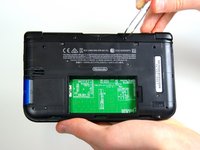
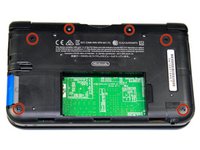
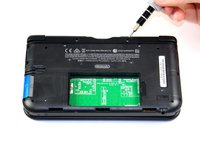
Use a JIS 00 screwdriver to loosen the 4.2 mm‑long screws on the top edge of the back cover.
 Спросите у FixBot
-
-
-
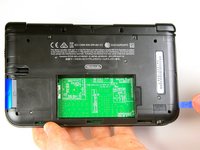
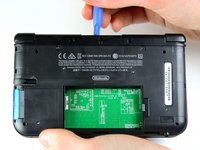
Use a plastic opening tool to pry off the clips securing the back cover, starting at the top corners and working your way down.
-
Use your hands to remove the back cover.
-
-
-
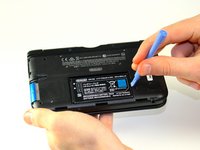
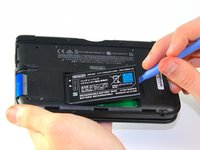
Insert the plastic opening tool into the opening located on the right side of the battery.
-
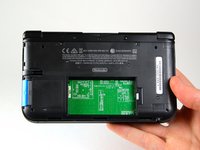
Pry the battery out of its recess and remove it.
-
-
Инструмент, используемый на этом этапе:Tweezers$4.99
-
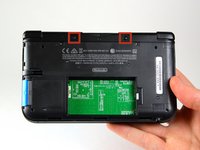
Using tweezers pull out the rubber bumpers that are located at the top of the device on either side of the game cartridge compartment.
-
-
-
-
Remove the six 6.2 mm screws using a Phillips #000 screwdriver.
-
-
-
Remove the 2.3 mm screw located above the game cartridge slot with a Phillips #000 screwdriver.
-
-
-
With a plastic opening tool pry off the lower case starting at the bottom edge and working around the perimeter.
-
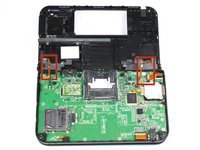
Two ribbon cables connect the case to the circuit board. Be careful to not pull the case too hard and rip the ribbon cables.
-
-
-
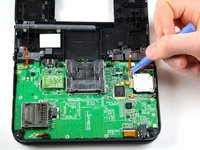
Remove the ribbon cables located underneath the left and right bumpers by prying up the base of the cables with a plastic opening tool.
-
Completely remove the lower case from the rest of the device and set aside.
-
-
-
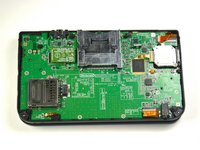
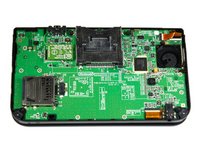
Position the device such that the game cartridge slot is located at the top.
-
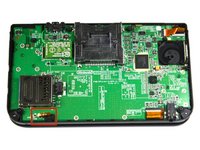
Locate the microphone in the bottom left corner.
-
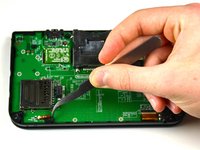
Using tweezers remove the microphone.
-
-
-
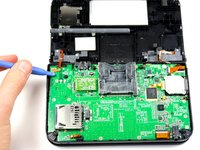
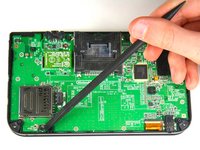
Using the flat head side of the spudger carefully lift up the flap and remove the ribbon.
-
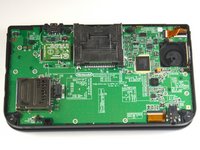
The attached microphone can now be removed.
-














To reassemble your device, follow these instructions in reverse order.
Отменить: Я не выполнил это руководство.
6 человек успешно провели ремонт по этому руководству.

Команда

Cal Poly, Team 9-13, Regan Spring 2014 Участник Cal Poly, Team 9-13, Regan Spring 2014
CPSU-REGAN-S14S9G13
5 членов
Автор 56 руководств
2 Комментарии к руководству
Hello! Do these instructions apply to the New 3DS XL as well? I followed steps from 1-8, but when I get to step 9, the layout is different and I can’t find the mic. Any help would be greatly appreciated!
please learn to repair the mic of new 3ds xl
