Перейти к основному содержанию

PlayStation Move Battery Replacement

Выберете то, что вам нужно

  1. PlayStation Move  Battery Replacement, Battery: шаг 1, изображение 1 из 3 PlayStation Move  Battery Replacement, Battery: шаг 1, изображение 2 из 3 PlayStation Move  Battery Replacement, Battery: шаг 1, изображение 3 из 3
    • Using a Phillips #0 screwdriver, remove the four 10mm screws located on the back of the device.

  2. PlayStation Move  Battery Replacement: шаг 2, изображение 1 из 2 PlayStation Move  Battery Replacement: шаг 2, изображение 2 из 2
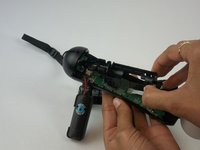
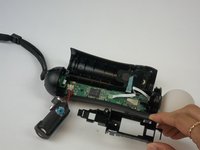
    • Insert the plastic opening tool at the indent.

    • Gently use a forward and backward motion to safely pop open the cover.

    • Using your hands to further pull it apart.

  3. PlayStation Move  Battery Replacement: шаг 3, изображение 1 из 2 PlayStation Move  Battery Replacement: шаг 3, изображение 2 из 2
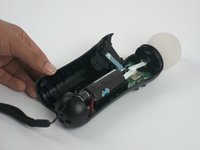
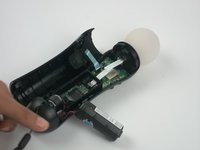
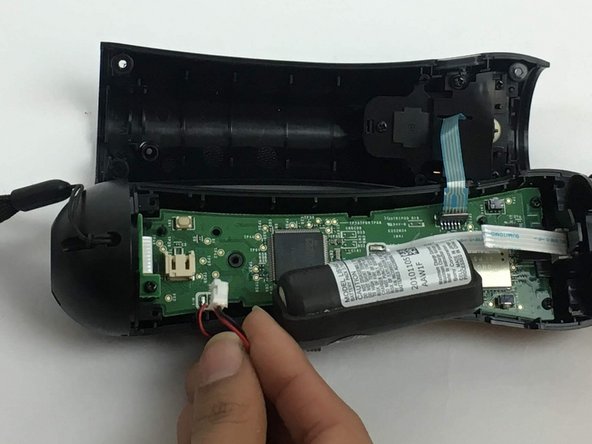
    • Once the device is opened, lift the battery out of the black plastic holder.

    • Carefully pull the battery out and ensure that it's wires are still connected to the inside.

  4. PlayStation Move  Battery Replacement: шаг 4, изображение 1 из 3 PlayStation Move  Battery Replacement: шаг 4, изображение 2 из 3 PlayStation Move  Battery Replacement: шаг 4, изображение 3 из 3
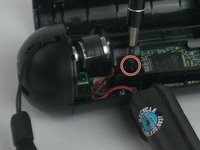
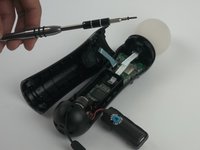
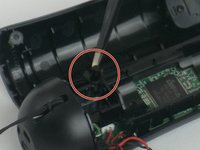
    • Using a Phillips head screwdriver, remove the 9mm screw located to the right of the battery, which is connected to the inner plastic frame.

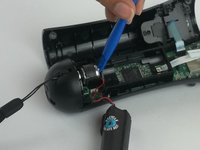
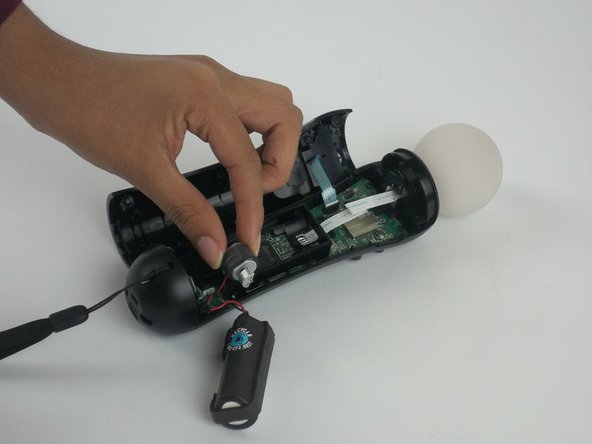
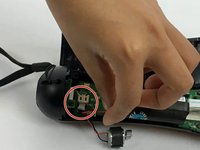
    • Using the plastic opening tool carefully take out the grey cylindrical piece (vibrator) that is also attached to a wire.

  5. PlayStation Move  Battery Replacement: шаг 5, изображение 1 из 2 PlayStation Move  Battery Replacement: шаг 5, изображение 2 из 2
    • Gently pull out the small grey cylindrical piece (vibrator).

    • Removing this piece makes it easier to access the wire connection of the battery and remove it.

  6. PlayStation Move  Battery Replacement: шаг 6, изображение 1 из 2 PlayStation Move  Battery Replacement: шаг 6, изображение 2 из 2
    Инструмент, используемый на этом этапе:
    Tweezers
    $4.99
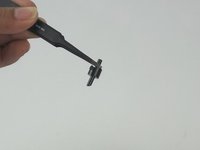
    • Using tweezers, remove the small piece with a cylindrical top that is located to the left of the inner plastic frame.

  7. PlayStation Move  Battery Replacement: шаг 7, изображение 1 из 3 PlayStation Move  Battery Replacement: шаг 7, изображение 2 из 3 PlayStation Move  Battery Replacement: шаг 7, изображение 3 из 3
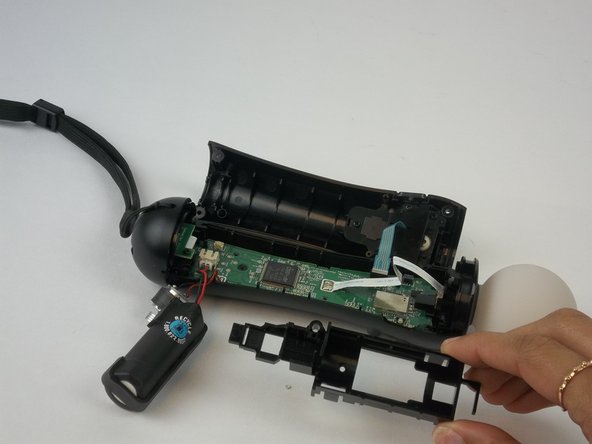
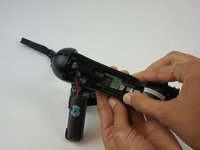
    • Using one hand to hold the device, and the other hand to squeeze the inner plastic frame.

    • Remove by squeezing the inner plastic frame, lift and pull it towards you.

    • While removing the frame, be extremely careful because it could damage the frame or the motherboard.

  8. PlayStation Move  Battery Replacement: шаг 8, изображение 1 из 2 PlayStation Move  Battery Replacement: шаг 8, изображение 2 из 2
    • Gently pull on the white piece connecting the battery and the connector.

Заключение

To reassemble your device, follow these instructions in reverse order.

11 человек успешно провели ремонт по этому руководству.

Jenelle Mohammed

Участник с: 09/28/16

253 Репутация

1 руководство автора

Команда

USF Tampa, Team 3-3, Passmore Fall 2016 Участник USF Tampa, Team 3-3, Passmore Fall 2016

USFT-PASSMORE-F16S3G3

4 членов

Автор 10 руководств

5 Комментарии к руководству

When putting the plastic battery rig back in on my second time doing this, I bent one of the little plastic pins that fits into a hole in the PCB. Definitely want to be careful with that. To make it a bit easier, I unscrewed the bottom port PCB part of the way so I could take the bottom plastic housing and put the plastic battery rig in straight. It made it a lot easier.

Burke Cates - Ответить
No need to take out the motor, just use sharp tweezers and grab the connector (NOT the wires) and with small wiggling pull it out. Worked for mine.

crus - Ответить
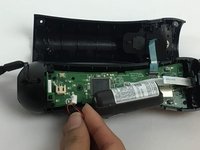
Worked great! Thanks for this. I did not need to take out the black battery / motor piece. Tweezers worked great to remove and install the battery cable

Harry Skigis - Ответить

Any recommended online / physical store to buy new batteries for this because ifixit doesn’t have them?

[deleted] - Ответить

Je suis pas capable de coupler les manettes et quand j essaie de l ouvrir la lumière ne reste pas allumée. Sa se peut tu que les batteries sont finis. Je viens de l acheter usager

Rachelle Tremblay - Ответить

Добавить комментарий

Статистика просмотров:

За последние 24 часов: 4

За последние 7 дней: 30

За последние 30 дней: 135

За всё время: 16,347