Перейти к основному содержанию
Присоединяйся к сообществу ремонтников - Создай аккаунт

Samsung Galaxy Note Motherboard Replacement

Просмотров: 38 тыс.

Просмотр статистики:

За последние 24 часа:
3
За последние 7 дней:
22
За последние 30 дней:
108
За все время:
37 767
Комментарии: 8

4 комментариев к шагам, 4 комментариев к инструкции.

Перейти к комментариям инструкции
Завершено: 20

20 пользователей отметили эту инстркукцию как "завершенное". Вы будете следующим?

Избранные: 15

15 эта инструкция понравилась многим пользователям (и они подписались на нее). Вы будете следующим?

Необходимое время: Нет оценки
Сложность: Умеренно
Samsung Galaxy Note Motherboard Replacement

Use this guide to remove or replace your motherboard.

Выберете то, что Вам нужно

Инструменты

    1. Samsung Galaxy Note Motherboard Replacement, Stylus: шаг 1, изображение 1 из 2 Samsung Galaxy Note Motherboard Replacement, Stylus: шаг 1, изображение 2 из 2
      • Grasp the cap of the stylus and remove it from its slot in the midframe.

      Спросите у FixBot

      Добавить комментарий

    1. Samsung Galaxy Note Motherboard Replacement, Rear Case: шаг 2, изображение 1 из 2 Samsung Galaxy Note Motherboard Replacement, Rear Case: шаг 2, изображение 2 из 2
      • Pry with a plastic opening tool, or your fingernail, in the divot to the right of the rear-facing camera, near the volume rocker.

      Спросите у FixBot

      Добавить комментарий

    2. Samsung Galaxy Note Motherboard Replacement: шаг 3, изображение 1 из 2 Samsung Galaxy Note Motherboard Replacement: шаг 3, изображение 2 из 2
      • Lift and remove the rear case from the phone.

      Спросите у FixBot

      Добавить комментарий

    1. Samsung Galaxy Note Motherboard Replacement, Battery: шаг 4, изображение 1 из 2 Samsung Galaxy Note Motherboard Replacement, Battery: шаг 4, изображение 2 из 2
      • Insert your finger in the notch of the battery compartment.

      • Press the battery toward the rear facing camera while pulling outward.

      Спросите у FixBot

      Добавить комментарий

    1. Samsung Galaxy Note Motherboard Replacement, MicroSD Card: шаг 5, изображение 1 из 3 Samsung Galaxy Note Motherboard Replacement, MicroSD Card: шаг 5, изображение 2 из 3 Samsung Galaxy Note Motherboard Replacement, MicroSD Card: шаг 5, изображение 3 из 3
      • Use the flat end of a spudger, or your fingernail, to press the microSD card slightly deeper into its slot until you hear a click.

      • After the click, release the card and it will pop out of its slot.

      • For reassembly, push the microSD card into the slot until it clicks in place.

      Спросите у FixBot

      Добавить комментарий

    2. Samsung Galaxy Note Motherboard Replacement: шаг 6, изображение 1 из 1
      • Remove the microSD card from its slot in the midframe.

      Спросите у FixBot

      Добавить комментарий

    1. Samsung Galaxy Note Motherboard Replacement, SIM Card: шаг 7, изображение 1 из 2 Samsung Galaxy Note Motherboard Replacement, SIM Card: шаг 7, изображение 2 из 2
      • Use a plastic opening tool, or your fingernail, to push the SIM card out of its compartment.

      Спросите у FixBot

      Добавить комментарий

    2. Samsung Galaxy Note Motherboard Replacement: шаг 8, изображение 1 из 2 Samsung Galaxy Note Motherboard Replacement: шаг 8, изображение 2 из 2
      • Slide the SIM card out the rest of the way with your thumb and remove it from the device.

      Спросите у FixBot

      Добавить комментарий

    1. Samsung Galaxy Note Motherboard Replacement, Midframe: шаг 9, изображение 1 из 1
      • Remove the nine 3.4 mm Phillips #00 screws securing the midframe to the display assembly.

      Спросите у FixBot

      Добавить комментарий

    2. Samsung Galaxy Note Motherboard Replacement: шаг 10, изображение 1 из 2 Samsung Galaxy Note Motherboard Replacement: шаг 10, изображение 2 из 2
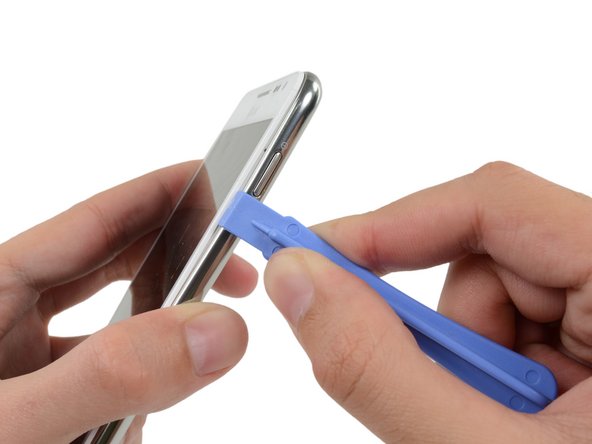
      • Insert your plastic opening tool to the left of the power button between the midframe and the front panel assembly and pry.

      Спросите у FixBot

      Добавить комментарий

    3. Samsung Galaxy Note Motherboard Replacement: шаг 11, изображение 1 из 3 Samsung Galaxy Note Motherboard Replacement: шаг 11, изображение 2 из 3 Samsung Galaxy Note Motherboard Replacement: шаг 11, изображение 3 из 3
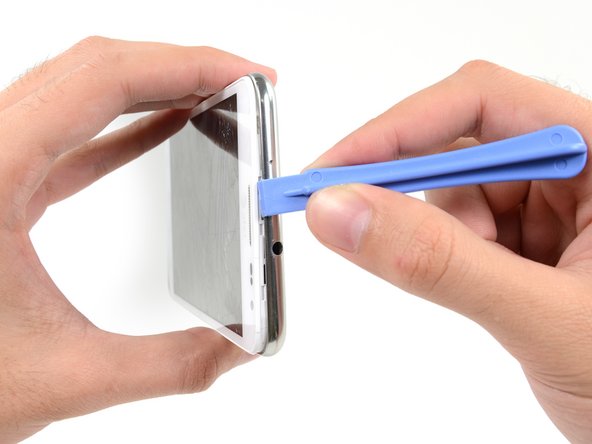
      • Slide the plastic opening tool down the seam.

      Спросите у FixBot

      Добавить комментарий

    4. Samsung Galaxy Note Motherboard Replacement: шаг 12, изображение 1 из 3 Samsung Galaxy Note Motherboard Replacement: шаг 12, изображение 2 из 3 Samsung Galaxy Note Motherboard Replacement: шаг 12, изображение 3 из 3
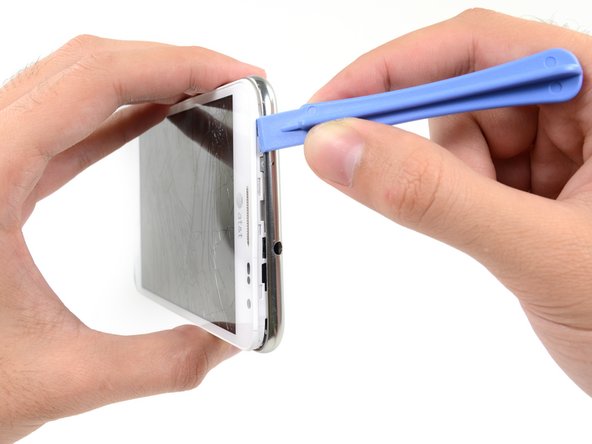
      • Insert your plastic opening tool to the left of the headphone jack between the midframe and the display assembly.

      • Slide the opening tool along the top edge of the phone.

      • Continue to run the plastic opening tool around the perimeter of the phone until the midframe is separated.

      Спросите у FixBot

      Добавить комментарий

    5. Samsung Galaxy Note Motherboard Replacement: шаг 13, изображение 1 из 2 Samsung Galaxy Note Motherboard Replacement: шаг 13, изображение 2 из 2
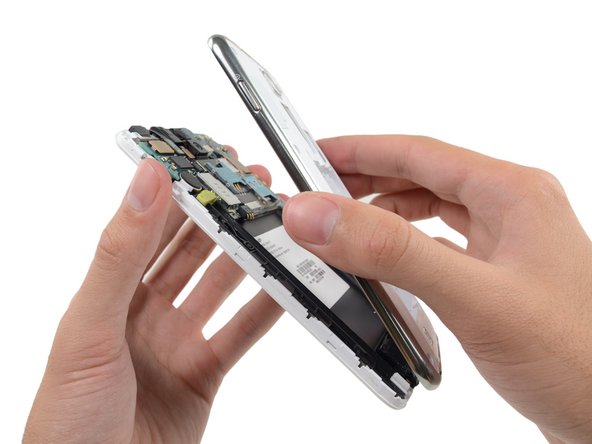
      • Remove the midframe from the display assembly.

      Спросите у FixBot

      Добавить комментарий

    1. Samsung Galaxy Note Motherboard Replacement, Motherboard Assembly: шаг 14, изображение 1 из 2 Samsung Galaxy Note Motherboard Replacement, Motherboard Assembly: шаг 14, изображение 2 из 2
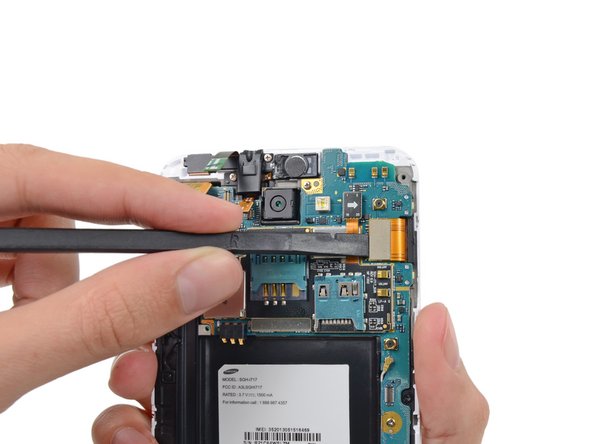
      • Use the flat end of a spudger to carefully disconnect the display cable connector.

      Спросите у FixBot

      Добавить комментарий

    2. Samsung Galaxy Note Motherboard Replacement: шаг 15, изображение 1 из 3 Samsung Galaxy Note Motherboard Replacement: шаг 15, изображение 2 из 3 Samsung Galaxy Note Motherboard Replacement: шаг 15, изображение 3 из 3
      • Use a spudger to disconnect the front-facing camera assembly cable connector.

      • Disconnect the headphone jack/earpiece speaker assembly cable connector.

      • Disconnect the digitizer cable connector.

      Спросите у FixBot

      Добавить комментарий

    3. Samsung Galaxy Note Motherboard Replacement: шаг 16, изображение 1 из 3 Samsung Galaxy Note Motherboard Replacement: шаг 16, изображение 2 из 3 Samsung Galaxy Note Motherboard Replacement: шаг 16, изображение 3 из 3
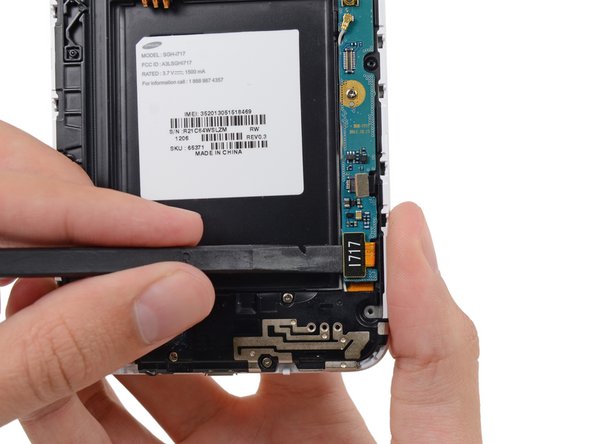
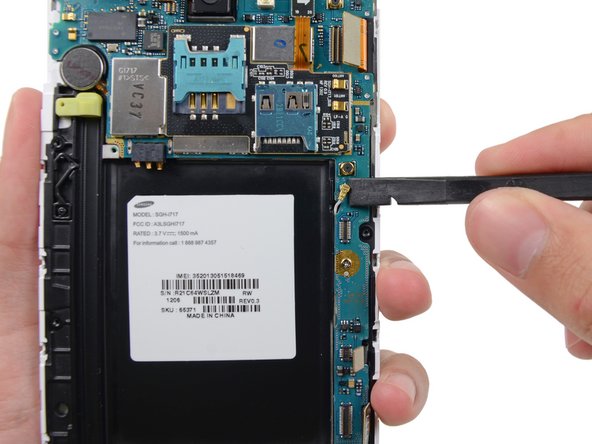
      • Disconnect the soft button cable connector with the flat end of a spudger.

      • Use a spudger to disconnect the USB board cable connector.

      • Disconnect the antenna cable connector.

      Спросите у FixBot

      Добавить комментарий

    4. Samsung Galaxy Note Motherboard Replacement: шаг 17, изображение 1 из 1
      • Remove the two 3.4 mm Phillips #00 screws securing the motherboard to the display assembly.

      Спросите у FixBot

      Добавить комментарий

    5. Samsung Galaxy Note Motherboard Replacement: шаг 18, изображение 1 из 2 Samsung Galaxy Note Motherboard Replacement: шаг 18, изображение 2 из 2
      • Remove the motherboard assembly from the display assembly.

      Спросите у FixBot

      Добавить комментарий

    1. Samsung Galaxy Note Motherboard Replacement, Rear Facing Camera: шаг 19, изображение 1 из 2 Samsung Galaxy Note Motherboard Replacement, Rear Facing Camera: шаг 19, изображение 2 из 2
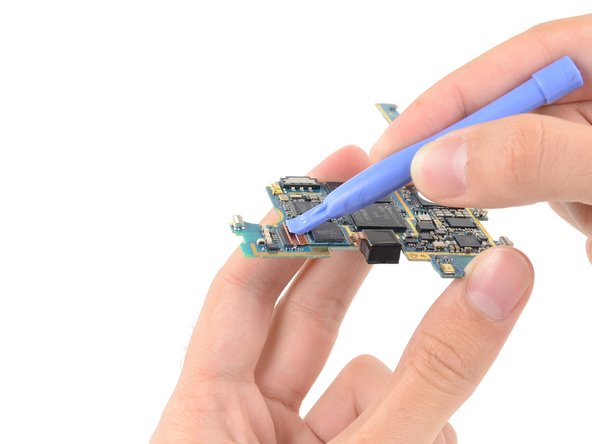
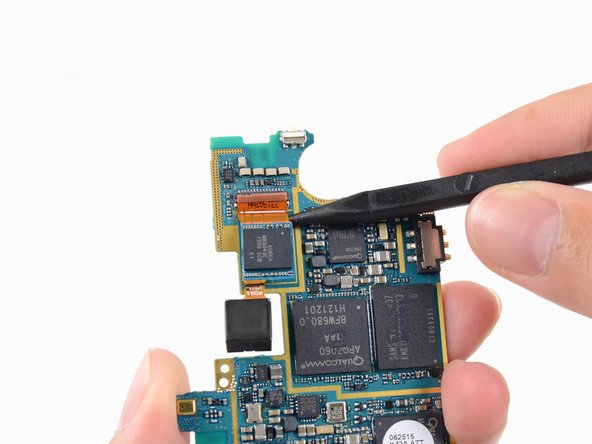
      • Use a plastic opening tool to flip the release tab on the rear-facing camera cable ZIF connector.

      • Only pry on the tab, not the connector itself.

      Спросите у FixBot

      Добавить комментарий

    2. Samsung Galaxy Note Motherboard Replacement: шаг 20, изображение 1 из 2 Samsung Galaxy Note Motherboard Replacement: шаг 20, изображение 2 из 2
      • Slide the tip of a spudger under the rear-facing camera cable to slide it out of the ZIF connector and free it from the light adhesive.

      Спросите у FixBot

      Добавить комментарий

    3. Samsung Galaxy Note Motherboard Replacement: шаг 21, изображение 1 из 1
      • Remove the rear-facing camera.

      Спросите у FixBot

      Добавить комментарий

Заключение

To reassemble your device, follow these instructions in reverse order.

Отменить: Я не выполнил это руководство.

20 человек успешно провели ремонт по этому руководству.

Sam Goldheart

Участник с: 10/18/12

478 555 Репутация

Автор 538 руководств

Команду

iFixit Участник iFixit

Staff

121 членов

Автор 72 885 руководств

4 Комментарии к руководству

from where I can get the motherboard for Samsung Galaxy note 3???

abdom911 - Ответить Поделиться

Can You Assist Me where can I purchase samsung GT- N7000 mother board. GALAXY NOTE 1

edcas2158 - Ответить Поделиться

i need note 7000 motherboard

rajeev kapoor - Ответить Поделиться

How much does it cost for buying a Samsung Galaxy Note4 motherboard ? And where will I get it in Bangalore

LIGHT BREEZE - Ответить Поделиться

Добавить комментарий

Статистика просмотров:

За последние 24 часов: 3

За последние 7 дней: 22

За последние 30 дней: 108

За все время: 37,767