Введение
This guide will show you how to replace the lens assembly on the Samsung NX3000.
We highly suggest you use a magnetic project mat or an organization tray. This camera has many different types of screws and keeping them organized is key to proper reassembly.
Выберете то, что вам нужно
-
-
Turn the camera upside down. Only remove the lens if you have to in order to access the battery compartment, as dust particles could easily enter the main body and fall onto the delicate sensor.
-
Slide the button to the left to open the battery compartment.
-
Push the blue button up to release the battery.
-
-
Инструмент, используемый на этом этапе:Tweezers$4.99
-
Remove the four 7.3 mm Phillips screws from the front of the lens assembly.
-
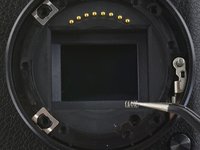
Remove the silver ring with tweezers.
-
-
-
-
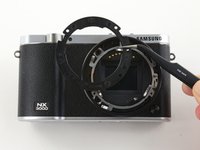
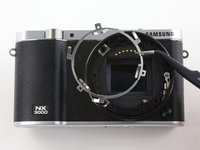
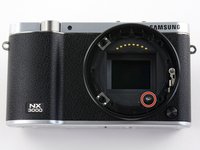
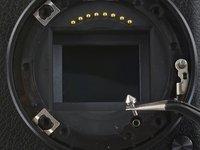
Use tweezers to remove the black plastic ring and small metal ring inside the lens assembly.
-




To reassemble your device, follow these instructions in reverse order.
Отменить: Я не выполнил это руководство.
Еще один человек закончил это руководство.


