Перейти к основному содержанию

Seagate External Hard Drive drive replacement

Выберете то, что вам нужно

  1. Seagate External Hard Drive drive replacement, Open the housing: шаг 1, изображение 1 из 2 Seagate External Hard Drive drive replacement, Open the housing: шаг 1, изображение 2 из 2
    • It is best to open the case at the rear of the connectors.

    • The lid has plastic tabs (1) which are stuck in the base (2). They can be loosened by pushing the base outwzards with a flat screwdriver or similar tool.

    • The manufacturer did not intend for the case to be opened, so some damage to the case is to be expected. (3)

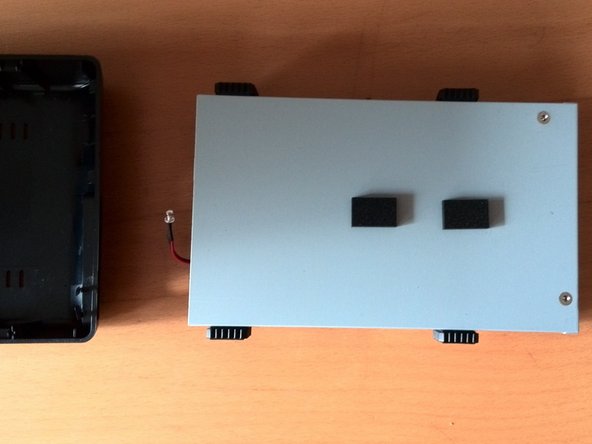
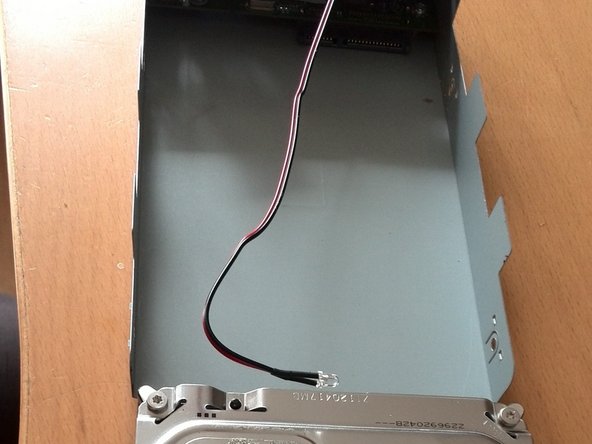
  2. Seagate External Hard Drive drive replacement, Remove the drive carriage: шаг 2, изображение 1 из 2 Seagate External Hard Drive drive replacement, Remove the drive carriage: шаг 2, изображение 2 из 2
    • The hard disk can now be lifted out of the plastic housing. It is not attached any further.

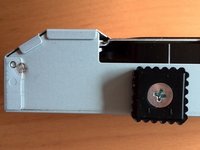
  3. Seagate External Hard Drive drive replacement, Remove the drive from the drive carriage: шаг 3, изображение 1 из 3 Seagate External Hard Drive drive replacement, Remove the drive from the drive carriage: шаг 3, изображение 2 из 3 Seagate External Hard Drive drive replacement, Remove the drive from the drive carriage: шаг 3, изображение 3 из 3
    • Unscrew the side screws.

    • Remove the permanently attached cables and stickers from the hard drive.

    • Then pull the hard drive backwards with a little force.

Заключение

Repeat the steps in reverse order to reassemble your device.

2 человек успешно провели ремонт по этому руководству.

Особая благодарность этим переводчикам:

de en

100%

Эти переводчики помогают нам починить мир! Хотите внести свой вклад?
Начните переводить ›

Nicola

Участник с: 03/29/16

61 Репутация

1 руководство автора

0 Комментарии к руководству

Добавить комментарий

Статистика просмотров:

За последние 24 часов: 4

За последние 7 дней: 23

За последние 30 дней: 102

За всё время: 2,717