Перейти к основному содержанию

TCL Stylus Battery Replacement

Выберете то, что вам нужно

    • Press and hold the Power button for 2 seconds.

    • Then, select "Power off".

  1. TCL Stylus Battery Replacement, Remove back panel: шаг 2, изображение 1 из 3 TCL Stylus Battery Replacement, Remove back panel: шаг 2, изображение 2 из 3 TCL Stylus Battery Replacement, Remove back panel: шаг 2, изображение 3 из 3
    • Insert a jimmy tool into the casing to create a gap.

    • Then, put a plastic pick in the gap and remove the jimmy tool.

    • Finally, lift up to remove the panel.

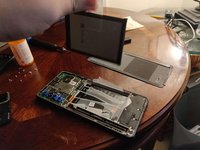
  2. TCL Stylus Battery Replacement, Remove plastic shielding: шаг 3, изображение 1 из 2 TCL Stylus Battery Replacement, Remove plastic shielding: шаг 3, изображение 2 из 2
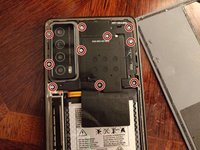
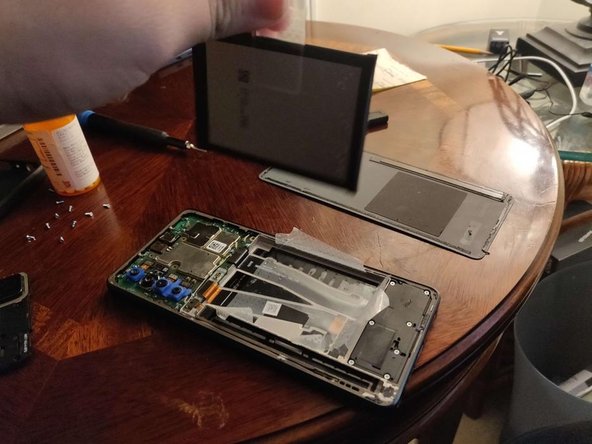
    • Remove the 10 Phillips screws holding the plastic shielding from the motherboard.

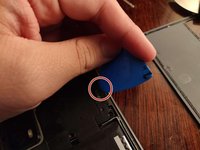
    • Then, grab a pick and put in in the slot show on picture 2.

    • You should then be able to lift the rest of it off.

  3. TCL Stylus Battery Replacement, Unplug battery: шаг 4, изображение 1 из 2 TCL Stylus Battery Replacement, Unplug battery: шаг 4, изображение 2 из 2
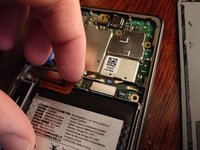
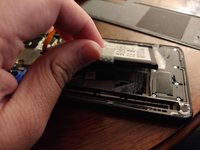
    • With your fingernail, lift up the battery connector.

  4. TCL Stylus Battery Replacement, Unpeel tape: шаг 5, изображение 1 из 2 TCL Stylus Battery Replacement, Unpeel tape: шаг 5, изображение 2 из 2
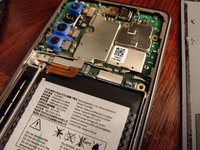
    • Unpeel the tape holding the battery.

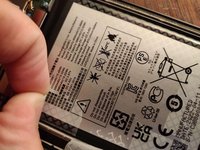
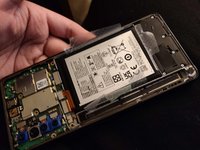
  5. TCL Stylus Battery Replacement, Remove battery: шаг 6, изображение 1 из 2 TCL Stylus Battery Replacement, Remove battery: шаг 6, изображение 2 из 2
    • Pull on the sticker located on the middle of the left side (colored green) of the battery to remove it.

    • NOTE: The pull tab may have resistance.

Заключение

To reassemble your device, follow these instructions in reverse order.

Lee Hunt

Участник с: 12/08/16

1 276 Репутация

Автор 7 руководств

5 Комментарии к руководству

Lg syluis is a non removeable battery

katherine hicks - Ответить

It's just not easily removable. But every battery in every phone is removable if you know what you're doing. That's why the pictures explain. You come in here getting all worked up but your ignorance really shows. Obviously you don't have the intelligence to attempt this kind of repair, so go crochet me some mittens or something.

Cj Gabbard -

Its a non removeable battery phone,unless u control it with a chiness &&^&@@ dumb ass move battery

katherine hicks - Ответить

Thanks for the information. At least you do not have to deal with heating the phone in order to loosen adhesive which is common with other phone models. Six steps to get to the battery is way easier than going through over 20 steps to do the same thing.

e s - Ответить

Добавить комментарий

Статистика просмотров:

За последние 24 часов: 0

За последние 7 дней: 4

За последние 30 дней: 39

За всё время: 2,261