Перейти к основному содержанию

Unihut Titan Pocket Keyboard Disassembly Guide

Выберете то, что вам нужно

  1. Unihut Titan Pocket Keyboard Disassembly Guide, Side plates disassembly: шаг 1, изображение 1 из 3 Unihut Titan Pocket Keyboard Disassembly Guide, Side plates disassembly: шаг 1, изображение 2 из 3 Unihut Titan Pocket Keyboard Disassembly Guide, Side plates disassembly: шаг 1, изображение 3 из 3
    • Use a Torx T5 screwdriver to remove the 3 screws.

    • Remove the Sim tray.

    • Use a Torx T5 screwdriver to remove the 3 screws.

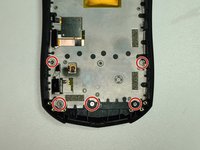
  2. Unihut Titan Pocket Keyboard Disassembly Guide, Back plate screws: шаг 2, изображение 1 из 1
    • Use a Torx T5 screwdriver to remove the 4 screws.

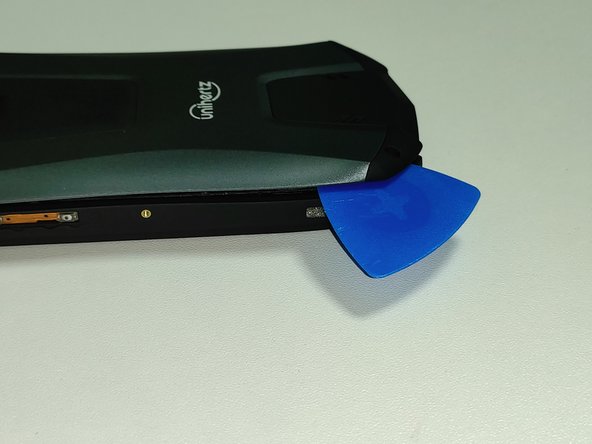
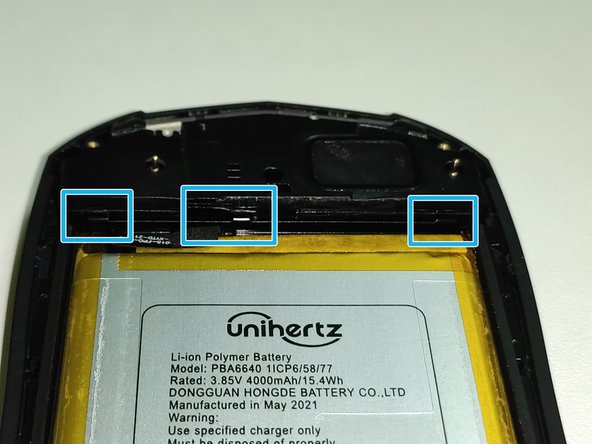
  3. Unihut Titan Pocket Keyboard Disassembly Guide, Back plate disassembly: шаг 3, изображение 1 из 3 Unihut Titan Pocket Keyboard Disassembly Guide, Back plate disassembly: шаг 3, изображение 2 из 3 Unihut Titan Pocket Keyboard Disassembly Guide, Back plate disassembly: шаг 3, изображение 3 из 3
    • Insert the opening pick into the gap between the body and the back plate. Then open the gap so that the latch comes out.

    • There are three latches on the left and right, one on the top and two on the bottom.

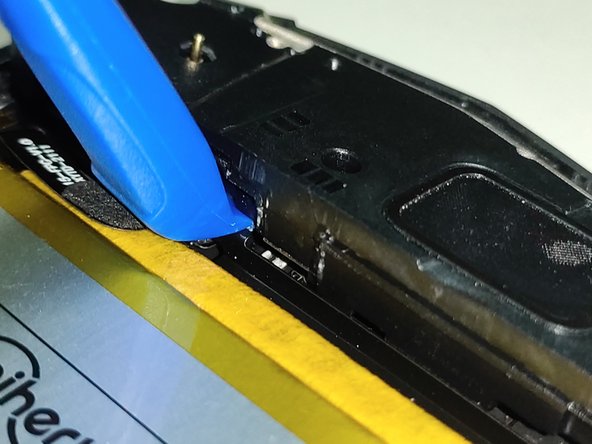
  4. Unihut Titan Pocket Keyboard Disassembly Guide, Bottom part disassembly: шаг 4, изображение 1 из 3 Unihut Titan Pocket Keyboard Disassembly Guide, Bottom part disassembly: шаг 4, изображение 2 из 3 Unihut Titan Pocket Keyboard Disassembly Guide, Bottom part disassembly: шаг 4, изображение 3 из 3
    • Remove the 3 screws using a Phillips #000 screwdriver.

    • Use the opening tool to open the gap.

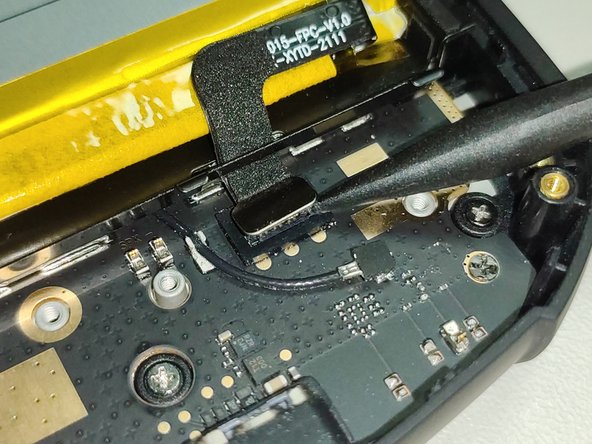
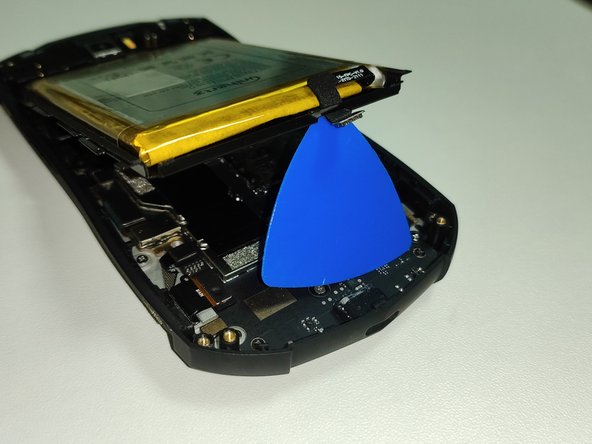
  5. Unihut Titan Pocket Keyboard Disassembly Guide, Battery disassembly: шаг 5, изображение 1 из 3 Unihut Titan Pocket Keyboard Disassembly Guide, Battery disassembly: шаг 5, изображение 2 из 3 Unihut Titan Pocket Keyboard Disassembly Guide, Battery disassembly: шаг 5, изображение 3 из 3
    • Remove the battery connector.

    • Do not remove including a black sponge. Only disconnect the silver connector.

    • Then, lift the battery.

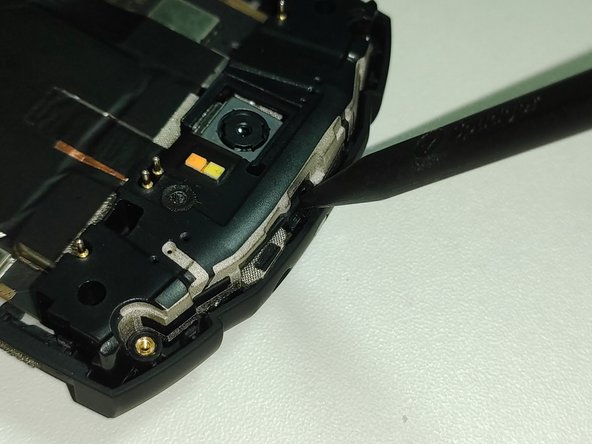
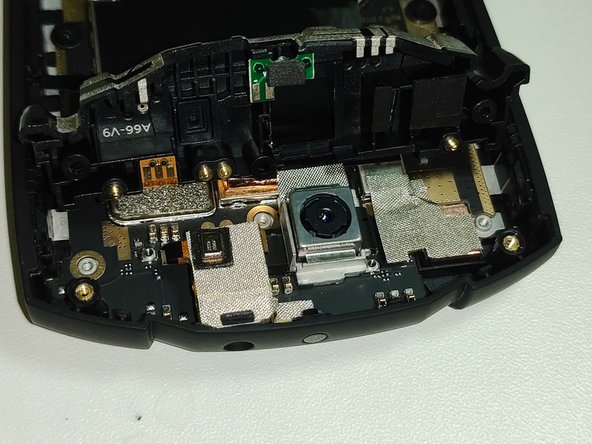
  6. Unihut Titan Pocket Keyboard Disassembly Guide, Upper part disassembly: шаг 6, изображение 1 из 3 Unihut Titan Pocket Keyboard Disassembly Guide, Upper part disassembly: шаг 6, изображение 2 из 3 Unihut Titan Pocket Keyboard Disassembly Guide, Upper part disassembly: шаг 6, изображение 3 из 3
    • Remove the 2 screws using a Phillips #000 screwdriver.

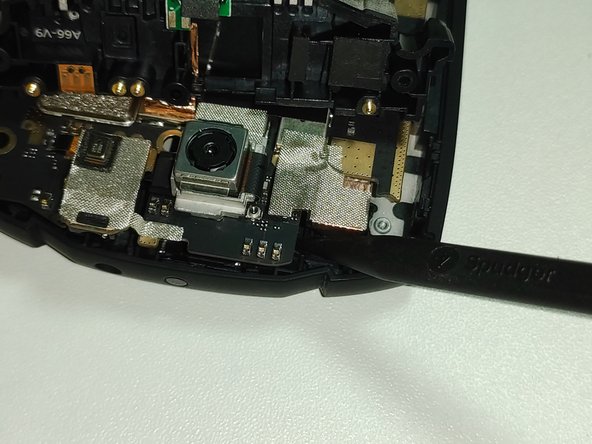
    • Lift the top part with the pointed part of the Spudger.

    • You don't have to remove the metal sticker by just lifting the top part.

    • If the camera or earphone jack connector is disconnected during the lifting process, reconnect it.

  7. Unihut Titan Pocket Keyboard Disassembly Guide, Motherboard disassembly: шаг 7, изображение 1 из 3 Unihut Titan Pocket Keyboard Disassembly Guide, Motherboard disassembly: шаг 7, изображение 2 из 3 Unihut Titan Pocket Keyboard Disassembly Guide, Motherboard disassembly: шаг 7, изображение 3 из 3
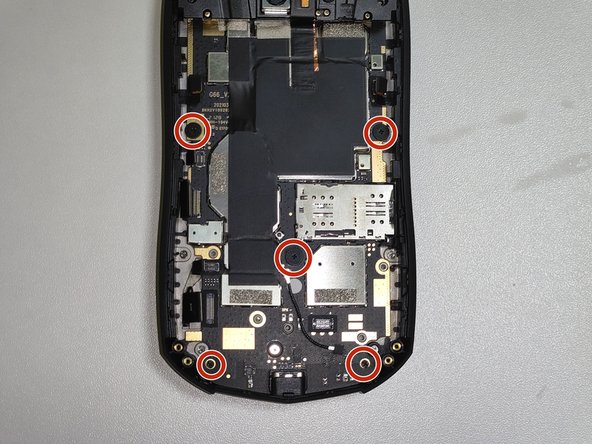
    • Disconnect the 6 connectors.

    • Do not remove including a black sponge. Only disconnect the silver connector.

    • Remove the 5 screws using a Phillips #000 screwdriver.

    • Use the Spudger to lift the top of the motherboard.

  8. Unihut Titan Pocket Keyboard Disassembly Guide, Keyboard disassembly: шаг 8, изображение 1 из 3 Unihut Titan Pocket Keyboard Disassembly Guide, Keyboard disassembly: шаг 8, изображение 2 из 3 Unihut Titan Pocket Keyboard Disassembly Guide, Keyboard disassembly: шаг 8, изображение 3 из 3
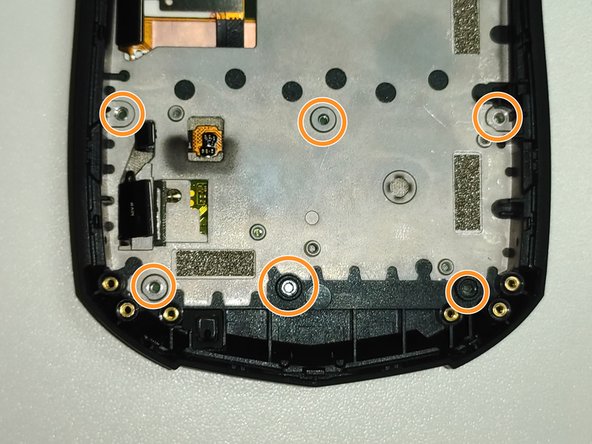
    • Remove the 5 screws using a Phillips #000 screwdriver.

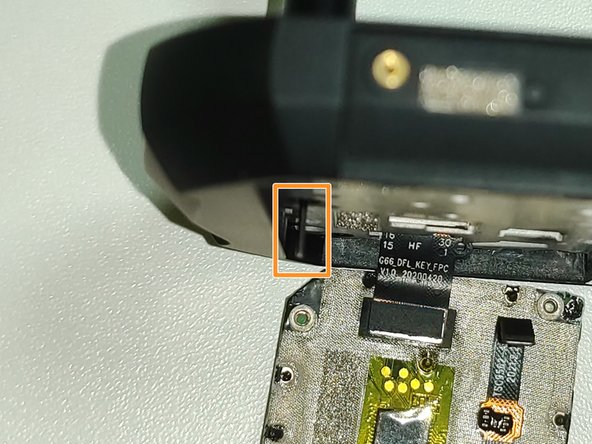
    • Insert a thin thing such as a Sim pin through the hole where the screw was removed and push the keyboard out.

  9. Unihut Titan Pocket Keyboard Disassembly Guide, Keyboard disassembly: шаг 9, изображение 1 из 1
    • Remove the 17 plastic rivets to separate the board and keyboard.

    • Since plastic rivets cannot be reused after they are initially removed, they must be reassembled using tools such as glue.

Заключение

To reassemble the device, follow the instructions in reverse order.

2 человек успешно провели ремонт по этому руководству.

Особая благодарность этим переводчикам:

ko en

100%

Эти переводчики помогают нам починить мир! Хотите внести свой вклад?
Начните переводить ›

glwps

Участник с: 08/02/20

301 Репутация

1 руководство автора

0 Комментарии к руководству

Добавить комментарий

Статистика просмотров:

За последние 24 часов: 7

За последние 7 дней: 61

За последние 30 дней: 226

За всё время: 4,321