Введение
Use this guide to replace the screen on the Zeki Droid TBDC1093B.
Follow these instructions to disassemble the Zeki Droid and gain access to the broken screen. To prevent injury, I recommend following this guide to reinforce the broken glass.
Выберете то, что вам нужно
-
-
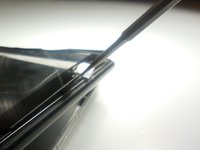
Remove the back casing by slowly popping each tab out with a plastic opening tool.
-
-
Инструмент, используемый на этом этапе:Tweezers$4.99
-
Remove the tapes one by one from the connecting wires with tweezers.
-
-
-
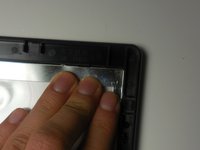
Remove the black clips from both sides of the casing with a plastic opening tool.
-
-
-
-
Detach the motherboard from the framing by removing the four screws using a Phillips #000 screwdriver.
-
-
Инструмент, используемый на этом этапе:Tweezers$4.99
-
Lift the camera and flash components from their fittings using tweezers.
-


To reassemble your device, follow these instructions in reverse order.



Команда

Colorado Springs, Team 2-6, Panko Spring 2015 Участник Colorado Springs, Team 2-6, Panko Spring 2015
UCCS-PANKO-S15S2G6
3 членов
Автор 10 руководств
