Перейти к основному содержанию

bObi Robotic Vacuum Obstacle Sensors Replacement

Выберете то, что вам нужно

  1. bObi Robotic Vacuum Obstacle Sensors Replacement, Top Cover: шаг 1, изображение 1 из 2 bObi Robotic Vacuum Obstacle Sensors Replacement, Top Cover: шаг 1, изображение 2 из 2
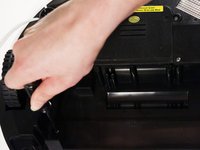
    • Remove bObi’s front wheel to access one of the screws holding bObi together.

    • Make sure the wheel is turned closer to bObi's front touch sensors. Use your screwdriver for leverage, and the wheel will pop up and out.

    • Uninstall the larger screw that sits deeper in the wheel compartment.

  2. bObi Robotic Vacuum Obstacle Sensors Replacement: шаг 2, изображение 1 из 3 bObi Robotic Vacuum Obstacle Sensors Replacement: шаг 2, изображение 2 из 3 bObi Robotic Vacuum Obstacle Sensors Replacement: шаг 2, изображение 3 из 3
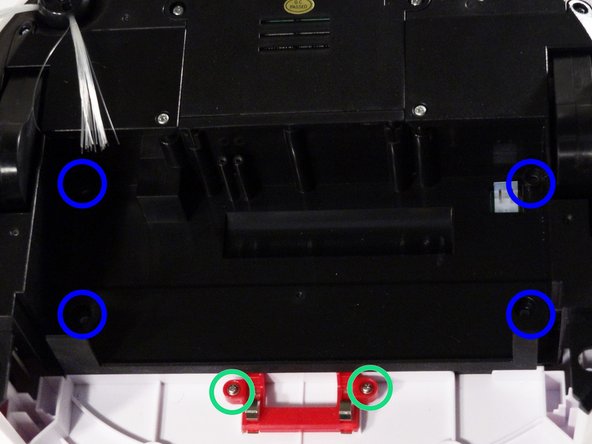
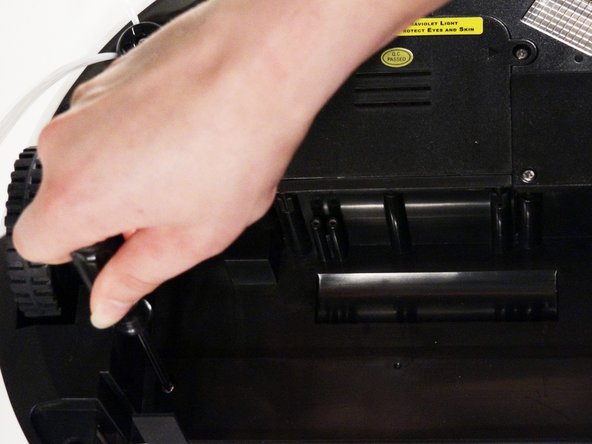
    • Remove bObi's dustbin.

    • Uninstall the 2 screws close to the bin and 2 smaller screws above her main brushes.

  3. bObi Robotic Vacuum Obstacle Sensors Replacement: шаг 3, изображение 1 из 3 bObi Robotic Vacuum Obstacle Sensors Replacement: шаг 3, изображение 2 из 3 bObi Robotic Vacuum Obstacle Sensors Replacement: шаг 3, изображение 3 из 3
    • Lift the brush holder. To detach completely, unplug it from bObi.

    • Remove the two screws on the dustbin contact point holder inside bObi.

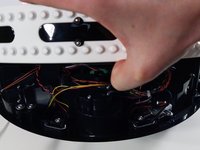
    • There are 4 screws beneath the main brushes. Uninstall these, and open bObi up to expose her main circuit board.

  4. bObi Robotic Vacuum Obstacle Sensors Replacement: шаг 4, изображение 1 из 3 bObi Robotic Vacuum Obstacle Sensors Replacement: шаг 4, изображение 2 из 3 bObi Robotic Vacuum Obstacle Sensors Replacement: шаг 4, изображение 3 из 3
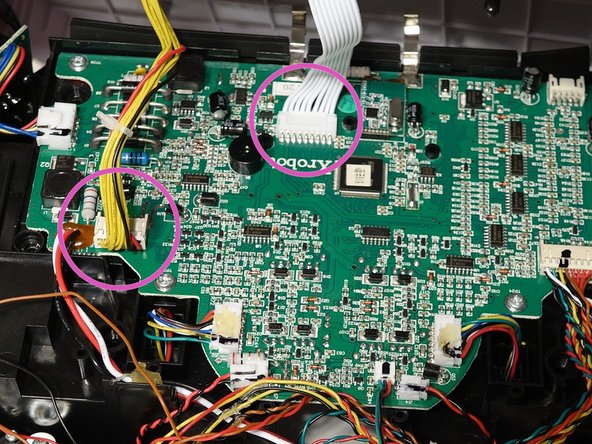
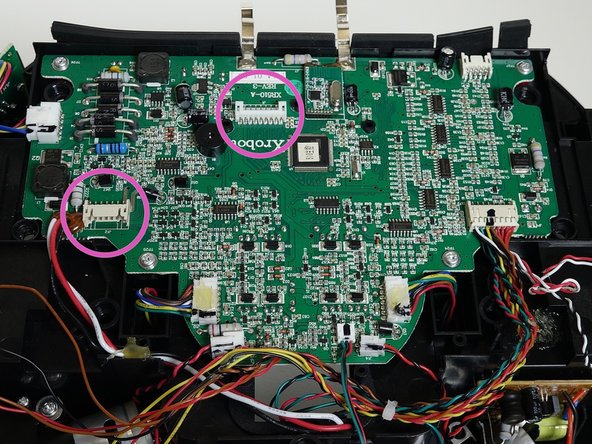
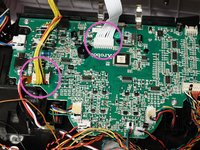
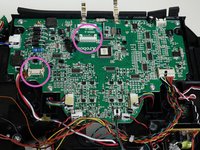
    • Detach the two circuit plugs connecting bObi's cover to the main board and the cover will be completely removed.

  5. bObi Robotic Vacuum Obstacle Sensors Replacement, Obstacle detection sensors: шаг 5, изображение 1 из 3 bObi Robotic Vacuum Obstacle Sensors Replacement, Obstacle detection sensors: шаг 5, изображение 2 из 3 bObi Robotic Vacuum Obstacle Sensors Replacement, Obstacle detection sensors: шаг 5, изображение 3 из 3
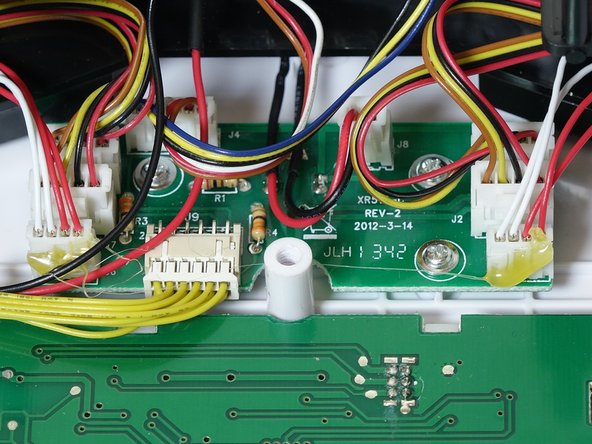
    • All of bObi’s wall detection sensors are plugged in to a small circuit board on the underside of the cover.

    • Refer to bObi’s check up test in order to determine which sensor is in need of repair. Then, remove the two screws holding it on the front bumper.

  6. bObi Robotic Vacuum Obstacle Sensors Replacement: шаг 6, изображение 1 из 2 bObi Robotic Vacuum Obstacle Sensors Replacement: шаг 6, изображение 2 из 2
    • You will be able to push the sensor from the inside of the cover, so it pops out of its place on the bumper.

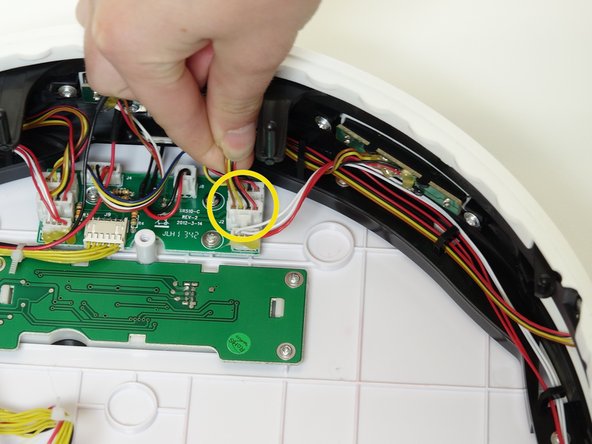
    • Unplug the appropriate circuit plug from the cover's circuit board.

  7. bObi Robotic Vacuum Obstacle Sensors Replacement: шаг 7, изображение 1 из 3 bObi Robotic Vacuum Obstacle Sensors Replacement: шаг 7, изображение 2 из 3 bObi Robotic Vacuum Obstacle Sensors Replacement: шаг 7, изображение 3 из 3
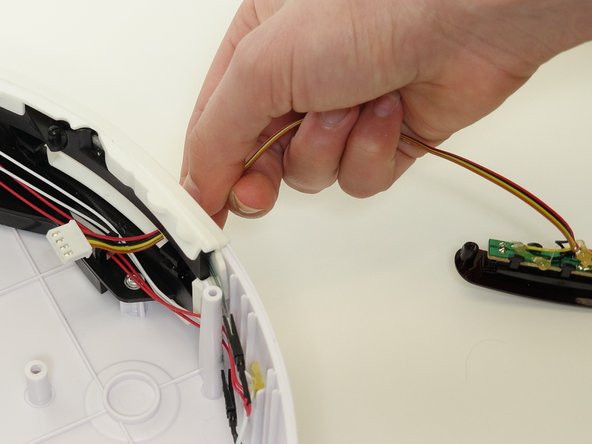
    • Unhook the wires from the holders on the inside of the bumper.

    • Feed the circuit plug and its wires through the open space in bObi’s bumper.

  8. bObi Robotic Vacuum Obstacle Sensors Replacement: шаг 8, изображение 1 из 3 bObi Robotic Vacuum Obstacle Sensors Replacement: шаг 8, изображение 2 из 3 bObi Robotic Vacuum Obstacle Sensors Replacement: шаг 8, изображение 3 из 3
    • Put the circuit plug for your replacement part through the obstacle detection sensor’s open slot.

    • Place the actual sensor in its space on the bumper and install the two screws which secure it to bObi.

  9. bObi Robotic Vacuum Obstacle Sensors Replacement: шаг 9, изображение 1 из 2 bObi Robotic Vacuum Obstacle Sensors Replacement: шаг 9, изображение 2 из 2
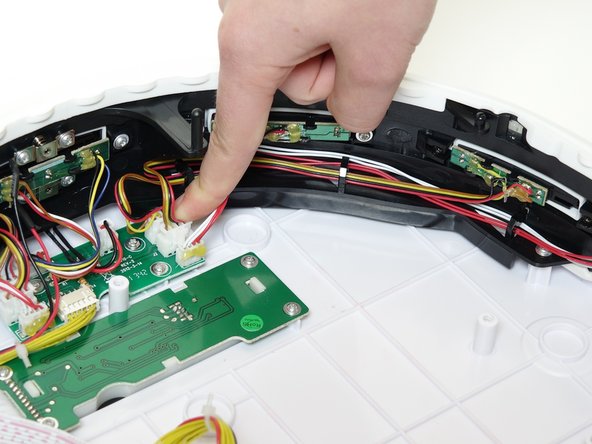
    • Feed the wires for the sensor's circuit plug back through the hooks on bObi's bumper.

    • Then, plug it into the empty spot on bObi’s cover circuit board.

    • To finish off this repair, follow the closing bObi manual: Closing bObi's Cover Post-Repair

Заключение

To reassemble bObi, refer to the Closing bObi Guide.

Chelsea

Участник с: 09/24/14

2 278 Репутация

Автор 31 руководств

0 Комментарии к руководству

Добавить комментарий

Статистика просмотров:

За последние 24 часов: 0

За последние 7 дней: 0

За последние 30 дней: 8

За всё время: 552