Введение
This is a guide to show you how to remove the Scroll Wheel from a iPod 1st Gen.
Выберете то, что вам нужно
-
-
Before beginning, be sure to activate the iPod's Hold switch to prevent the device from accidentally turning on.
-
-
-
Cut a strip of tape, preferably duct tape, about 6-8 inches long. Make sure it's wide enough to be able to cover the entire surface area of the Scroll Wheel
-
-
-
-
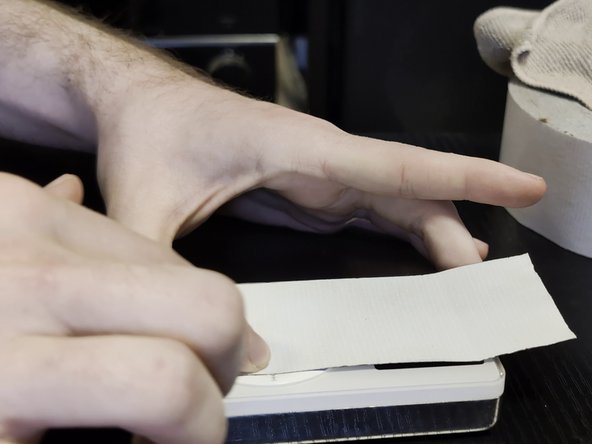
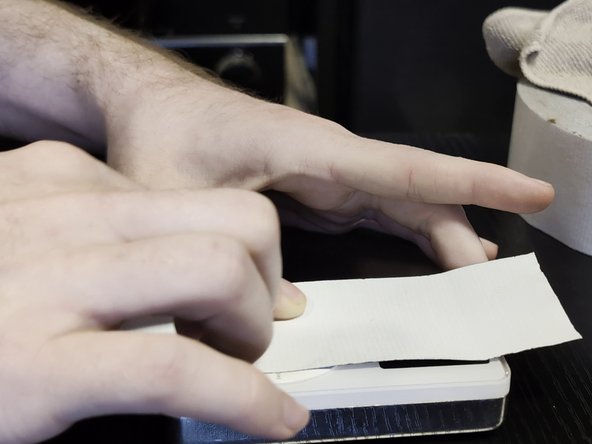
Lay the iPod flat on a solid table, then lay the strip of tape flat onto the Scroll Wheel, then press down on the entire surface of the Scroll Wheel & center Select button.
-
-
-
With one hand firmly grasping the iPod, pull the strip of tape upwards with your other to remove the Scroll Wheel from it's housing.
-
-
-
Simply peel off the Scroll Wheel & it's Select button from the strip of tape
-
-
-
Congratulations! You've successfully removed the Scroll Wheel from your iPod 1st Gen.
-




To reassemble your device, put the main Scroll Wheel mechanism back in first, followed by the center Select button.


2 Комментарии к руководству
Made me laugh of how rudimental it is but how effective it is, is like making a depilation to the iPod
