Перейти к основному содержанию

Выберете то, что вам нужно

Эта разборка - неруководство по ремонту. Чтобы отремонтировать Keystone Lighting HID to LED retrofit bulb, воспользуйтесь нашим сервисным руководством.

  1. Keystone Lighting HID to LED retrofit bulb Teardown, Introduction: шаг 1, изображение 1 из 1
    • This is a 400W replacement HID to LED retrofit bulb from Keystone Lighting. It doesn't work anymore and has been replaced, so why not tear it down?

  2. Keystone Lighting HID to LED retrofit bulb Teardown, Remove the light lens: шаг 2, изображение 1 из 1
    • Using a P2 Phillips screwdriver, you can remove the (easily visible) screws holding the clear lens on. After all the screws have been removed, you can lift the light straight out of the lens.

    • I wasn't super careful about the diode matrix here because I was going to recycle it anyway, but if you're trying to repair one of these, I'd advise either to put a towel or something under the light or to wait on taking the lens cover off.

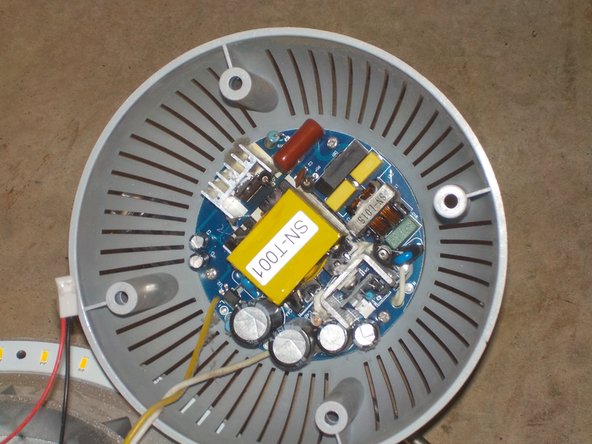
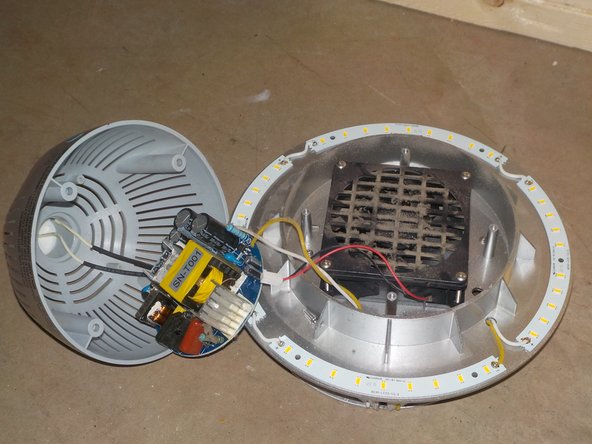
  3. Keystone Lighting HID to LED retrofit bulb Teardown, Opening the light+ driver access: шаг 3, изображение 1 из 3 Keystone Lighting HID to LED retrofit bulb Teardown, Opening the light+ driver access: шаг 3, изображение 2 из 3 Keystone Lighting HID to LED retrofit bulb Teardown, Opening the light+ driver access: шаг 3, изображение 3 из 3
    • Using the same P2 screwdriver as before, you can open up the light by removing the screws recessed within the plastic. Once those are removed, you can carefully lift the top off and hang the top off the side of the light.

    • Next, you will want to unplug the fan from the driver board and remove all the screws from said driver. They are also P2.

    • Finally, you can lift the driver away from the plastic and either cut or desolder the wires going to the socket.

  4. Keystone Lighting HID to LED retrofit bulb Teardown, Removing the fan: шаг 4, изображение 1 из 1
    • You can now remove the 4 P2 screws holding the fan down and then remove it from the light.

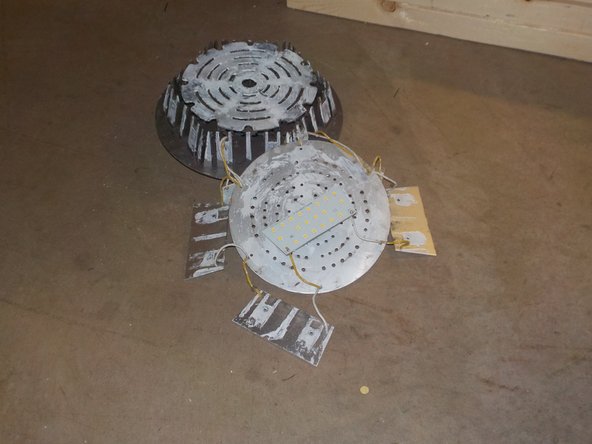
  5. Keystone Lighting HID to LED retrofit bulb Teardown, Removing the LEDs: шаг 5, изображение 1 из 2 Keystone Lighting HID to LED retrofit bulb Teardown, Removing the LEDs: шаг 5, изображение 2 из 2
    • All of the LED modules are held on with P2 phillips screws. You can unscrew these and lift the modules off the metal base.

    • Make sure to look out for thermal paste, because it goes everywhere.

    • To remove both the driver and these LEDs, you will want to either desolder or cut the wires.

  6. Keystone Lighting HID to LED retrofit bulb Teardown, Removing the (other) LEDs.: шаг 6, изображение 1 из 2 Keystone Lighting HID to LED retrofit bulb Teardown, Removing the (other) LEDs.: шаг 6, изображение 2 из 2
    • If you followed the previous step, you should have already disconnected the wires, so just go ahead and use a spudger to unstick the last few LEDs.

  7. Keystone Lighting HID to LED retrofit bulb Teardown, Conclusion: шаг 7, изображение 1 из 1
    • To reassemble your device, follow this guide in the reverse order, making sure to re-connect all disconnected wires.

n3rdbug96

Участник с: 06/17/21

1 754 Репутация

Автор 10 руководств

1 Комментарий к руководству

Thanks for the look inside one of these industrial-size high bay lights!

It would be fun to make it go again … the driver looks like a relatively simple device, and a bit of probing with an oscilloscope, and a lot of thinking and schematic sketching, might reveal which component died. :)

iEvan - Ответить

Добавить комментарий

Статистика просмотров:

За последние 24 часов: 2

За последние 7 дней: 7

За последние 30 дней: 25

За всё время: 874