Перейти к основному содержанию

Выберете то, что вам нужно

Эта разборка - неруководство по ремонту. Чтобы отремонтировать Logitech M150 Mouse, воспользуйтесь нашим сервисным руководством.

  1. Logitech M150 Mouse Teardown, Flip the mouse on it's back: шаг 1, изображение 1 из 1
    • Remove the battery door cover and flip the mouse on it's back

  2. Logitech M150 Mouse Teardown, Beginning the disassembly: шаг 2, изображение 1 из 2 Logitech M150 Mouse Teardown, Beginning the disassembly: шаг 2, изображение 2 из 2
    • Remove the two screws in the battery bay that hold the top grip to the base of the mouse.

    • Use a flat head screwdriver and wedge the blade in-between the top and bottom part of the mouse. There is a small cut-out to work with.

  3. Logitech M150 Mouse Teardown, Disassemble the grip: шаг 3, изображение 1 из 2 Logitech M150 Mouse Teardown, Disassemble the grip: шаг 3, изображение 2 из 2
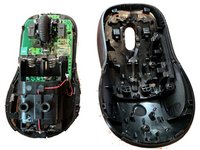
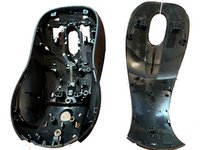
    • Separate the top and bottom parts of the mouse

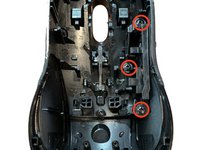
    • Remove the three Philips head screws holding in the forward/back buttons

  4. Logitech M150 Mouse Teardown, Remove the Forward/Back Buttons: шаг 4, изображение 1 из 2 Logitech M150 Mouse Teardown, Remove the Forward/Back Buttons: шаг 4, изображение 2 из 2
    Инструмент, используемый на этом этапе:
    Tweezers
    $4.99
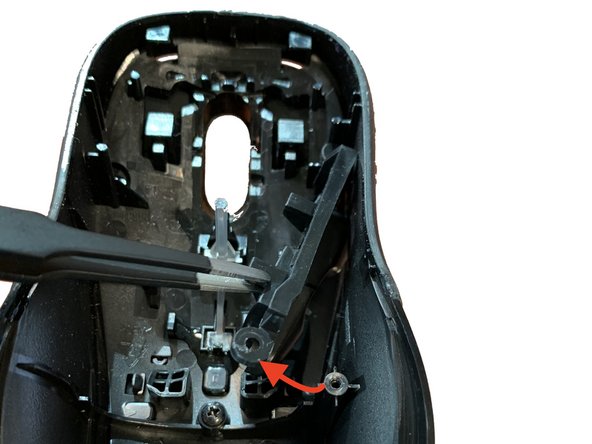
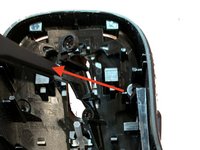
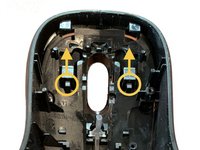
    • Using tweezers or your hands, carefully remove the plastic buttons by following the direction of movement in each image.

    • You need to make sure not to bend or pull too hard to remove the buttons.

  5. Logitech M150 Mouse Teardown, Remove the Left/Right click Buttons: шаг 5, изображение 1 из 3 Logitech M150 Mouse Teardown, Remove the Left/Right click Buttons: шаг 5, изображение 2 из 3 Logitech M150 Mouse Teardown, Remove the Left/Right click Buttons: шаг 5, изображение 3 из 3
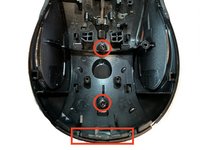
    • Use a Philips screwdriver to remove the two remaining screws from the grip.

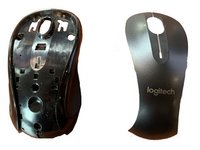
    • Then, gently pry the mouse button cover from the grip using a flat-edge screwdriver. There is just enough space to get a fine driver wedged in place.

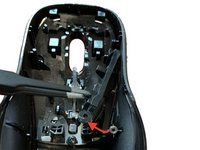
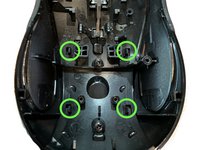
    • Use your fingernails or a spudger tool to push each plastic tab back (green)

    • Lastly, slide the button check clips down and then up in the direction indicated by the arrows to remove the button cover from the grip.

  6. Logitech M150 Mouse Teardown, Remove the Button Cover: шаг 6, изображение 1 из 2 Logitech M150 Mouse Teardown, Remove the Button Cover: шаг 6, изображение 2 из 2
    • The grip and cover should be completely separated at this point

    • This is a good time to do some cleaning. You can wash all of the plastic components and scrub off any dirt.

  7. Logitech M150 Mouse Teardown, Remove the Scroll Wheel: шаг 7, изображение 1 из 3 Logitech M150 Mouse Teardown, Remove the Scroll Wheel: шаг 7, изображение 2 из 3 Logitech M150 Mouse Teardown, Remove the Scroll Wheel: шаг 7, изображение 3 из 3
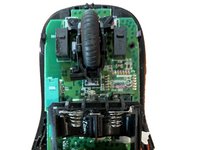
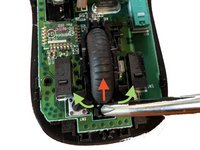
    • Use a Philips screwdriver to lift the tip of the scrollwheel up and away from the top of base of the mouse

    • The clips holding it in place should click when you remove the wheel and should make a similar noise if you replace them

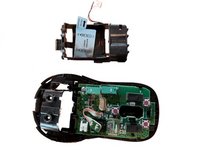
  8. Logitech M150 Mouse Teardown, Remove the Battery Bay: шаг 8, изображение 1 из 3 Logitech M150 Mouse Teardown, Remove the Battery Bay: шаг 8, изображение 2 из 3 Logitech M150 Mouse Teardown, Remove the Battery Bay: шаг 8, изображение 3 из 3
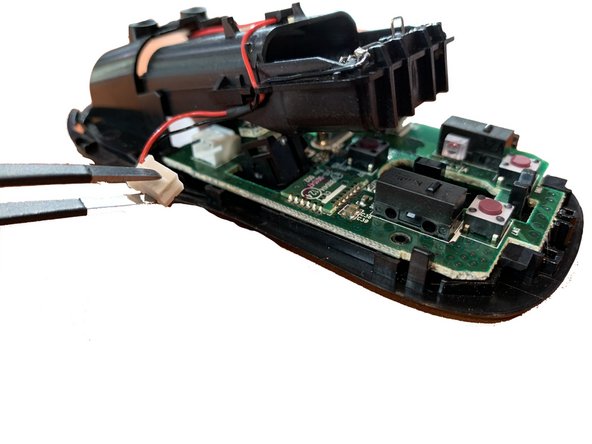
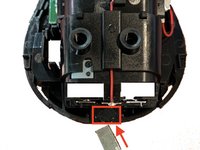
    • Insert a flathead screwdriver into the narrow gap between the clasp of the battery bay and the base of the mouse

    • Apply a fair amount of upward force to release the battery bay from the base

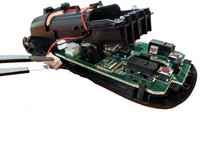
    • Next, remove the battery cable and slide the whole battery bay from the base of the mouse

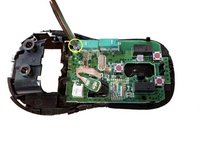
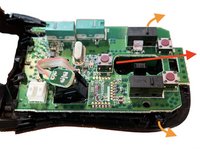
  9. Logitech M150 Mouse Teardown, Remove the Logic Board: шаг 9, изображение 1 из 3 Logitech M150 Mouse Teardown, Remove the Logic Board: шаг 9, изображение 2 из 3 Logitech M150 Mouse Teardown, Remove the Logic Board: шаг 9, изображение 3 из 3
    • Use a Philips screw to remove the only screw securing the board to the base

    • Push the retaining clasps outwards and slide the whole logic board out at a 20 degree angle. It should not require any force and come free

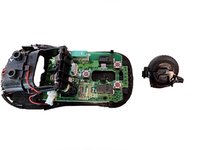
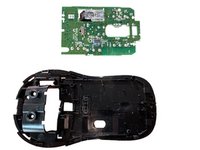
  10. Logitech M150 Mouse Teardown, Disassembly Complete: шаг 10, изображение 1 из 1
    • Follow these steps in reverse to rebuild the mouse.

Emi

Участник с: 10/15/19

387 Репутация

Автор 2 руководств

1 Комментарий к руководству

what is the trobleshooter method to determine exactly what will have to be replaced and where to procure it?

hlpop - Ответить

Добавить комментарий

Статистика просмотров:

За последние 24 часов: 3

За последние 7 дней: 30

За последние 30 дней: 106

За всё время: 6,465