
Перейти к основному содержанию

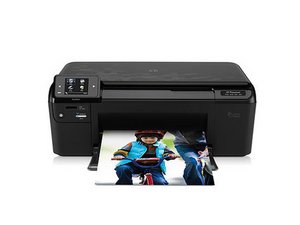
HP Part#: CN731A#B1H: Printer, scanner, copier, web browser with wireless internet capability

Why is my printer printing only partial lines?

When printing text, the printer is printing only the top half of the lines, on each line. The printer cartridge is still half full and even though I changed it out it is still doing the same thing. I have even tried to do a new alignment. Any suggestions?

Отвечено! Посмотреть ответ У меня та же проблема

Это хороший вопрос?

Счет 3
1 Комментарий

I have a hp printer deskjet 1000.i've already bought a new ink cartriges and install in my printer.when I print some photo theres lines on it.please help me.

из

Добавить комментарий

3 Ответов

Выбранное решение

Probably your printer head is jam you can try by taking out your cartridges and put your cartridge heads in semi warm water for like 5 minutes. And try to blow some air in the ink holes on the top of each cartridge. Hopefully this shall clear any blockage in heads.

Был ли этот ответ полезен?

Счет 3

2 Комментариев:

I have used new cartridge still same I suspect paper caught

из

I have had to rip paper out printer a few times

из

Добавить комментарий

clean printheads if no avail time to get a new printer

Был ли этот ответ полезен?

Счет 1
Добавить комментарий

My deskjet 2630 keeps skipping lines of print I have cleaned the cartridge but still does the same thing

Был ли этот ответ полезен?

Счет 0
Добавить комментарий

Добавьте свой ответ

dawn a буду вечно благодарен.
Статистика просмотров:

За последние 24 часов: 2

За последние 7 дней: 13

За последние 30 дней: 45

За всё время: 41,899