
Перейти к основному содержанию

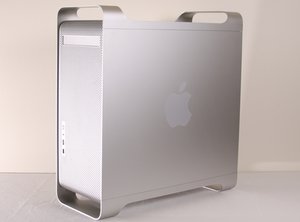
The PowerMac G5 is a desktop computer first produced in 2003 by the Apple Corporation. This guide will review the repair process of an Apple PowerMac G5 model number A1047 EMC 2061 from 2004. It was discontinued in 2006 as part of the Intel switch first to developers then consumers.

Monitor does turn on at Boot Up

About 50% of the time, when I boot up my G5, the monitor will not come on. I have checked all the connections and all seems secure.

I often have to shut and boot up again several times (3 to 5 times) before the monitor will come on.

Is the problem as simple as a bad graphics card or is there some other ideas out there.

Thanks.

Отвечено! Посмотреть ответ У меня та же проблема

Это хороший вопрос?

Счет -1
Добавить комментарий

3 Ответов

Выбранное решение

GRAPHICS CARD

can be the problem. Check it's seat, check the monitor on another computer (any kind).

If you have access to another graphics card and the monitor works you can check the slot by swapping cards.

If this answer is acceptable please return and mark it.

Good Luck,

N.

Был ли этот ответ полезен?

Счет 0
Добавить комментарий
Наиболее полезный ответ

Change the PRAM battery.

Был ли этот ответ полезен?

Счет 2
Добавить комментарий

Thanks.

I have resigned myself to this being a problem with the graphics card.

This is not a monitor problem since this has happened with 3 different printers.

I am planning on checking the seat of the card this weekend.

THANKS FOR YOUR REPLY.

Gary

Был ли этот ответ полезен?

Счет 0
Добавить комментарий

Добавьте свой ответ

Gary буду вечно благодарен.
Статистика просмотров:

За последние 24 часов: 0

За последние 7 дней: 0

За последние 30 дней: 3

За всё время: 2,909