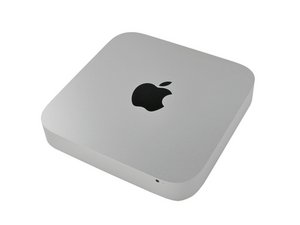
How easy is it to get to the HD?
Do you have to take everything out to get it?
Это хороший вопрос?
Счет
1

Репутация: 13
 1
1
 1
1
Do you have to take everything out to get it?
Это хороший вопрос?

Репутация: 67
3
1

Репутация: 20,3к
72
33
 18
18
Репутация: 1
1
I went into it at work.
Yes it's that easy to GET TO the drive.
However, to get it out is not as simple. I did not manage to do it at all. Since logic-board-removal is necessary, and ifixit does not explain to well what to do with those "blind holes", and I did not want to risk the computer.
Hopefully all that's required is to just pull out the logicboard half an inch or so, for the drive to come free.
Please let me know if anyone successfully replaces the harddrive.
/ Viktor
Был ли этот ответ полезен?

Took the hard disk out today with out main board removal. It's a tight squeeze but it can be done. Applying a bit of downward pressure to the ram holding slots helped.
Был ли этот ответ полезен?
Fitted an ocz 64gb SSD btw
Репутация: 1
1
Craig, thanks for your answer.
However,
I really can't risk it. So I would appreciate if someone who knew told me about the non-squeezing-way. ^^
Был ли этот ответ полезен?

I was able to take it out without removing the logic board. You just have to find the angle at which it slides out.
You need to take out the RAM first, cause it would block the way too much.
Был ли этот ответ полезен?

Yes, it is possible to replace the hard drive without removing the logic board. It's a really (really) tight fit but if you wiggle the drive for a while you'll notice that it will come out.
You will have to remove the RAM modules first - and apply a little pressure on the logic board on that side (the RAM module side) while sliding it over the RAM module holders.
And the thing that makes it bit more difficult than necessary is actually the SATA power/io connector on the drive - the connector is higher than the drive and causes a bit of a problem since it touches the inside of the silver case while taking the drive out. If you take the drive out, just to test it, for fun, put it back without the connector attached.
I swapped the orginal drive for a 80GB Intel SSD G2. I worked slow and carefully (and also looked carefully at other parts while disassembling/assembling since I was interested in seeing what is there) - all in all, about 50 minutes to take the disk out and put a new one there.
Был ли этот ответ полезен?

yep. my problem are the "so little tiny" connectors.......those "bastards"........in the ifixit guide i cannot see how to take them apart........in what direction? please help me i need to change to 320gb to 500...
I managed days ago to change the hdd in mac mini 2010 without removing the little bastards.......simply go gently ant sooo cautious and you dont need to remove the tiny connectors.
Был ли этот ответ полезен?
За последние 24 часов: 0
За последние 7 дней: 0
За последние 30 дней: 11
За всё время: 7,715
