
ΠŸΠ΅Ρ€Π΅ΠΉΡ‚ΠΈ ΠΊ основному ΡΠΎΠ΄Π΅Ρ€ΠΆΠ°Π½ΠΈΡŽ

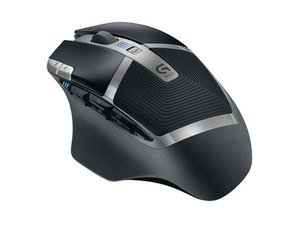
Background information about the device "Logitech G602" (wireless gaming mouse).

Please wake up or power on your device

I have connected the usb receiver of my g602 mouse with pc. It asks me to please wake up or power on your device. But I have turned it on. Still it says please wake up or power on your device.

looking forward for solution.

ΠžΡ‚Π²Π΅Ρ‚ Π½Π° этот вопрос Π£ мСня Ρ‚Π° ΠΆΠ΅ ΠΏΡ€ΠΎΠ±Π»Π΅ΠΌΠ°

Π­Ρ‚ΠΎ Ρ…ΠΎΡ€ΠΎΡˆΠΈΠΉ вопрос?

Π‘Ρ‡Π΅Ρ‚ 8
5 ΠšΠΎΠΌΠΌΠ΅Π½Ρ‚Π°Ρ€ΠΈΠ΅Π²

I have the same problem now. I’ve done every one of these strategies and my G602 won’t turn on. I’ve plugged it into each USB port on my laptop, took the batteries out, put them back in, nothing. I restarted my laptop twice, nothing. Kept hitting the mouse (kind of abuse) to try to give it a second life, nothing. Someone please help me, I’ve only had this mouse for 3 months.

ΠΈΠ·

Nevermind, its working now :)

ΠΈΠ·

how did you get it to work?

ΠΈΠ·

I'm having this same issue. Replaced batteries, rebooted many times, tried many different USB ports, to no avail; works for just a blip (second) then no response on screen (mouse appears on, but Logitech options shows it as "not awake").

Help please!

ΠΈΠ·

I fixed mine I tossed it in the rash Called Logitech what a joke they no customer service

ΠΈΠ·

Π”ΠΎΠ±Π°Π²ΠΈΡ‚ΡŒ ΠΊΠΎΠΌΠΌΠ΅Π½Ρ‚Π°Ρ€ΠΈΠΉ

9 ΠžΡ‚Π²Π΅Ρ‚ΠΎΠ²

НаиболСС ΠΏΠΎΠ»Π΅Π·Π½Ρ‹ΠΉ ΠΎΡ‚Π²Π΅Ρ‚

Just had the same problem this evening on mine.

Fired up the program β€˜Logitech Options’,

removed and re-inserted the transceiver - twice,

then suddenly the Gaming Software App came alive and that message went away.

Kind of like pounding away at it until it woke up I guess.

I don’t have a actual reason or cause as to what was wrong with it.

Π‘Ρ‹Π» Π»ΠΈ этот ΠΎΡ‚Π²Π΅Ρ‚ ΠΏΠΎΠ»Π΅Π·Π΅Π½?

Π‘Ρ‡Π΅Ρ‚ 2
Π”ΠΎΠ±Π°Π²ΠΈΡ‚ΡŒ ΠΊΠΎΠΌΠΌΠ΅Π½Ρ‚Π°Ρ€ΠΈΠΉ

I had the same problem. I kept plugging it in and unplugging it. That didn’t work. I switched it to a different USB port (on my laptop, not the docking station my computer was plugged into) and it worked instantly.

Π‘Ρ‹Π» Π»ΠΈ этот ΠΎΡ‚Π²Π΅Ρ‚ ΠΏΠΎΠ»Π΅Π·Π΅Π½?

Π‘Ρ‡Π΅Ρ‚ 2
Π”ΠΎΠ±Π°Π²ΠΈΡ‚ΡŒ ΠΊΠΎΠΌΠΌΠ΅Π½Ρ‚Π°Ρ€ΠΈΠΉ

Same was happening to me, first time i turned it (the mouse) off and back on and the program woke up. Second time nothing worked. Then I was like…. my laptop’s unplugged, on battery, and in battery saver mode…. plugged my laptop in then unplugged the receiver and plugged it back in and poof, loaded the program and it was fine.

Π‘Ρ‹Π» Π»ΠΈ этот ΠΎΡ‚Π²Π΅Ρ‚ ΠΏΠΎΠ»Π΅Π·Π΅Π½?

Π‘Ρ‡Π΅Ρ‚ 1
Π”ΠΎΠ±Π°Π²ΠΈΡ‚ΡŒ ΠΊΠΎΠΌΠΌΠ΅Π½Ρ‚Π°Ρ€ΠΈΠΉ

Just recently had this same problem with a Mouse G203, (I have a Macbook Air btw), and this is what I did to fix it, when you first launch the GHub software, it ask you to grant permission to access to your system accessibility in order to record your screen if needed, at first I denied it and jump straight to the software and I had the "wake up your device issue", so I went so System Preferences and gave the access it was asking at the beginning and then reboot the software and that was it, it worked immediately and my mouse was recognized by the software. Hope this will be helpful for other Mac users, I dunno if it will work the same for PC users. Luck!!

Π‘Ρ‹Π» Π»ΠΈ этот ΠΎΡ‚Π²Π΅Ρ‚ ΠΏΠΎΠ»Π΅Π·Π΅Π½?

Π‘Ρ‡Π΅Ρ‚ 1

1 ΠšΠΎΠΌΠΌΠ΅Π½Ρ‚Π°Ρ€ΠΈΠΉ:

It worked, thanks a lot. I run the GHub on MacOS too.

ΠΈΠ·

Π”ΠΎΠ±Π°Π²ΠΈΡ‚ΡŒ ΠΊΠΎΠΌΠΌΠ΅Π½Ρ‚Π°Ρ€ΠΈΠΉ

This just happened to me, and I fixed it by closing the Logitech Gaming Software, making sure to also select β€˜exit’ from the system tray icon to end the process, and then starting it back up.

Π‘Ρ‹Π» Π»ΠΈ этот ΠΎΡ‚Π²Π΅Ρ‚ ΠΏΠΎΠ»Π΅Π·Π΅Π½?

Π‘Ρ‡Π΅Ρ‚ 0

1 ΠšΠΎΠΌΠΌΠ΅Π½Ρ‚Π°Ρ€ΠΈΠΉ:

it doesn’t work for me. just says my wired mouse is inactive even when it is clearly working and connected

ΠΈΠ·

Π”ΠΎΠ±Π°Π²ΠΈΡ‚ΡŒ ΠΊΠΎΠΌΠΌΠ΅Π½Ρ‚Π°Ρ€ΠΈΠΉ

Installing Logitech Options made it instantly work for me. Link here: https://www.logitech.com/en-us/software/...

Π‘Ρ‹Π» Π»ΠΈ этот ΠΎΡ‚Π²Π΅Ρ‚ ΠΏΠΎΠ»Π΅Π·Π΅Π½?

Π‘Ρ‡Π΅Ρ‚ 0
Π”ΠΎΠ±Π°Π²ΠΈΡ‚ΡŒ ΠΊΠΎΠΌΠΌΠ΅Π½Ρ‚Π°Ρ€ΠΈΠΉ

if you are having this problem on mac, i fixed it by quitting and reopening the program, then making sure to click through and follow my mac prompts to allow g hub to access my settings to record my screen and some other thing it prompted. worked perfectly.

Π‘Ρ‹Π» Π»ΠΈ этот ΠΎΡ‚Π²Π΅Ρ‚ ΠΏΠΎΠ»Π΅Π·Π΅Π½?

Π‘Ρ‡Π΅Ρ‚ 0
Π”ΠΎΠ±Π°Π²ΠΈΡ‚ΡŒ ΠΊΠΎΠΌΠΌΠ΅Π½Ρ‚Π°Ρ€ΠΈΠΉ

I had tray all above and still the mouse is not waking up, even renew de dongle as truns out did not work anymore, now at least is recognized the mouse but says "please wake up or power up your device" but it is powered up.

Π‘Ρ‹Π» Π»ΠΈ этот ΠΎΡ‚Π²Π΅Ρ‚ ΠΏΠΎΠ»Π΅Π·Π΅Π½?

Π‘Ρ‡Π΅Ρ‚ 0
Π”ΠΎΠ±Π°Π²ΠΈΡ‚ΡŒ ΠΊΠΎΠΌΠΌΠ΅Π½Ρ‚Π°Ρ€ΠΈΠΉ

You have to totally close the Logitech Gaming Software if you have MacOS by Command+Q, After that from the top menu beside the clock click the Logitech logo and close it too. Then reopen and your problem will be solved.

Π‘Ρ‹Π» Π»ΠΈ этот ΠΎΡ‚Π²Π΅Ρ‚ ΠΏΠΎΠ»Π΅Π·Π΅Π½?

Π‘Ρ‡Π΅Ρ‚ 0
Π”ΠΎΠ±Π°Π²ΠΈΡ‚ΡŒ ΠΊΠΎΠΌΠΌΠ΅Π½Ρ‚Π°Ρ€ΠΈΠΉ

Π”ΠΎΠ±Π°Π²ΡŒΡ‚Π΅ свой ΠΎΡ‚Π²Π΅Ρ‚

Ezatullah Akbari Π±ΡƒΠ΄Ρƒ Π²Π΅Ρ‡Π½ΠΎ Π±Π»Π°Π³ΠΎΠ΄Π°Ρ€Π΅Π½.
Бтатистика просмотров:

Π—Π° послСдниС 24 часов: 4

Π—Π° послСдниС 7 Π΄Π½Π΅ΠΉ: 38

Π—Π° послСдниС 30 Π΄Π½Π΅ΠΉ: 229

Π—Π° всё врСмя: 26,732


