
Перейти к основному содержанию
Присоединяйся к сообществу ремонтников - Создай аккаунт

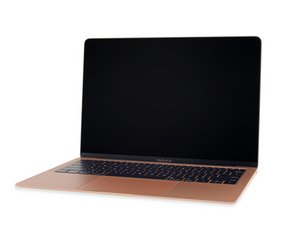
Руководства по ремонту и информация о долгожданном обновлении популярного MacBook Air, оснащенного процессором Intel Core i5, обновленным дисплеем Retina и множеством других изменений. Устройство выпущено 7 ноября 2018 года.

Membrane underneath the keyboard

There’s a lot of dust and debris underneath my keyboard, which I can see when I adjust the keyboard light. I also notice that the membrane is torn underneath my arrow keys. I’m wondering how I can remove the particles underneath my keyboard and if I need to have the membrane replaced. I am not having any keyboard issues, and I’m trying to prevent such issues down the road. Thanks.

Ответ на этот вопрос У меня та же проблема

Это хороший вопрос?

Счет 2
Добавить комментарий

1 ответ

Наиболее полезный ответ

Hey there,

the easiest way to fix this ist to go to a Apple store or a certified repair shop, if you have any keyboard issues they replace it for free. So my suggestion is wait till the keyboard fails its enough for them when one key is broken or not working properly. They change all Butterfly Keyboards for free, the Mac needs to be younger than 4 years, so you have time till 2022.

Stay healthy.

Был ли этот ответ полезен?

Счет 2
Добавить комментарий

Добавьте свой ответ

Emily буду вечно благодарен.
Статистика просмотров:

За последние 24 часов: 0

За последние 7 дней: 4

За последние 30 дней: 21

За всё время: 1,547
