Перейти к основному содержанию

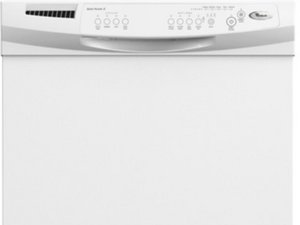
Repair guides and troubleshooting for the Whirlpool Quiet Partner II insulated dishwasher.

How do I reset my Quite Partner II Dishwasher

My Quiet Partner II dishwasher is not working - the control panel is no longer lit up. I am having a difficult time trying to find out how to Reset it with the correct control panel button sequence for this model. I believe it is hard-wired so I have checked the breakers in my basement. I have pushed some buttons and the lights came on and off but not working. and When I push the cancel button it comes on -:O) instead of the start button and the washing selections. Help! :O)

Ответ на этот вопрос У меня та же проблема

Это хороший вопрос?

Счет 1
11 Комментариев

Hi,

What is the model number of the dishwasher?

из

Model #Du1055xtvq8

из

Hi @stihl209

Did you try the Most Helpful Answer below, you didn't say?

из

I have power to the unit but no lights. Model DU950PWKQ1. I tried the reset as described with no success

из

Serial # FY 1421120

из

Показать ещё 6 комментариев

Добавить комментарий

9 Ответов

Наиболее полезный ответ

Judy Doughty some of this will depend on your DW exact model. In general to reset the Quiet Partner II you:

Open the DW door

Push "heated dry," "normal," "heated dry" and "normal" in quick succession. immediately after this close the dishwasher door.

Был ли этот ответ полезен?

Счет 19

29 Комментариев:

Thank you it worked. Dishwasher is up and running. DT

из

@daybreak1964 good job and thanks for letting us know!

из

It didnt work for me .. Any other ideas ?? Please

из

@Wanda Reddick

What is the model number of the dishwasher?

из

I had success with pressing both buttons at the same time, twice. Then closing the door. I may have even closed the door as I was pushing the buttons for the 2nd time.

из

Показать ещё 24 комментариев

Добавить комментарий

Turn off the power. Open the dishwasher, take out the top 6 screws. The top control panel should pull away from the dishwasher. Pop off the plastic cover inside to expose the circuit board. Disconnect the 14 or 16 pin ribbon cable. Turn the power on. With the power on, carefully reconnect the ribbon cable. Reassemble your dishwasher. My dishwasher works again for me!😀

Был ли этот ответ полезен?

Счет 4

5 Комментариев:

The pin ribbon cable approach worked for me. Thanks very much

Used a Torx 10 bit to remove and tighten the screws.

Pressing buttons in different manners hadn't been successful

According to dishwasher's serial number and information I obtained from the Internet, the Quiet Partner II was manufactured in 2010.

из

The pin ribbon cable worked for us!

Pushing the buttons did not work for us.

Thanks

из

I popped open the cover, the ribbon pin was permanently attached and I couldn't remove it. I jiggled it and a couple of other connections, cleaned up a bit and closed it up. Now the dishwasher is working again! The only issue is that on the left side, the Pots&Pans, Normal, and Light lights remain dimly glowing even when the DW is completely off. I never noticed this before. Is this a normal thing, or is it something for me to be concerned about?

из

Don’t do this. My dishwasher is now completely broken and will need to be replaced

из

It worked great for me ! Thanks ☺️

из

Добавить комментарий

I had success with pressing both buttons at the same time, twice. Then closing the door. I may have even closed the door as I was pushing the buttons for the 2nd time.

Был ли этот ответ полезен?

Счет 1

2 Комментариев:

I have a whirlpool gold DW model # GU1500XTKT0 not operating and have a constant flashing rinse only light. Any ideas that I may try?

из

I pushed the heated dry,normal, heated dry, normal and bent the closing latch into position to enter it's hook space. After pushing the code, all the lights became lit. When it closed and connected as it is supposed to hook closed, the lights went out. The blinking had also stopped, so we pushed normal and start and it worked. We tried the unplugging and turned off the fuse box to the dishwasher for minutes first the day before and it didn't help. Fortunately this advice from above did the trick. Thank you for the help! Good luck to everyone else!

из

Добавить комментарий

Normal wash, light wash and off/reset lights are flashing at same time. No other buttons will work.

Был ли этот ответ полезен?

Счет 0

2 Комментариев:

This worked for me as well! Thank you!

из

Same issue here! I turned the breaker off and pulled the chipboard out unplugging it completely, put it all back together and it worked just fine!

из

Добавить комментарий

My dishwasher is flashing on the normal wash and will not come on

Был ли этот ответ полезен?

Счет 0

2 Комментариев:

Same issue here! I turned the breaker off and pulled the chipboard out unplugging it completely, put it all back together and it worked just fine! Sometimes just turning the breaker off for 30 seconds will reset it.

из

I posted same issue above but now see you have dealt with this already. Is the CPU board behind the inside door panel? Removing i think 14 screws will allow me access?

из

Добавить комментарий

I’m just getting all lights on with no response to any button being pushed after doing the heated dry/normal push reset. Any ideas what could be going on?

Был ли этот ответ полезен?

Счет 0

1 Комментарий:

Hi,

What is the model number of the dishwasher?

Have you tried disconnecting the power to the dishwasher for 5 minutes and checked if that reset it?

из

Добавить комментарий

My dishwasher is blinking right now and won't work! Help!

Был ли этот ответ полезен?

Счет 0

1 Комментарий:

Hi @jonathanbutz

What is the model number of the dishwasher and which light(s) are blinking?

из

Добавить комментарий

Pushing these buttons together at the same time and holding them for around a minute or two was what worked for me.

Был ли этот ответ полезен?

Счет 0

2 Комментариев:

How do I reset the lock mechanism light.

из

@acz64550

What is the model number of the dishwasher

из

Добавить комментарий

Taking the panel off and unplugging the chipboard and then reinserting it and pressing the start button worked perfectly! I tried all other ways that were described but this was the only way it worked! Thank you.

Был ли этот ответ полезен?

Счет 0
Добавить комментарий

Добавьте свой ответ

Judy Doughty буду вечно благодарен.
Статистика просмотров:

За последние 24 часов: 17

За последние 7 дней: 141

За последние 30 дней: 690

За всё время: 53,656