Перейти к основному содержанию

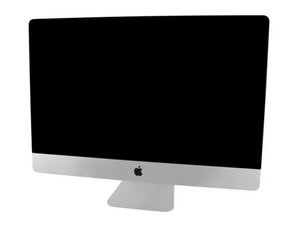
Model A1419 / Late 2013 / 3.2 & 3.4 GHz Core i5 or 3.5 GHz Core i7 Processor, ID iMac14,2

How to best diagnose a dead screen vs. the graphic card

I have a 2013 iMac 27" which suddenly started to display a blank / black screen. It is definitely running as I can hear the chime at power on and the fan and hard drive making noise. I have tried to boot into reset / diagnostic mode and check that the ram was seated correctly, still nothing.

I should mention that an external monitor will not work either and is the reason why I question if it is the screen itself or the graphic card...

What is are there best methods to diagnose the graphic card vs display? Can I run any diagnostics without removing the screen?

Thank you,

Ответ на этот вопрос У меня та же проблема

Это хороший вопрос?

Счет 0
Добавить комментарий

1 ответ

Does the screen change at all when you power it on? Sometimes it can be hard to tell, but if you're getting a backlit black screen, then the display itself is probably still working fine. It's pretty rare for the GPU to fail on the 2013 27-inch iMacs, so I'd be surprised if that was the case. Sometimes a failing internal hard drive can cause the symptoms you're describing, though, especially a failing Fusion Drive. Unfortunately I think the only way forward at this point would be to open up the device and test the internal components. Good luck!

Был ли этот ответ полезен?

Счет 0
Добавить комментарий

Добавьте свой ответ

Jayson Wonder буду вечно благодарен.
Статистика просмотров:

За последние 24 часов: 0

За последние 7 дней: 1

За последние 30 дней: 4

За всё время: 79