
Перейти к основному содержанию

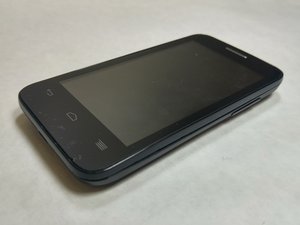
The Alcatel One Touch Evolve 2 is an Android smart phone. The various repairs are fairly simple and only require a few basic tools.

How to wipe internal memory (phone won't turn on)

I would like to wipe or destroy internal memory before recycling the device.

Phone won't turn on after charging for hours. A white LED does turn on whenever I plug in a charger.

I've tried a hard reset (holding power and volume up keys)

When I plug into a computer it doesn't show up as a USB device.

Looking at the inside I'm not able to identify where the internal memory would be (for image of internals, see Alcatel One Touch Evolve 2 Rear Speaker Replacement

It looks like it has 4GBs internal memory according to https://www.gsmarena.com/alcatel_evolve_...

Ответ на этот вопрос У меня та же проблема

Это хороший вопрос?

Счет 0

1 Комментарий:

reset the device

из

Добавить комментарий

1 ответ

Hi @dkb50242

Surest option is to remove the main circuit board from the phone and then hit the board with a hammer a few times. Guaranteed nothing will work after that.

Here's the ifixit Alcatel One Touch Evolve 2 Main Circuit Board Replacement guide that will help.

Был ли этот ответ полезен?

Счет 0
Добавить комментарий

Добавьте свой ответ

dkb буду вечно благодарен.
Статистика просмотров:

За последние 24 часов: 0

За последние 7 дней: 1

За последние 30 дней: 1

За всё время: 53
