Перейти к основному содержанию
Присоединяйся к сообществу ремонтников - Создай аккаунт

Dell AC511 Hanger Replacement

Выберете то, что вам нужно

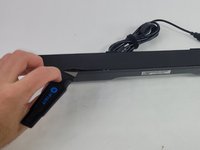
  1. Dell AC511 Hanger Replacement, Front Panel: шаг 1, изображение 1 из 3 Dell AC511 Hanger Replacement, Front Panel: шаг 1, изображение 2 из 3 Dell AC511 Hanger Replacement, Front Panel: шаг 1, изображение 3 из 3
    • Use a Jimmy to peel off the screen stuck to the front of the speaker.

    • Start from any corner and use the Jimmy to get under the screen. Once one side lifts up, you can use your fingers to peel the rest off.

    • Be careful to avoid damage to the rest of the speaker and especially to yourself.

    • Don't worry if it tears; use the Jimmy again to peel off the rest.

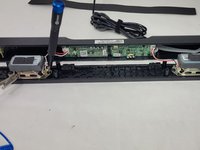
  2. Dell AC511 Hanger Replacement: шаг 2, изображение 1 из 2 Dell AC511 Hanger Replacement: шаг 2, изображение 2 из 2
    • Remove ten 6 mm screws using a Phillips #1 screwdriver.

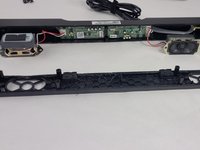
  3. Dell AC511 Hanger Replacement: шаг 3, изображение 1 из 2 Dell AC511 Hanger Replacement: шаг 3, изображение 2 из 2
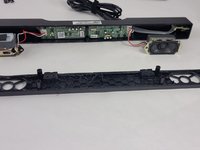
    • Lift the front panel off of the rest of the device.

    • The speakers will still be attached to the front panel. Being too rough could damage them.

    • Remove the 4 mm screws from the speakers using a JIS #1 screwdriver.

    • Remove the front panel from the device.

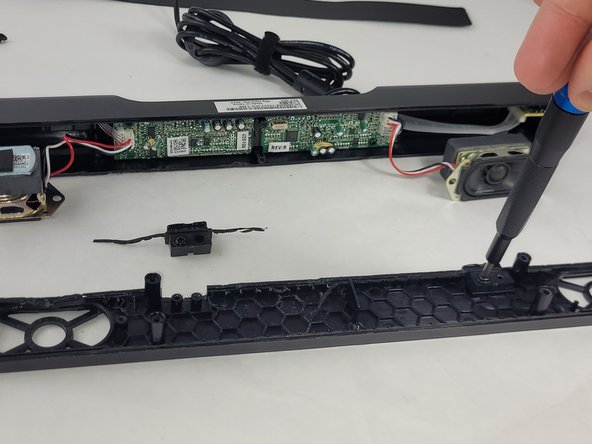
  4. Dell AC511 Hanger Replacement, Hanger: шаг 4, изображение 1 из 2 Dell AC511 Hanger Replacement, Hanger: шаг 4, изображение 2 из 2
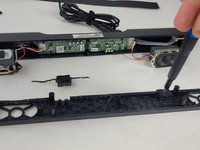
    • The speakers do not have to have been removed for this step, though it may make it easier.

    • Remove the screws from the hangers you are looking to replace using a JIS #1 screwdriver.

    • We accidentally removed some of the rubber lining the inside along with the hanger. Use a razor to cut it off before removing the hanger.

Заключение

To reassemble your device, follow these instructions in reverse order.

William Cook

Участник с: 03/19/24

653 Репутация

Автор 6 руководств

Команда

UMass Dartmouth, Team 4-6, Shaddix Spring 2024 Участник UMass Dartmouth, Team 4-6, Shaddix Spring 2024

UMASSD-SHADDIX-S24S4G6

4 членов

Автор 6 руководств

0 Комментарии к руководству

Добавить комментарий

Статистика просмотров:

За последние 24 часов: 2

За последние 7 дней: 3

За последние 30 дней: 16

За всё время: 215