Перейти к основному содержанию

DualSense Controller V5 Rear Case Replacement

Выберете то, что вам нужно

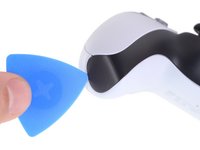
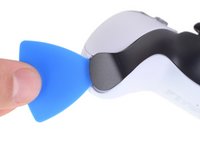
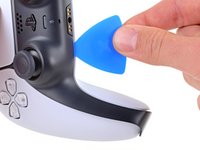
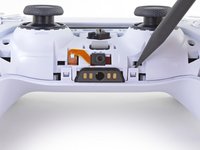
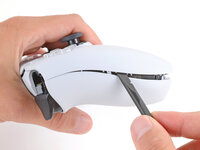
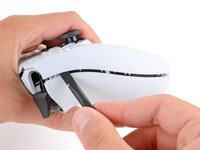
  1. DualSense Controller V5 Rear Case Replacement, Unclip the right end of the middle trim: шаг 1, изображение 1 из 2 DualSense Controller V5 Rear Case Replacement, Unclip the right end of the middle trim: шаг 1, изображение 2 из 2
    • Disconnect and power down your controller before you begin.

    • Insert an opening pick underneath the middle trim at the bottom-right corner of the controller to release the clips securing it to the case.

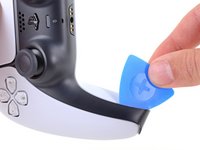
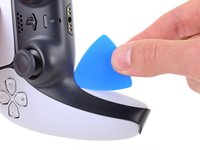
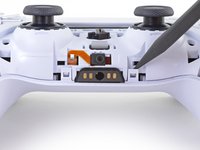
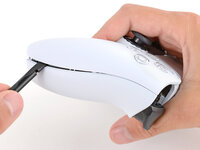
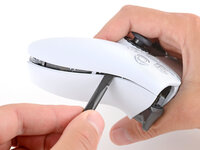
  2. DualSense Controller V5 Rear Case Replacement, Unclip the lower-right edge of the middle trim: шаг 2, изображение 1 из 3 DualSense Controller V5 Rear Case Replacement, Unclip the lower-right edge of the middle trim: шаг 2, изображение 2 из 3 DualSense Controller V5 Rear Case Replacement, Unclip the lower-right edge of the middle trim: шаг 2, изображение 3 из 3
    • Slide the opening pick along the lower-right edge of the middle trim to release the clips securing it to the case.

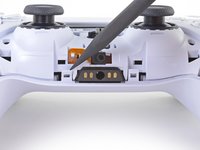
  3. DualSense Controller V5 Rear Case Replacement, Unclip the left end of the middle trim: шаг 3, изображение 1 из 2 DualSense Controller V5 Rear Case Replacement, Unclip the left end of the middle trim: шаг 3, изображение 2 из 2
    • Insert an opening pick underneath the middle trim at the bottom-left corner of the controller to release the clips securing it to the case.

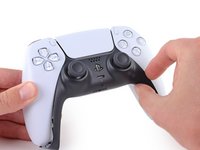
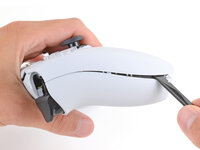
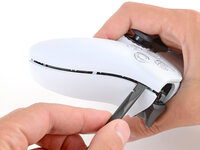
  4. DualSense Controller V5 Rear Case Replacement, Unclip the lower-left edge of the middle trim: шаг 4, изображение 1 из 3 DualSense Controller V5 Rear Case Replacement, Unclip the lower-left edge of the middle trim: шаг 4, изображение 2 из 3 DualSense Controller V5 Rear Case Replacement, Unclip the lower-left edge of the middle trim: шаг 4, изображение 3 из 3
    • Slide the opening pick along the lower-left edge of the middle trim to release the clips securing it to the case.

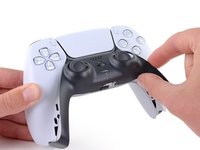
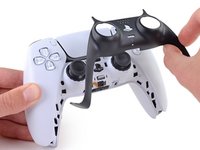
  5. DualSense Controller V5 Rear Case Replacement, Remove the middle trim: шаг 5, изображение 1 из 3 DualSense Controller V5 Rear Case Replacement, Remove the middle trim: шаг 5, изображение 2 из 3 DualSense Controller V5 Rear Case Replacement, Remove the middle trim: шаг 5, изображение 3 из 3
    • Use your fingers to lift up the bottom edge of the middle trim to release the remaining clips.

    • Lift the middle trim over the joysticks to remove it.

  6. DualSense Controller V5 Rear Case Replacement, Remove the L1 button: шаг 6, изображение 1 из 3 DualSense Controller V5 Rear Case Replacement, Remove the L1 button: шаг 6, изображение 2 из 3 DualSense Controller V5 Rear Case Replacement, Remove the L1 button: шаг 6, изображение 3 из 3
    • With one hand, grip the controller and use your thumb to hold down the left trigger.

    • With your free hand, insert the flat end of a spudger between the L1 and L2 buttons.

    • Use the spudger to gently pry the L1 button away from the controller and remove it, holding your finger over the button so it doesn't eject.

  7. DualSense Controller V5 Rear Case Replacement, Remove the R1 button: шаг 7, изображение 1 из 3 DualSense Controller V5 Rear Case Replacement, Remove the R1 button: шаг 7, изображение 2 из 3 DualSense Controller V5 Rear Case Replacement, Remove the R1 button: шаг 7, изображение 3 из 3
    • Repeat the previous step to remove the R1 button.

  8. DualSense Controller V5 Rear Case Replacement, Remove the rear case screws: шаг 8, изображение 1 из 2 DualSense Controller V5 Rear Case Replacement, Remove the rear case screws: шаг 8, изображение 2 из 2
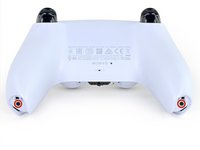
    • Use a Phillips screwdriver to remove the two 6.4 mm screws securing the bottom corners of the lower case.

  9. DualSense Controller V5 Rear Case Replacement: шаг 9, изображение 1 из 2 DualSense Controller V5 Rear Case Replacement: шаг 9, изображение 2 из 2
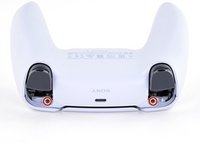
    • Use a Phillips screwdriver to remove the two 6.4 mm screws behind the L1 and R1 buttons.

  10. DualSense Controller V5 Rear Case Replacement, Separate the rear case: шаг 10, изображение 1 из 3 DualSense Controller V5 Rear Case Replacement, Separate the rear case: шаг 10, изображение 2 из 3 DualSense Controller V5 Rear Case Replacement, Separate the rear case: шаг 10, изображение 3 из 3
    • Be gentle when releasing the rear cover clips—they're delicate and can easily break.

    • Use the point of a spudger to release the two clips on either side of the headset jack.

  11. DualSense Controller V5 Rear Case Replacement: шаг 11, изображение 1 из 3 DualSense Controller V5 Rear Case Replacement: шаг 11, изображение 2 из 3 DualSense Controller V5 Rear Case Replacement: шаг 11, изображение 3 из 3
    • Tight plastic clips secure the left and right edges of the rear case.

    • Insert the flat end of a spudger between the front and rear shells near the bottom of the left edge.

    • Slide the spudger along the left edge and gently pry the shells apart to release the clips.

  12. DualSense Controller V5 Rear Case Replacement: шаг 12, изображение 1 из 3 DualSense Controller V5 Rear Case Replacement: шаг 12, изображение 2 из 3 DualSense Controller V5 Rear Case Replacement: шаг 12, изображение 3 из 3
    • Repeat the previous step on the right edge to release its clips.

  13. DualSense Controller V5 Rear Case Replacement: шаг 13, изображение 1 из 2 DualSense Controller V5 Rear Case Replacement: шаг 13, изображение 2 из 2
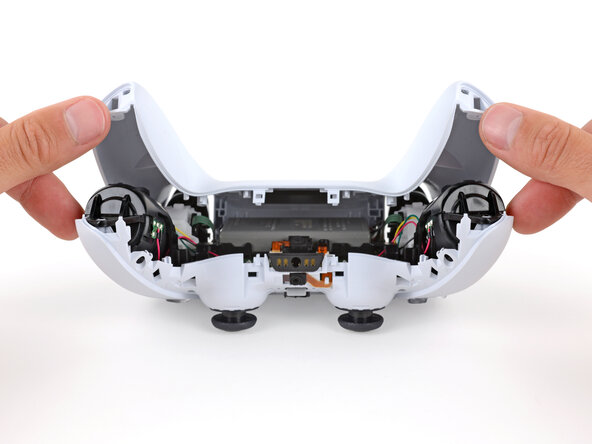
    • Lay your controller upside down so the joysticks are on your work surface.

    • Hold the controller down with your fingers and use your thumbs to lift the rear case away from the controller to fully separate it.

  14. DualSense Controller V5 Rear Case Replacement, Remove the rear case: шаг 14, изображение 1 из 1
    • Remove the rear case.

Заключение

To reassemble your device, follow these instructions in reverse order.

Repair didn’t go as planned? Try some basic troubleshooting, or ask our Answers community for help.

Spencer Day

Участник с: 09/14/22

150 037 Репутация

Автор 995 руководств

Команда

iFixit Участник iFixit

Staff

123 членов

Автор 23 648 руководств

0 Комментарии к руководству

Добавить комментарий

Статистика просмотров:

За последние 24 часов: 0

За последние 7 дней: 9

За последние 30 дней: 81

За всё время: 545