Перейти к основному содержанию
Присоединяйся к сообществу ремонтников - Создай аккаунт
LG Phoenix 2 Power and volume buttons Replacement

Выберете то, что вам нужно

  1. LG Phoenix 2 Power and volume buttons Replacement, Battery: шаг 1, изображение 1 из 3 LG Phoenix 2 Power and volume buttons Replacement, Battery: шаг 1, изображение 2 из 3 LG Phoenix 2 Power and volume buttons Replacement, Battery: шаг 1, изображение 3 из 3
    • Place a fingernail in the notch at the bottom edge of the phone.

    • Pull on the back cover with one hand while keeping the rest of the phone steady, and run your fingernail along the edge.

    Спросите у FixBot

    Добавить комментарий

  2. LG Phoenix 2 Power and volume buttons Replacement: шаг 2, изображение 1 из 3 LG Phoenix 2 Power and volume buttons Replacement: шаг 2, изображение 2 из 3 LG Phoenix 2 Power and volume buttons Replacement: шаг 2, изображение 3 из 3
    • Place a fingernail in the notch at the bottom edge of the battery.

    • Pull the battery out.

    Спросите у FixBot

    Добавить комментарий

  3. LG Phoenix 2 Power and volume buttons Replacement, Power and volume buttons: шаг 3, изображение 1 из 2 LG Phoenix 2 Power and volume buttons Replacement, Power and volume buttons: шаг 3, изображение 2 из 2
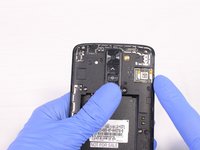
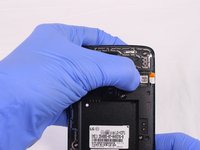
    • Locate the SIM card in the top right corner on the back of the phone.

    • Remove the SIM card by pushing it with your thumb from left to right.

    Спросите у FixBot

    Добавить комментарий

  4. LG Phoenix 2 Power and volume buttons Replacement: шаг 4, изображение 1 из 3 LG Phoenix 2 Power and volume buttons Replacement: шаг 4, изображение 2 из 3 LG Phoenix 2 Power and volume buttons Replacement: шаг 4, изображение 3 из 3
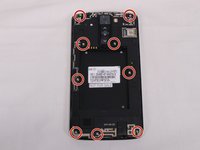
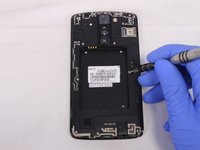
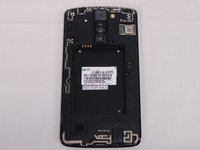
    • Remove all 9 screws on the back by using a Phillips head #J00 screwdriver.

    • To remove the screws rotate them counterclockwise.

    Спросите у FixBot

    Добавить комментарий

  5. LG Phoenix 2 Power and volume buttons Replacement: шаг 5, изображение 1 из 3 LG Phoenix 2 Power and volume buttons Replacement: шаг 5, изображение 2 из 3 LG Phoenix 2 Power and volume buttons Replacement: шаг 5, изображение 3 из 3
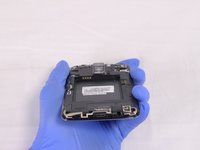
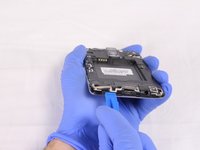
    • Insert a plastic opening tool in the split at the bottom of the phone (between the bottom shield and the rest of the phone).

    • Pry the bottom shield to separate it from the phone.

    • Once it is loose you should be able to remove it with your hand.

    Спросите у FixBot

    Добавить комментарий

  6. LG Phoenix 2 Power and volume buttons Replacement: шаг 6, изображение 1 из 3 LG Phoenix 2 Power and volume buttons Replacement: шаг 6, изображение 2 из 3 LG Phoenix 2 Power and volume buttons Replacement: шаг 6, изображение 3 из 3
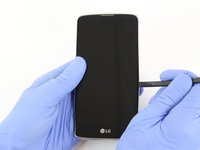
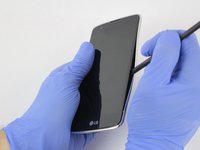
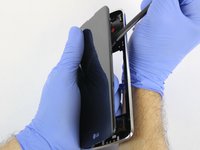
    • Insert the flat end of the Spudger between the screen and the chromed frame.

    • Once inserted, run the Spudger along the frame to separate the front part of the phone from the back shield.

    Спросите у FixBot

    Добавить комментарий

  7. LG Phoenix 2 Power and volume buttons Replacement: шаг 7, изображение 1 из 3 LG Phoenix 2 Power and volume buttons Replacement: шаг 7, изображение 2 из 3 LG Phoenix 2 Power and volume buttons Replacement: шаг 7, изображение 3 из 3
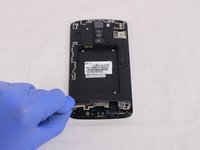
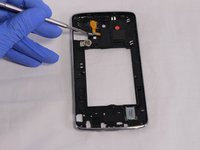
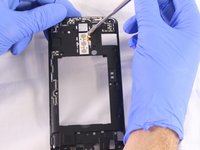
    • The buttons are attached with adhesive to both sides of the back shield. To separate the orange cables insert a metallic Spudger underneath and gently pull up.

    • Once the orange part is loose move to the next step.

    Спросите у FixBot

    Добавить комментарий

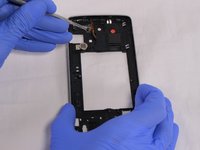
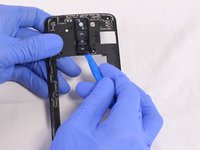
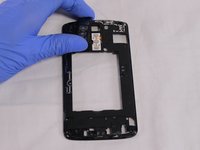
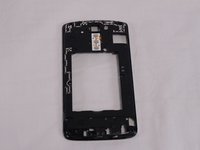
  8. LG Phoenix 2 Power and volume buttons Replacement: шаг 8, изображение 1 из 3 LG Phoenix 2 Power and volume buttons Replacement: шаг 8, изображение 2 из 3 LG Phoenix 2 Power and volume buttons Replacement: шаг 8, изображение 3 из 3
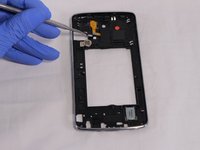
    • Remove the buttons frame on the back side the shield, by inserting a plastic opening tool underneath the frame.

    Спросите у FixBot

    Добавить комментарий

  9. LG Phoenix 2 Power and volume buttons Replacement: шаг 9, изображение 1 из 3 LG Phoenix 2 Power and volume buttons Replacement: шаг 9, изображение 2 из 3 LG Phoenix 2 Power and volume buttons Replacement: шаг 9, изображение 3 из 3
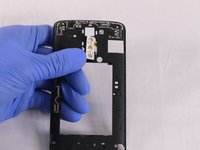
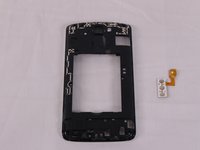
    • The buttons are attached with adhesive. To separate them from the shield insert a metallic Spudger underneath and gently pull up.

    • Once the part is loose you should be able to pass the backside orange cables through the hole.

    Спросите у FixBot

    Добавить комментарий

Заключение

To reassemble your device, follow these instructions in reverse order.

Отменить: Я не выполнил это руководство.

Esteban Ruibal

Участник с: 02/14/18

705 Репутация

Автор 5 руководств

Команда

USF Tampa, Team S2-G2, Eyestone Spring 2018 Участник USF Tampa, Team S2-G2, Eyestone Spring 2018

USFT-EYESTONE-S18S2G2

4 членов

Автор 10 руководств

0 Комментарии к руководству

Добавить комментарий

Статистика просмотров:

За последние 24 часов: 1

За последние 7 дней: 8

За последние 30 дней: 39

За всё время: 784