Перейти к основному содержанию
Присоединяйся к сообществу ремонтников - Создай аккаунт

Motorola i560 Screen Replacement

Выберете то, что вам нужно

  1. Motorola i560 Screen Replacement, Battery: шаг 1, изображение 1 из 1
    • Place thumb on the rubber tab on the lower back of the phone.

    • Push away from the phone to release back panel.

    Спросите у FixBot

    Добавить комментарий

  2. Motorola i560 Screen Replacement: шаг 2, изображение 1 из 1
    • Lift the back panel of the phone to expose battery (not shown here).

    Спросите у FixBot

    Добавить комментарий

  3. Motorola i560 Screen Replacement, Motherboard: шаг 3, изображение 1 из 1
    • Pull the antenna up to reveal two of the six screws.

    Спросите у FixBot

    Добавить комментарий

  4. Motorola i560 Screen Replacement: шаг 4, изображение 1 из 1
    • Unscrew all six screws on the back side of the phone using a T-6 bit.

    Спросите у FixBot

    Добавить комментарий

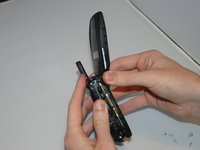
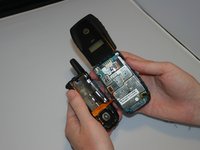
  5. Motorola i560 Screen Replacement: шаг 5, изображение 1 из 2 Motorola i560 Screen Replacement: шаг 5, изображение 2 из 2
    • Gently separate the front and back sides of the phone, as shown in the picture.

    • Be careful not to break or bend the ribbon cables.

    Спросите у FixBot

    Добавить комментарий

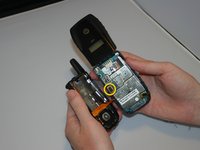
  6. Motorola i560 Screen Replacement: шаг 6, изображение 1 из 2 Motorola i560 Screen Replacement: шаг 6, изображение 2 из 2
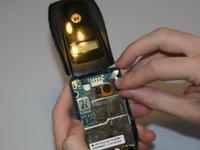
    • Detach the first ribbon cable by unplugging it from the motherboard.

    Спросите у FixBot

    Добавить комментарий

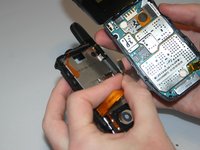
  7. Motorola i560 Screen Replacement: шаг 7, изображение 1 из 2 Motorola i560 Screen Replacement: шаг 7, изображение 2 из 2
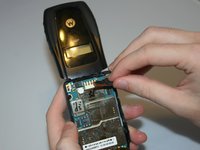
    • Detach the speaker ribbon cable from the motherboard.

    Спросите у FixBot

    Добавить комментарий

  8. Motorola i560 Screen Replacement: шаг 8, изображение 1 из 1
    • Remove the motherboard from the front half of the phone by gently shaking it loose. It should come out with little to no trouble.

    Спросите у FixBot

    Добавить комментарий

  9. Motorola i560 Screen Replacement, Keypad: шаг 9, изображение 1 из 1
    • Push lightly from the front of the keypad to remove it.

    Спросите у FixBot

    Добавить комментарий

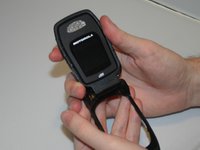
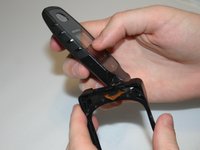
  10. Motorola i560 Screen Replacement, Screen: шаг 10, изображение 1 из 2 Motorola i560 Screen Replacement, Screen: шаг 10, изображение 2 из 2
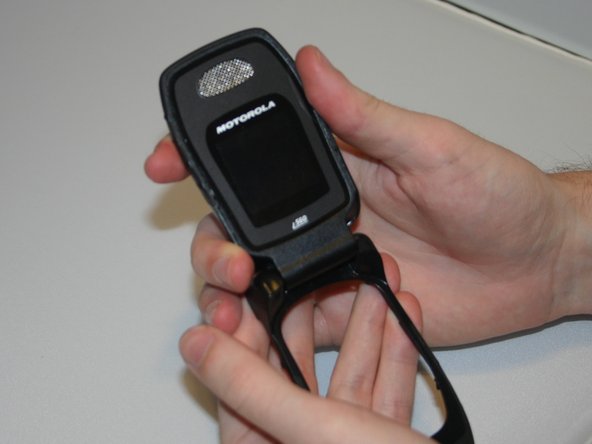
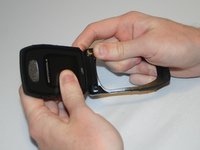
    • By applying force, "pop" the screen out of the connecting hinge frame of the phone.

    Спросите у FixBot

    Добавить комментарий

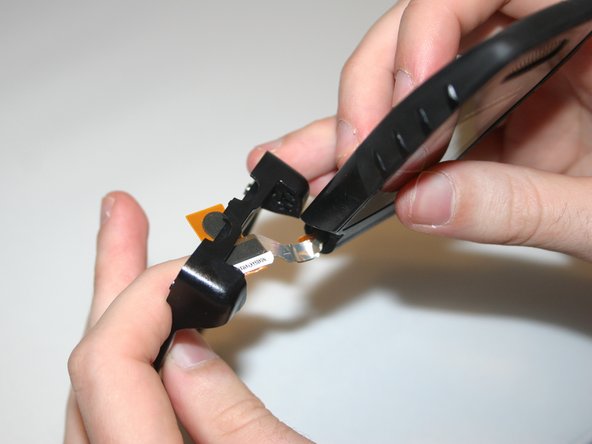
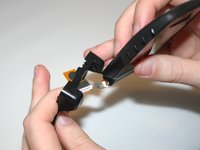
  11. Motorola i560 Screen Replacement: шаг 11, изображение 1 из 2 Motorola i560 Screen Replacement: шаг 11, изображение 2 из 2
    • Carefully slide the speaker ribbon cable through the slot in the front frame of the phone.

    Спросите у FixBot

    Добавить комментарий

  12. Motorola i560 Screen Replacement: шаг 12, изображение 1 из 1
    • After sliding the ribbon cable through the front frame of the phone, the separated screen and phone frame will appear as shown.

    Спросите у FixBot

    Добавить комментарий

Заключение

To reassemble your device, follow these instructions in reverse order.

Отменить: Я не выполнил это руководство.

Ariel

Участник с: 03/11/13

19 Репутация

Автор 4 руководств

Команда

Clemson, Team 13-6, Benson Spring 2013 Участник Clemson, Team 13-6, Benson Spring 2013

CLEM-BENSON-S13S13G6

3 членов

Автор 10 руководств

0 Комментарии к руководству

Добавить комментарий

Статистика просмотров:

За последние 24 часов: 0

За последние 7 дней: 3

За последние 30 дней: 26

За всё время: 350