Перейти к основному содержанию

PDP Rematch Cable Replacement

Выберете то, что вам нужно

  1. PDP Rematch Cable Replacement, Faceplate: шаг 1, изображение 1 из 2 PDP Rematch Cable Replacement, Faceplate: шаг 1, изображение 2 из 2
    • Grip one side of the controller firmly.

    • Insert an opening pick into the crease between the faceplate and the body of the controller.

    • Once the pick creates a gap in the crease, gently insert another pick into a different section of the crease.

    • Carefully move the picks along the controller's crease line until you hear a popping sound.

    • Gently lift off the faceplate by hand.

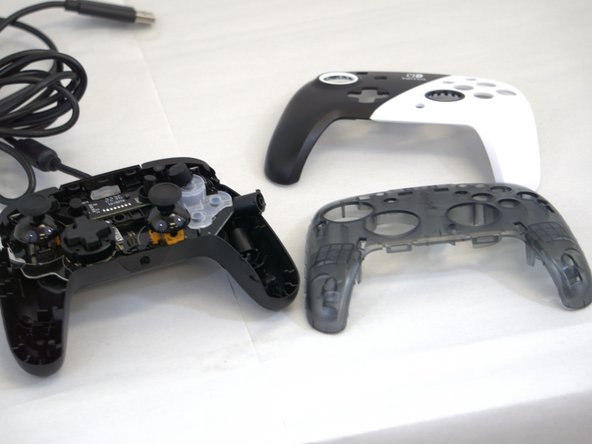
  2. PDP Rematch Cable Replacement: шаг 2, изображение 1 из 2 PDP Rematch Cable Replacement: шаг 2, изображение 2 из 2
    • Remove the 8 mm screws from the hard cover using a JIS #00 screwdriver.

    • Since the screws have been removed, avoid shaking or moving your controller too much to prevent other buttons from falling out.

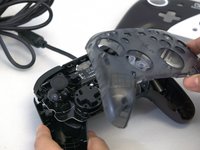
  3. PDP Rematch Cable Replacement: шаг 3, изображение 1 из 2 PDP Rematch Cable Replacement: шаг 3, изображение 2 из 2
    • Gently lift off the hard cover with your hand; it should not need much force.

  4. PDP Rematch Cable Replacement, Cable: шаг 4, изображение 1 из 1
    • Remove the two screws on the motherboard with a JIS #000 screwdriver.

    • Gently flip the motherboard up to see the other side.

  5. PDP Rematch Cable Replacement: шаг 5, изображение 1 из 1
    • Remove the cable from its plug on the motherboard.

    • This should give you room to carefully detach the Male Pitch Terminal Pin Header from the Female Terminal Pin.

  6. PDP Rematch Cable Replacement: шаг 6, изображение 1 из 1
    • Take the new cable and thread it through the slot. The terminal block should fit loosely into the slot.

    • Then, insert the Male Pitch Terminal Pin into the Female Terminal Pin.

Заключение

To reassemble your device, follow these instructions in reverse order.

Sydney Foster

Участник с: 01/30/24

97 Репутация

1 руководство автора

Команда

Tennessee Tech University, Team 1-3, Pickering Spring 2024 Участник Tennessee Tech University, Team 1-3, Pickering Spring 2024

TNTECH-PICKERING-S24S1G3

4 членов

Автор 5 руководств

1 Комментарий к руководству

Where do I buy the replacement cord from?

Keithy Bruce - Ответить

Добавить комментарий

Статистика просмотров:

За последние 24 часов: 0

За последние 7 дней: 7

За последние 30 дней: 43

За всё время: 396